Adjusting
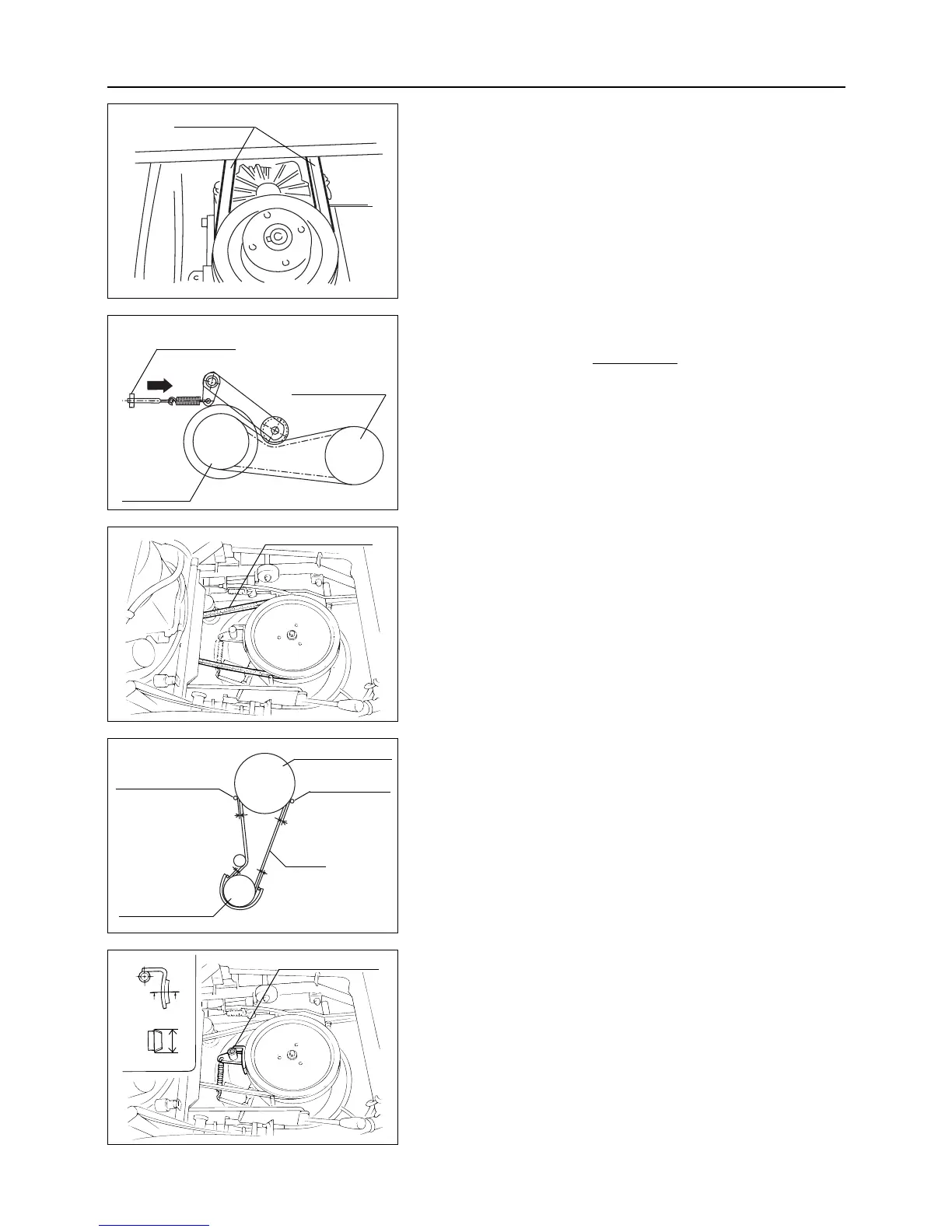
Adjust drive belt only when it slips during driv-
ing. Drive belt should always be in tension dur-
ing operation.
1. To adjust drive belt, turn adjusting nut in direction A.
7.8.2 Rotary Drive Belt
Inspecting
1. Visually check rotary drive belt for damages. If any dam-
age is found, replace rotary drive belt.
Adjusting
After replacing rotary drive belt, make adjustment as follows :
1. On engine-side, set the clearances on belt stoppers A
between 2 and 4 mm and B approximately 10 mm.
2. Set the clearance between rotary belt holder and rotary
drive belt between 3 and 5 mm (when belt slips out of
rotary, check the clearance on belt holder at rotary side).
– 43 –
7
Maintenance
7.8 Adjusting
7.8.1 Drive Belt
Inspection
1. Visually check drive belt for damages. If any damage is
found, replace drive belt.
7.8.3 Rotary Brake
Inspecting
1. Examine if rotary stops within 4 seconds after moving
rotary clutch lever to [OFF] position. If rotary does not
stop within 4 seconds, inspect rotary brake lining for
wear. If the height of lining is 20 mm or less, consult
your dealer to replace it.
Drive belt
A
Engine pulley
Adjusting nut
HST pulley
Rotary drive belt
Rotary belt holder
Engine pulley
V belt
3-5mm
A
B
3-5mm
20
Rotary belt holder
Cutting blade pulley
Rotary brake



 To Next Page