16
MLB242
User’s Guide MLB242-V1
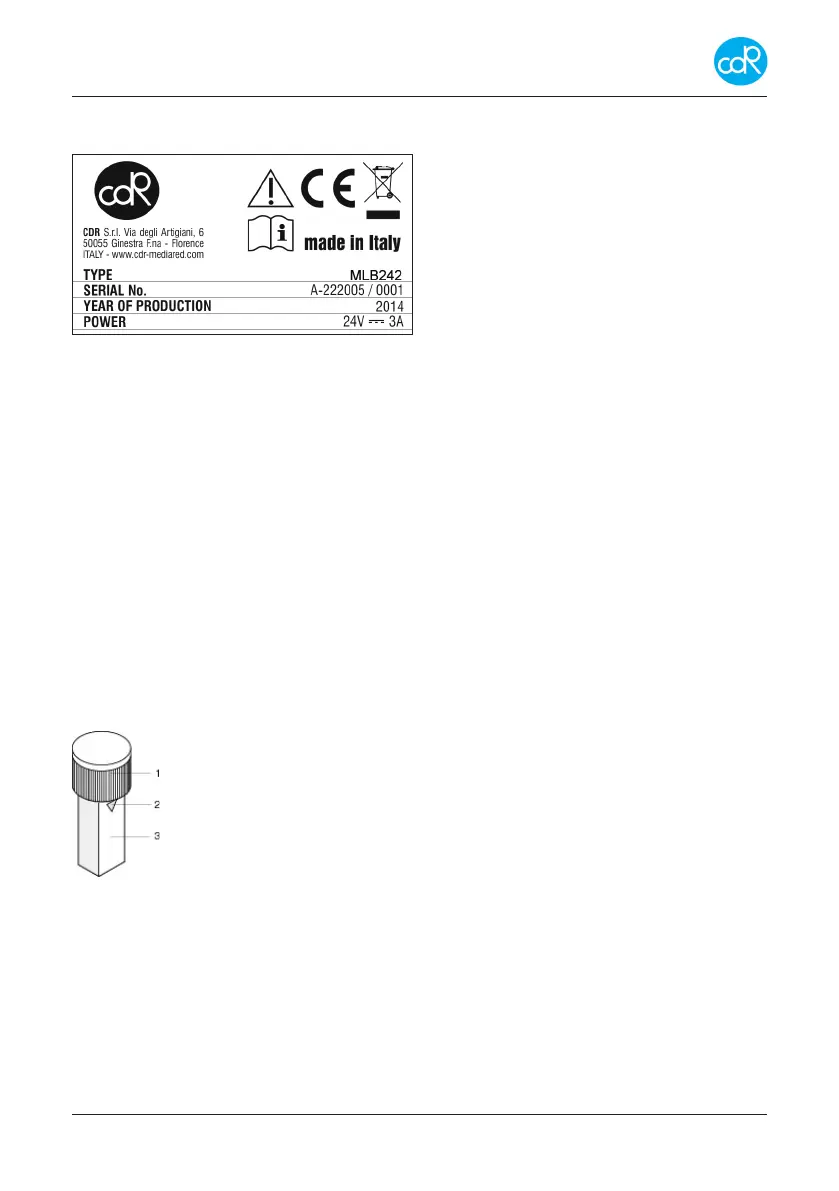
Instrument nameplate
The instruments nameplate displays symbols for safety and identication data.
Address of manufacturer, CE mark
Symbols for attention and wasting
Type: MLB242 and
Serial number:
Year of production:
Power requirement: 24V, 3A AC
Figure 5 Nameplate
Important:
- Never remove the nameplate from the original position chosen by the manufacturer.
- Do not modify or falsify the data displayed on the nameplate.
- Do not clean the nameplate with abrasive products.
1.4 Storage of data
Analyser data, test specic data and results are stored in the memory as long as they
will be overwritten or deleted by user interaction.
1.5 CDR Test cuvette
For opening or closing of the cuvette, it is much recommended to place the cuvette into
a free incubation cell and turn then the cup on or o. This procedure keeps the optical
window clean.
Pre-lled test cuvette
1 cup that closes the cuvette
2 triangular mark that indicates the reagent lling level of 1ml
3 optical window, keep it clean, don’t touch it with ngers!
Figure 6 CDR test cuvette


 To Next Page