30
MLB242
User’s Guide MLB242-V1
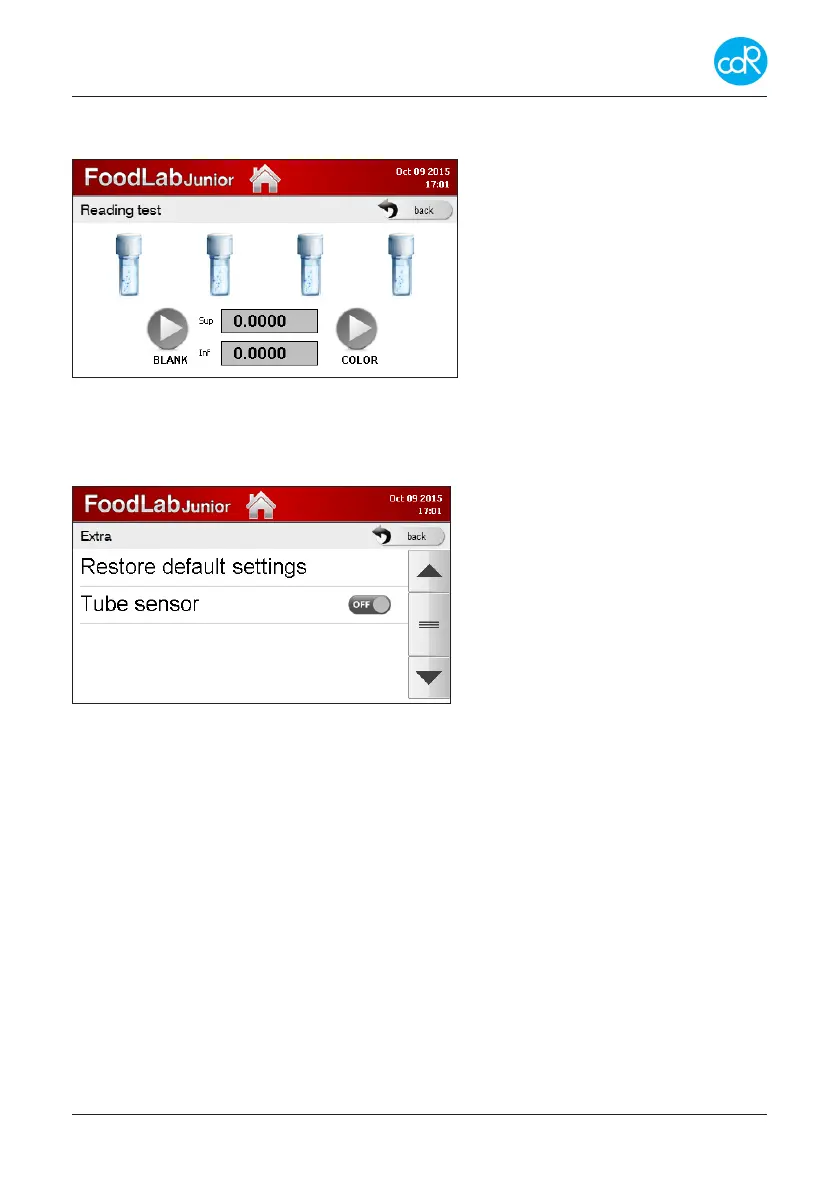
3.7.9 Reading Test
Touch READING TEST to open its dialogue.
Use this dialogue only after instruc-
tions given by cdR or your local
distributor!
Reagents and measuring cells can
be controlled by this function.
Touch back to exit.
Figure 31 Reading test
3.7.10 Extra
Touch Extra to open its dialogue.
Touch back to exit.
ON/OFF setting Tube Sensor
Figure 32 Extra dialogue
Restore default settings
This function allows you to get back to Factory Setting in case of need. Be aware
you will lose user settings and all results! In the meantime installed updates remain
installed.
Tube detection sensor
This sensor detects a cuvette placement inside a reading cell, if it is occupied or not.
But it works well together with the new developed test cuvette which is available in
2016. For the moment let it be in o position.
3.8 Performed Tests (Data Base)
Touch Results to open its dialogue.
All test results are listed after test name, date and time. You can scroll thought the data
base by arrow keys.
After touching a test, a dialogue appears showing samples with their results and units.


 To Next Page