30 | Page
Carlson RT4 User Manual
Barcode Imager
Troubleshoong
the Barcode
Imager
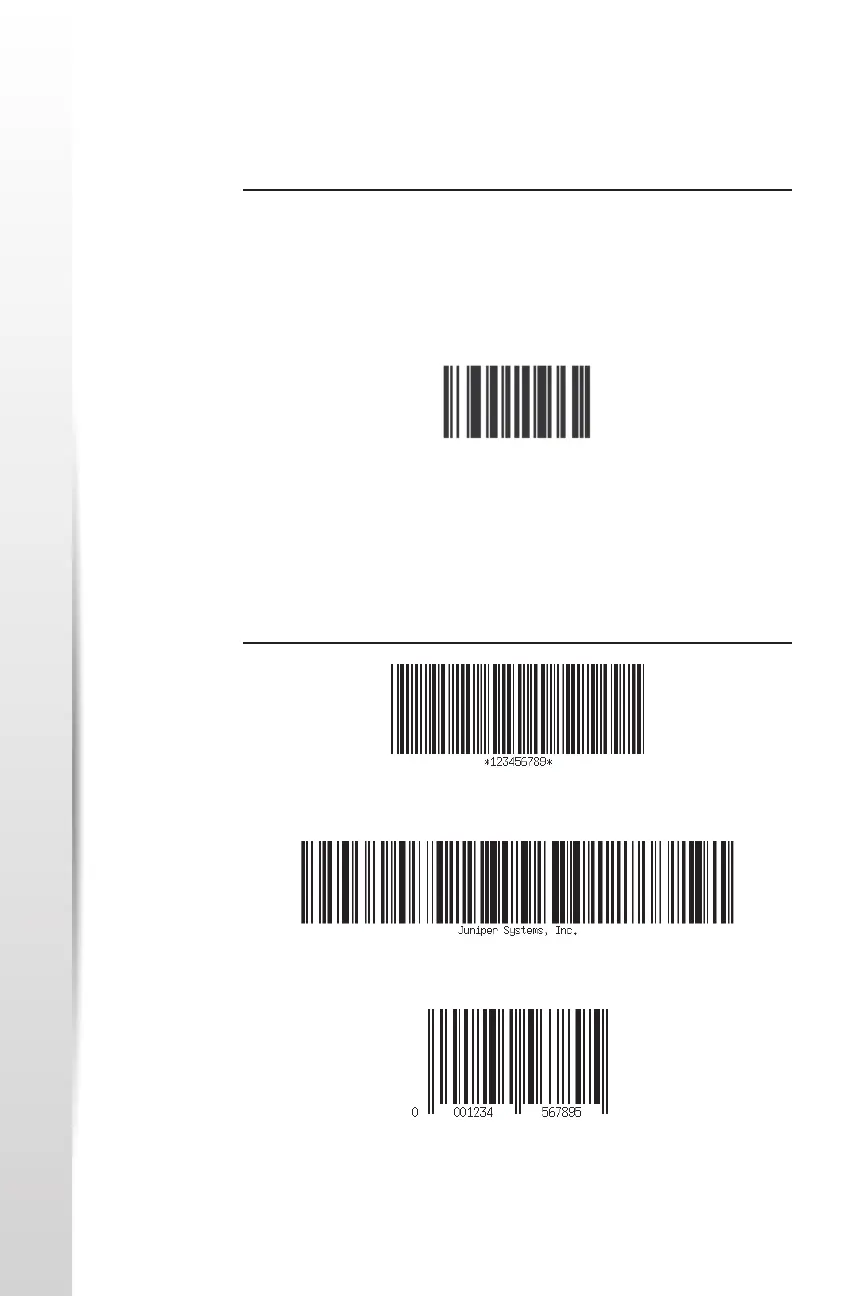
Sample Barcodes
1D Barcodes
If the barcode imager is not funconing correctly, you can set it to factory
default sengs. Follow these steps:
1. Launch Barcode Connector.
2. Scan the Set Factory Default barcode, shown here.
Code 39
Code 128
UPC-A
3. Use the Reset Sengs buon on the User page of the Barcode
Connector to restore the sengs of the Barcode Connector program.
4. Close the Barcode Connector program.
5. Launch Barcode Connector and verify that correct funconality has
been restored.



 To Next Page