Page | 39
Carlson Software
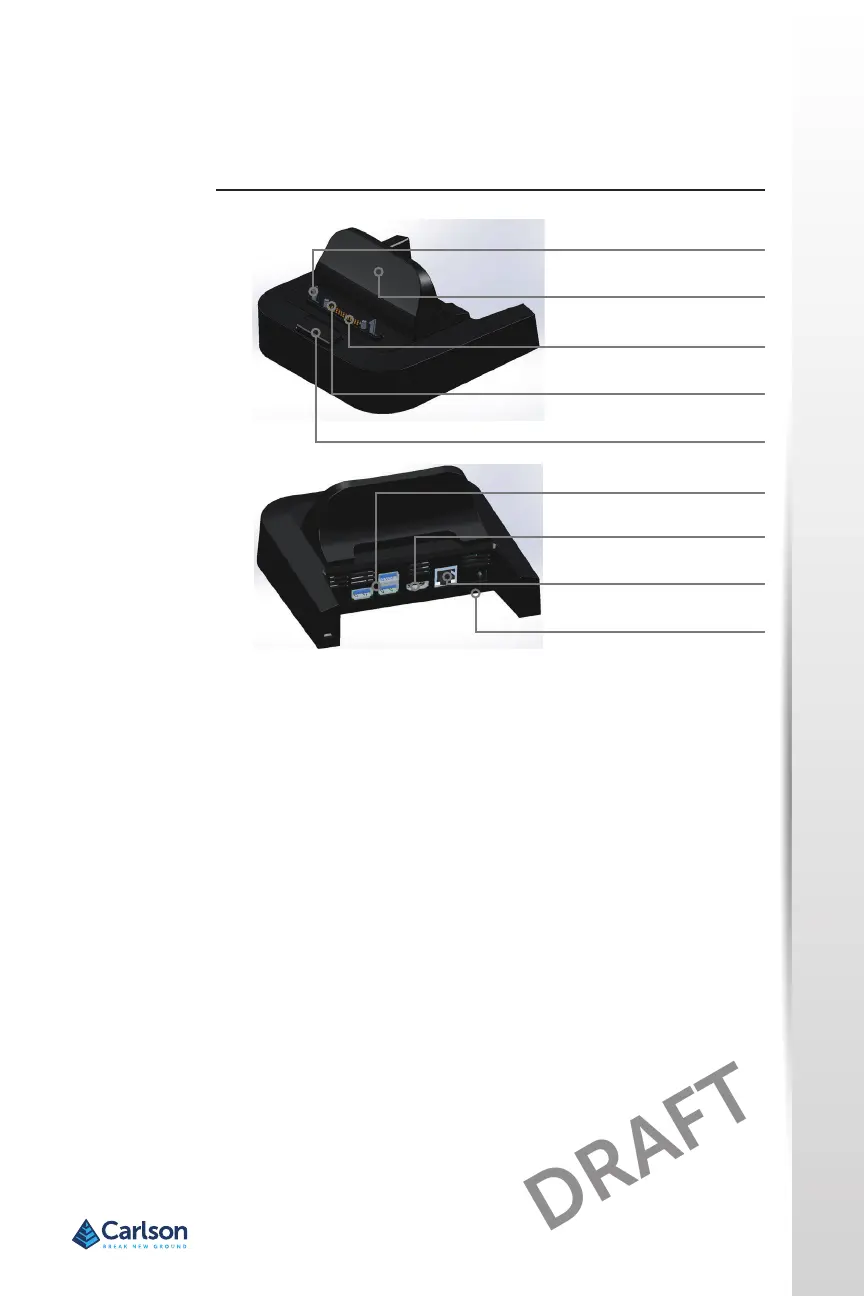
Ports
• The USB ports are for aaching devices to the RT4 such as a mouse,
keyboard, or external storage device.
• The HDMI port is for connecng a video monitor to the RT4, giving
you a second monitor.
• The Ethernet port is used for networking (an Ethernet cable is not
included).
How to Use the Dock
1. Provide power to the dock using the 30 W AC wall charger provided
with your RT4. A 45 W charger is available as an opon, and we
recommend this charger if you are using the dock as an oce
computer with several peripheral funcons. The 30 W AC wall charger
might not provide enough power to charge the baeries and run the
RT4.
2. Plug in the cables for your desired setup.
3. If a hand strap is covering the pin contacts on the RT4, unhook one
end or remove it.
Dock Features
Dock Features
Lock Latch (2)
Back Rest
Pogo Pins
Alignment Pin (2)
Release Buon
USB Ports, Host (3)
HDMI Port
Ethernet Port
Power Input Jack



 To Next Page