`
15
Number Key
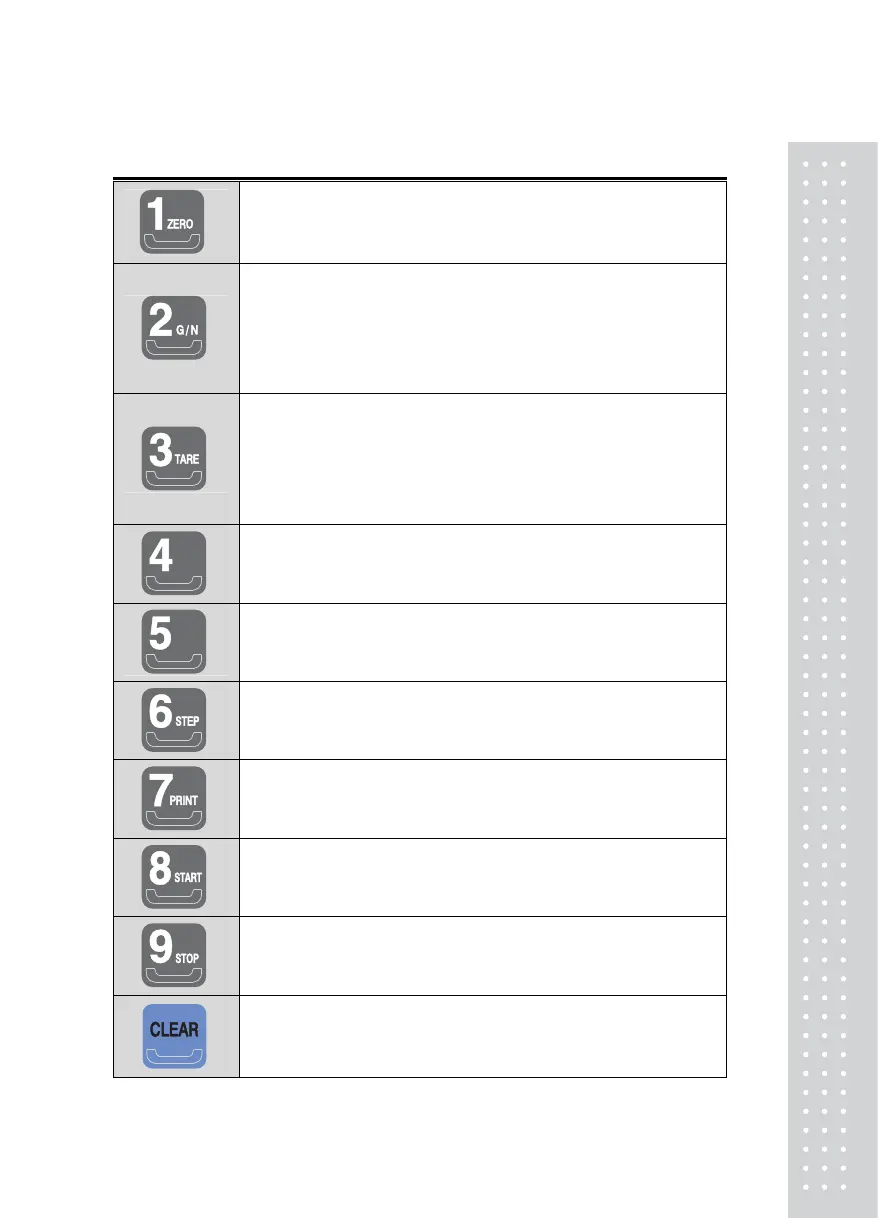
* Used to set the weight near zero to be displayed as 0.
(Select the range from 2%, 5%, 10%, 20%, 100%)
* Press this key (for 3 seconds) to enter the test mode.
* After taring off the weight of a container, press this button to alternate
from gross to net weight.
(When the net weight lamp is on, the displayed weight is the net
weight, and when the net weight lamp is off, the displayed weight is
the gross weight.)
* Press this key (for 3 seconds) to enter the set mode.
* Used to measure the weight using a container.
* When this key is pressed, the scale stores a current weight as the
tare.
* To clear this function, press this key when the scale is cleared of any
weight.
* Press this key in order to enter the calibration mode.
* Some functions may be assigned according to the purpose of
utilization.
(Set the purpose of utilization at number F18)
*Some functions may be assigned according to the purpose of
utilization.
(Set the purpose of utilization at number F19)
* Used to run the input according to Steps.
* Used to print manually. (Manual Print Key)
* Used to transmit data manually.
* Print format may be changed using F31 in the Set Mode.
* Used as a start key when Packer mode is set.
* Used as a stop key when Packer mode is set.
* Used to edit wrong information during data input.
* Used when entering a decimal (.) in the Calibration mode



 To Next Page