6-MAINTENANCE
Batteriesaccess
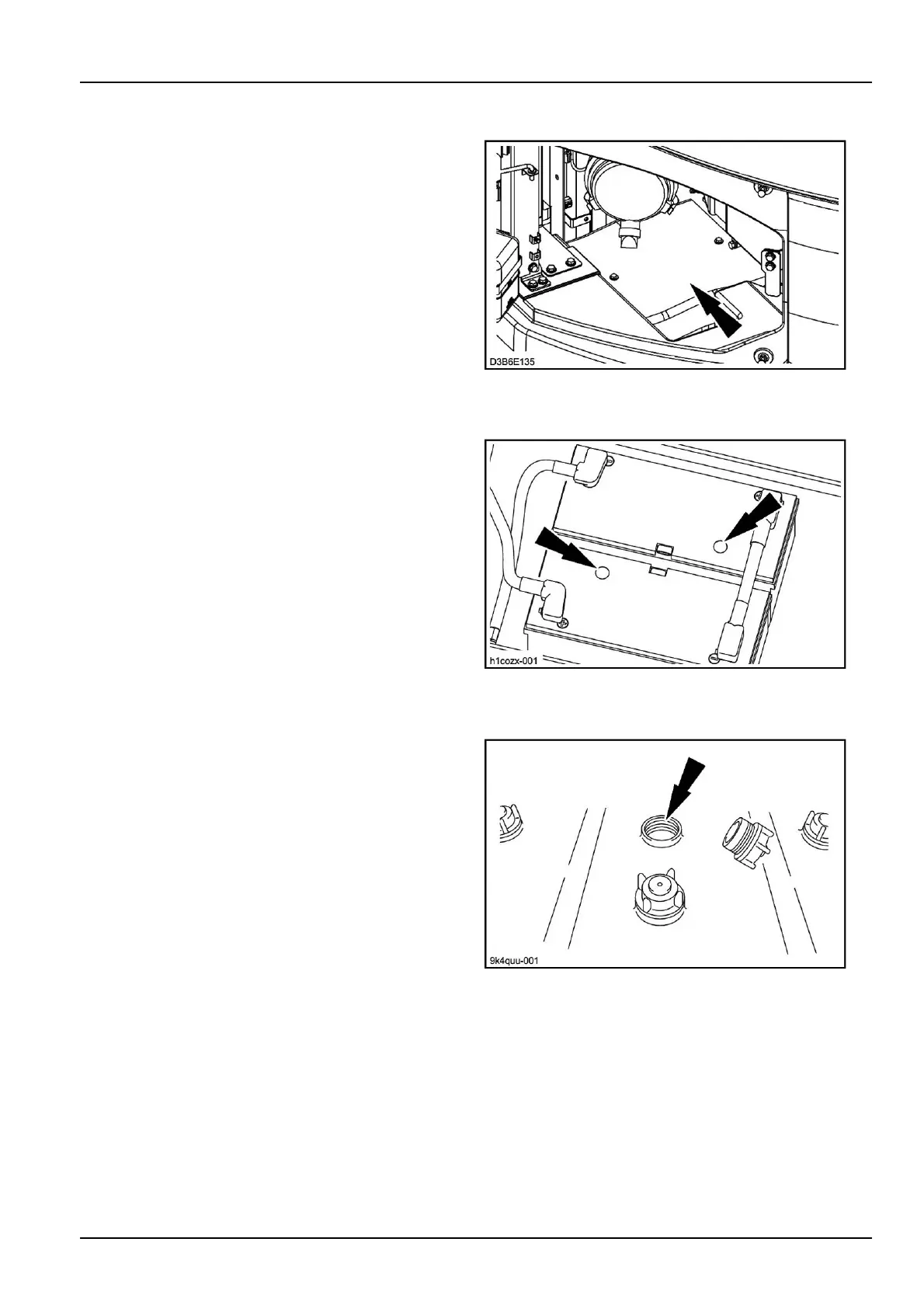
Toaccessthebatteries,opentheleft-handreardoorthen
removetheskidplate.
D3B6E1351
Checkingthechargestateofamaintenance-freebattery
Thechargeindicatoronthebatteryshowsthestateof
chargeofthebattery.
Ifthecolouris:
•
Green;thechargeiscorrect.
•
Black;insufcientcharge.Rechargethebatteryuntil
theindicatorturnsgreen.
•
Transparent(colourless);replacethebatteryassoon
aspossible.
H1COZX-0012
Checkingtheelectrolytelevelofamaintenance-typebattery
Removethecellcapsandcheckthelevelineachbatteries
cell.Thelevelshouldbebetween10mm(0.4in)and
15mm(0.6in)abovetheplates.Adddistilledwaterif
necessary,theninstallthecellcaps.
ATTENTION:Whenaddingdistilledwaterattempera-
turesbelow0°C(32.0°F),thebatteriesmustbecharged
ortheenginerunfortwohoursapproximatelyinorder
toensurethatthedistilledwaterandtheelectrolyteare
properlymixed.
NOTE:Makesurethebatteryterminalsarecleanand
coatedwithgreaseandthatthecablesareproperlytight-
ened.
9K4QUU-0013
6-79



 To Next Page