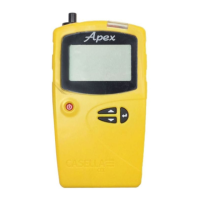
Apex2
12
To check the battery level:
1. Turn on the pump as described above.
2. Check the battery level, which will show either a percentage when
the pump is not running or number of hours remaining when the
pump is running (except Apex2 Standard which will show
percentage).
3. Turn off the pump.
The Apex2 is supplied with either a single or five-way charger station and power supply. You
cannot interchange the power supplies of the two chargers.
The chargers include a USB port for downloading data from the pump to a computer (see
Computer download utility on page 25).
To charge the pump battery:
1. Ensure that the pump is either off or on but not running.
Note: If you place the pump on the charging station while it is running it will be
powered by the charger and will continue to sample, however it will not charge.
2. Place the pump on a charging station in the orientation shown below with the belt clip
towards the power supply connection end.
The red light on the top of the pump flashes during the whole of
the charging time and the charge state is displayed for a user
defined period.
3. To see the amount of charge at any time press .
Once fully charged the blue light turns on for 10 minutes, after which time the pump
turns off.
Setup before starting a run
Depending on your sampling requirements you may want to perform one or more of the
following setup procedures before starting a sampling run.
To access the menu items described below:
Ensure the pump is turned on and then press to display the menu.
Press or to highlight the menu item you want to alter, and then press .


 To Next Page