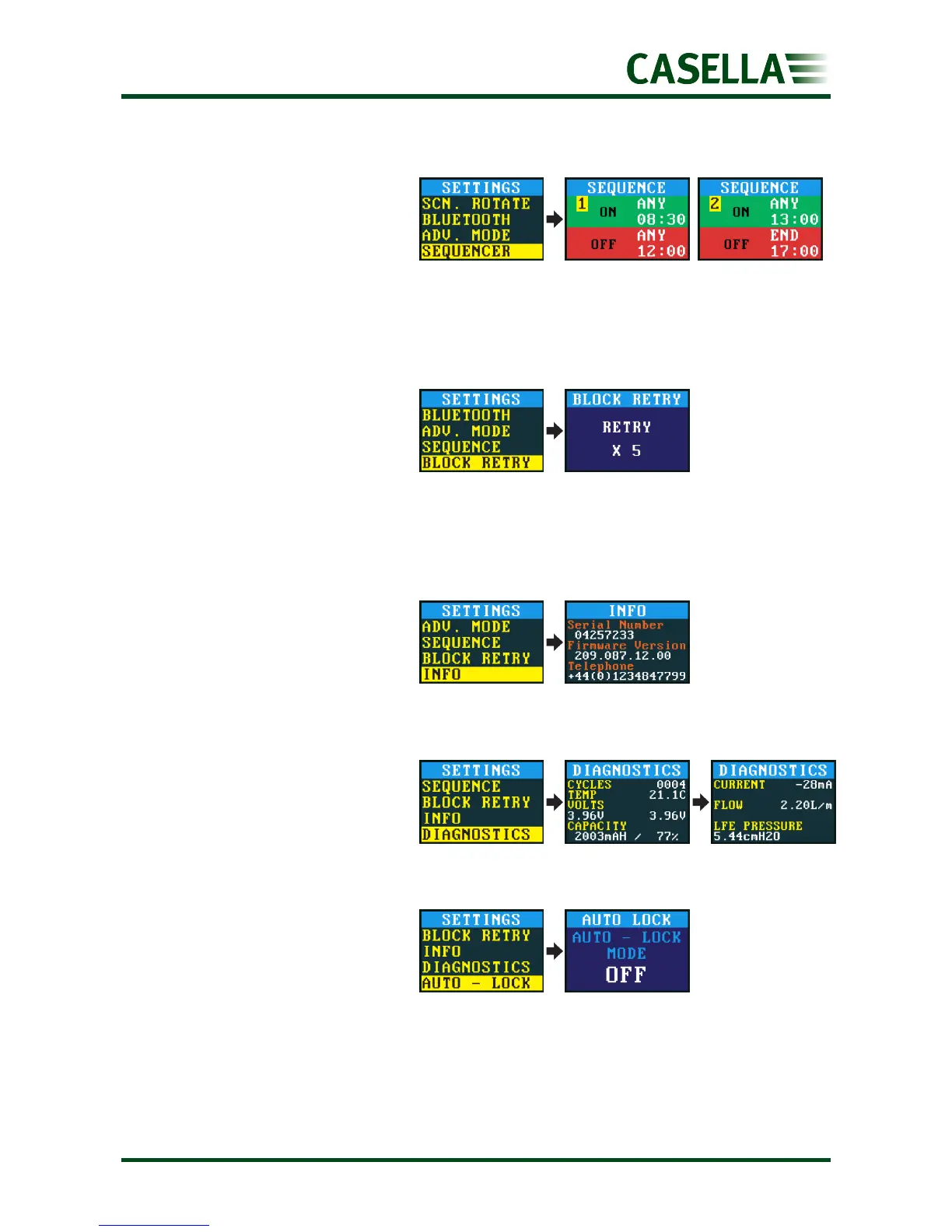
You can specify up to nine
ON/OFF times/days. A number
in the corner of the screen
identifies each sequence.
A sequence runs until an OFF
period has been set to END.
In the example above the pump runs in the morning and
afternoon with a one hour stop during the wearer’s lunch.
When the inlet is blocked for
more than 20 seconds the
pump stops sampling. After 1
minute the pump tries to
resume sampling.
You can set the number of retries before the pump stops working.
Use this setting to see the serial
number and firmware version.
A contact telephone number is
also provided.
This information is intended for
routine maintenance and fault
diagnosis.
Use this setting if you want a
full lock (see page 15) to be
applied automatically after you
start the pump.


 To Next Page