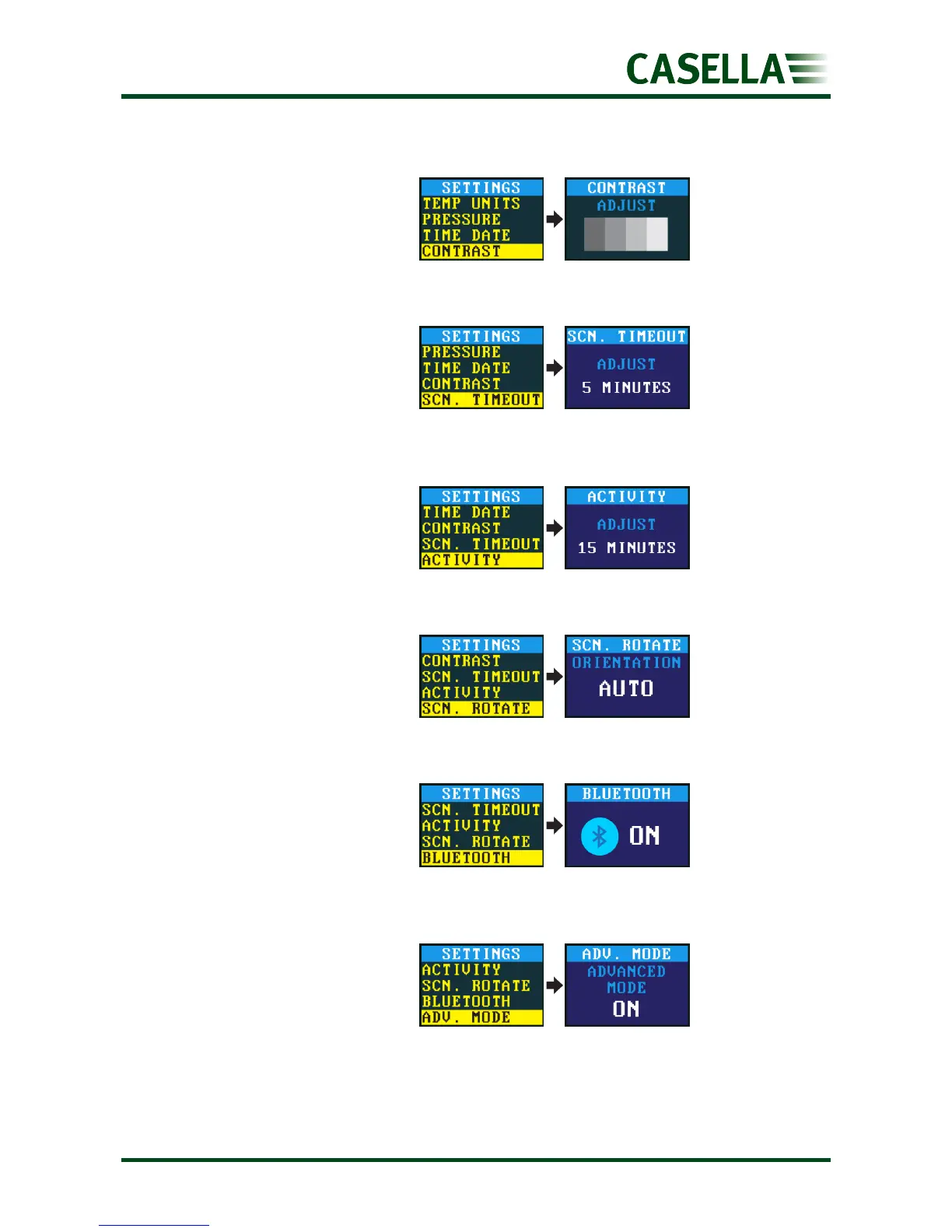
You may want to reduce the
contrast for operation in low
light conditions.
Use a screen timeout if you
want to save power. Once the
screen is off, press any key to
turn it on again.
Set the averaging period of the
motion sensor in minutes.
Allows the screen to rotate 180°
when the pump is held
horizontally and rotated.
Enable or disable Bluetooth.
You need to enable Bluetooth
when using the AirWave app
(see page 22).
Hides or displays these menu
items:
Run Duration, Run Sequencer,
TWA and Flow Control.


 To Next Page