23
I
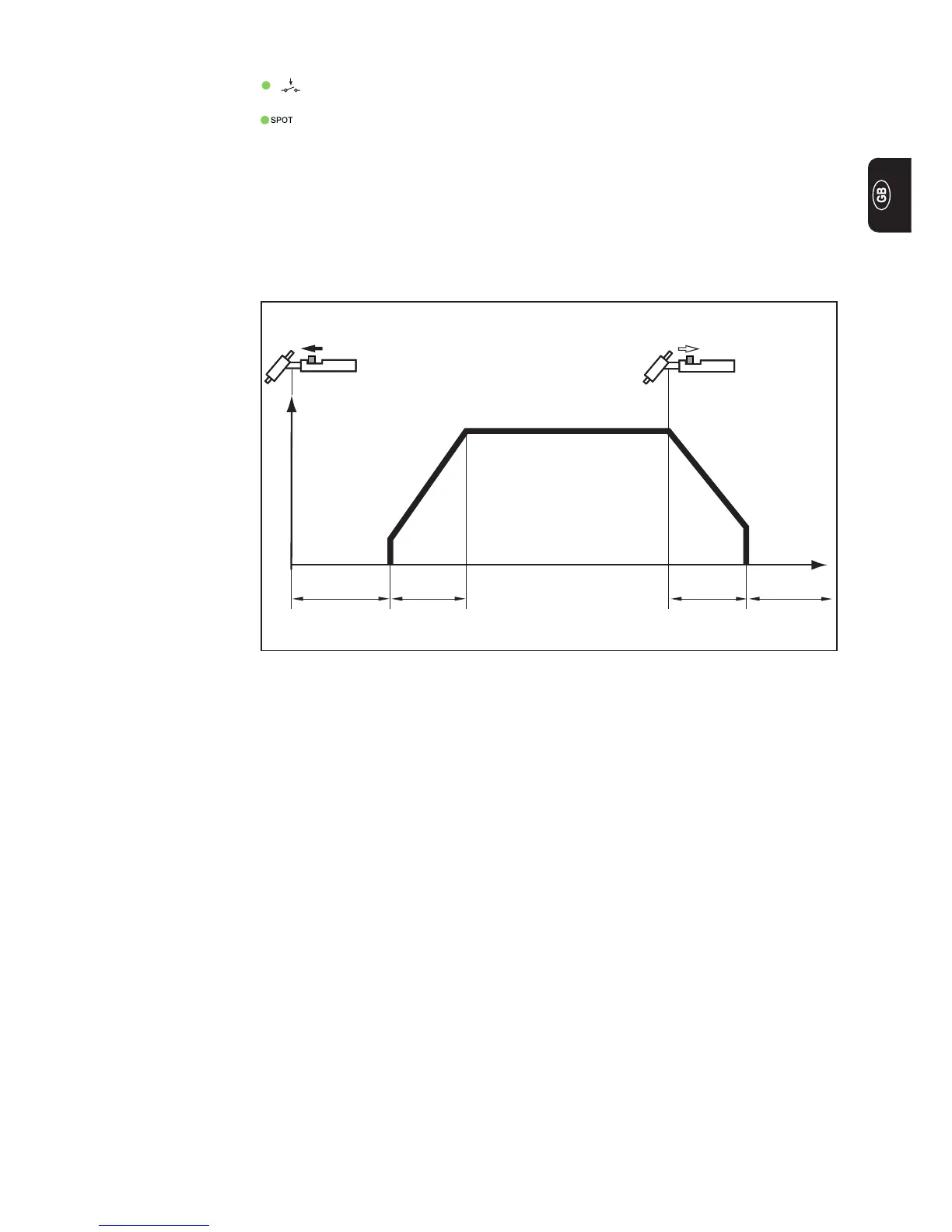
Fig.6 2-step mode
t
I
1
G-LGPr t
1
t
2
G-H
2-step
Select 2-step mode (2)
Spot-welding status indicator: If the spot-welding status indicator is lit up, set
the set-up parameter SPt to “OFF” (see: “The Set-up menu: Level 1”)
Important! When 2-step mode has been selected, the spot-welding status indicator on
the control panel must not be lit up.
The factory setting (i.e. in which the power source is delivered) is: Parameter Spt “OFF”.
- Welding: Push forward and hold the torch trigger
- End of welding: Release the torch trigger


 To Next Page