51
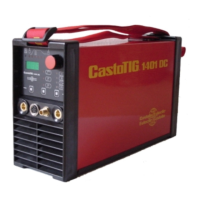
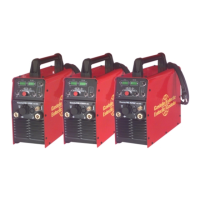
CastoTIG 1702 /
2202 AC/DC,
CastoTIG 2201
DC power source
Power source does not function
Mains switch is ON, but indicators are not lit up
Cause: There is a break in the mains lead; the mains plug is not plugged in
Remedy: Check the mains supply lead, make sure that the mains plug is plugged in
Cause: Mains outlet socket or plug is faulty
Remedy: Exchange faulty components
Power source does not function
Mains switch is ON, but indicators are not lit up
Cause: Mains fuse is faulty
Remedy: Change the mains fuse
No welding current
Mains switch is ON, overtemperature indicator is lit up
Cause: Overloading; the duty cycle has been exceeded
Remedy: Do not exceed the duty cycle
Cause: Thermostatic cut-out system has been tripped
Remedy: Wait until the power source automatically comes back on after the end of
the cooling phase
Cause: The fan in the power source is defective
Remedy: Change the fan
No welding current
Mains switch is ON and indicators are lit up
Cause: Grounding (earthing) connection is wrong
Remedy: Check the grounding (earthing) connection and clamp for correct polarity
Cause: There is a break in the current cable in the welding torch
Remedy: Exchange the torch
The machine does not function when the torch trigger is pressed
Mains switch is ON and indicators are lit up
Cause: The control plug is not plugged in
Remedy: Plug in the control plug
Cause: The welding torch or torch control lead is defective
Remedy: Exchange the torch
No shielding gas
All other functions are OK
Cause: The gas cylinder is empty
Remedy: Change the gas cylinder
Cause: The gas pressure regulator is faulty
Remedy: Change the gas pressure regulator
-St | oP- (where the power source is being operated with a robot interface)
Cause: Robot not ready
Remedy: Initialise “Robot ready” signal, initialise “Source error reset” signal (N.B.
“Source error reset” only available in conjunction with Automatic interface
AUT 2)
Displayed service
codes
(continued)


 To Next Page