Authorizing Devices
When a device is authorized, the master address and sub-address for PSDs will be automatically assigned.
Authorizing a Primary MSD
Unless an MSD is a spare, the ‘Make Spare’ selection should be left unselected.
When making a spare MSD or a PSD, see the next section first.
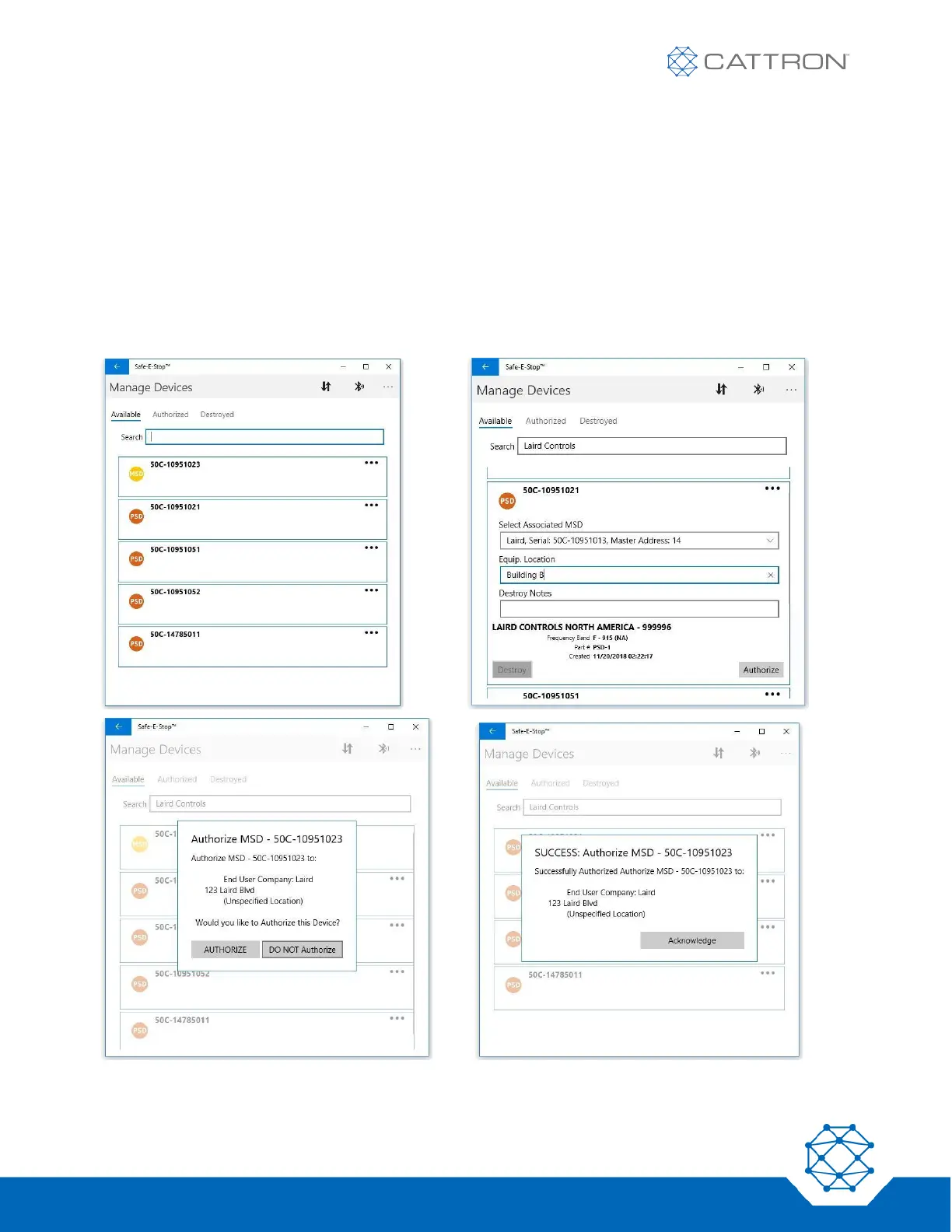
The ‘Available’ tab (left) will show a list of devices by type and serial number. Clicking on one of those devices
brings up the detailed information dialog (right) followed by the confirmation dialog to move it to the ‘Authorized’
tab.


 To Next Page