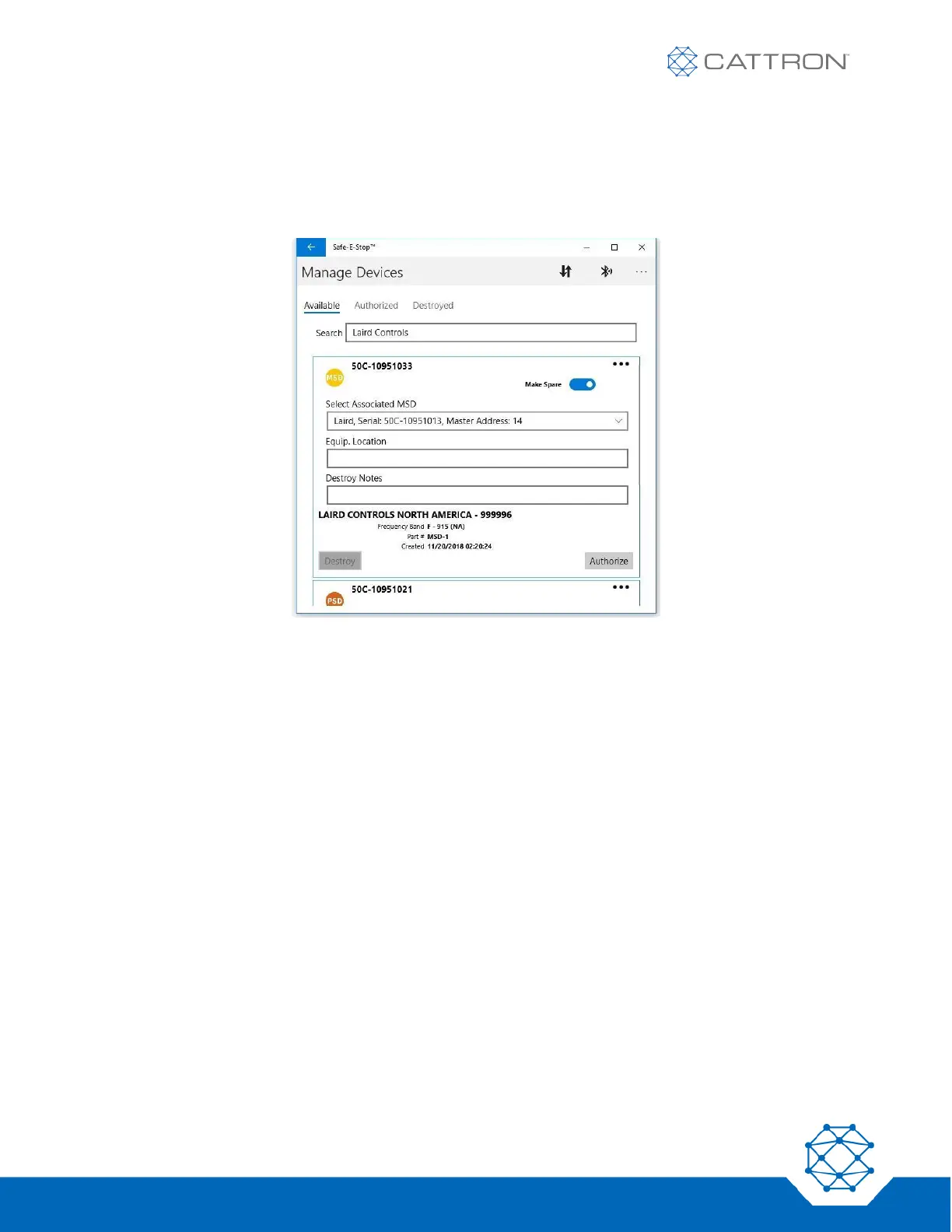
Authorizing a Spare MSD
When making (authorizing) a spare MSD, it is necessary to select ‘Make Spare’ and then ‘Select Associated
MSD’ from the drop-down list on the Authorization tab (below left). This ensures that both units share the same
master address.
Authorizing a PSD
When making (authorizing) a PSD, it is also necessary to ‘Select Associated MSD’ from the drop-down menu on
the ‘Authorization’ tab. (Remember that the master address is the common factor and there may be up to three
MSDs with the same master address; it will not matter which is selected. This ensures that both the MSD and
PSD share the same master address.) The system will automatically assign the next available sub-address.


 To Next Page