16
cdvi.com
cdvigroup.com
DIGIWAY PLUS
INSTALLATION MANUAL
EN
Guided conguration
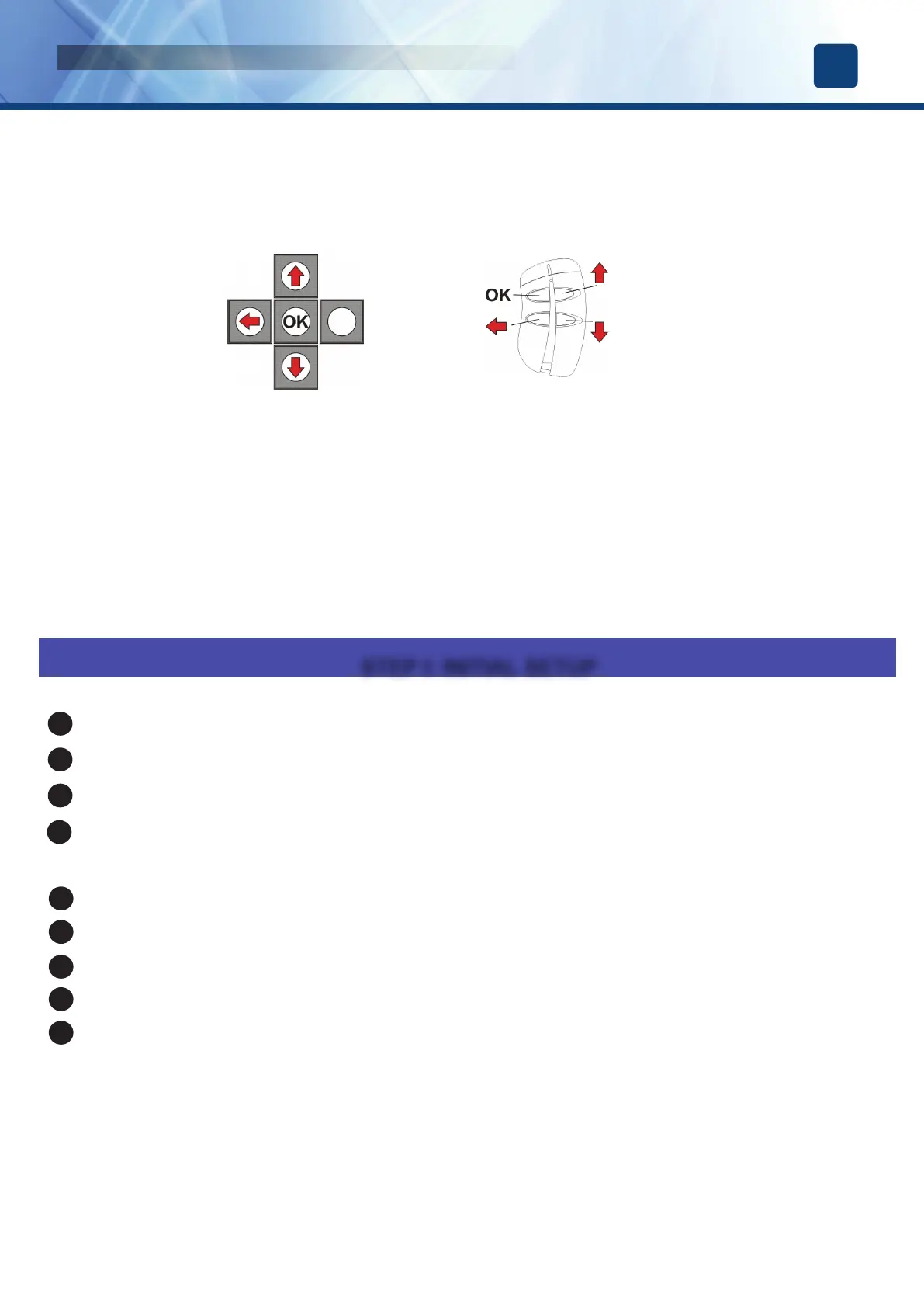
The operator is supplied with a 4-button transmitter included. On completion of the mechanical xing and the electric connections, proceed
with the memorization of the transmitter into the internal memory inside Digiway. This transmitter can then set-up of all parameters, without
accessing the 5 buttons onboard.
The transmitter keys corresponds to the onboard push-button according to the next diagram:
The set-up of the operator can be divided into 5 steps:
• STEP I : INITIAL SETUP ( preliminary actions )
• STEP II : CONFIGURATION ( set-up of the basic operating mode )
• STEP III : DOOR CALIBRATION ( automatic detection of the door characteristics )
• STEP IV : ADJUSTMENTS ( further adjustments and personalization )
• STEP V : SPECIAL PARAMETERS ( set-up of the advanced parameters )
Press the OK button of the keyboard for 4 sec until the display enters the main menu ;
Select the language by scolling the possibile choices with the UP and DOWN buttons
Press OK to conrm: the display shows the message OK and then displays all messages in the new language;
Exit from the menu with the button ESC.
Scroll through the main menu, select TX MANAGEMENT submenu and press OK
Select the option ADD TX and press OK
Press the transmitter key OK (top-left button): the display will show the S/N, conrming the memorization
Exit from the menu by pressing the ESC button.
Exit from the main menu selecting EXIT MENU.
From this time on the remote control is enabled to access the main menu. Enter simply by pressing simultaneously keys ESC + DOWN.
NOTE : ONLY THE FIRST TRANSMITTER MEMORIZED CAN ACCESS THE MAIN MENU! All the next added transmitters can only
open the door!
The key OK of the transmitter can do multiple functions: OK if you are in the menu, START / STOP in normal operating.
ESC
DOWN
UP
UP
DOWN
ESC
STEP I: INITIAL SETUP
2
1
3
4
5
6
7
8
9



 To Next Page