18
cdvi.com
cdvigroup.com
DIGIWAY PLUS
INSTALLATION MANUAL
EN
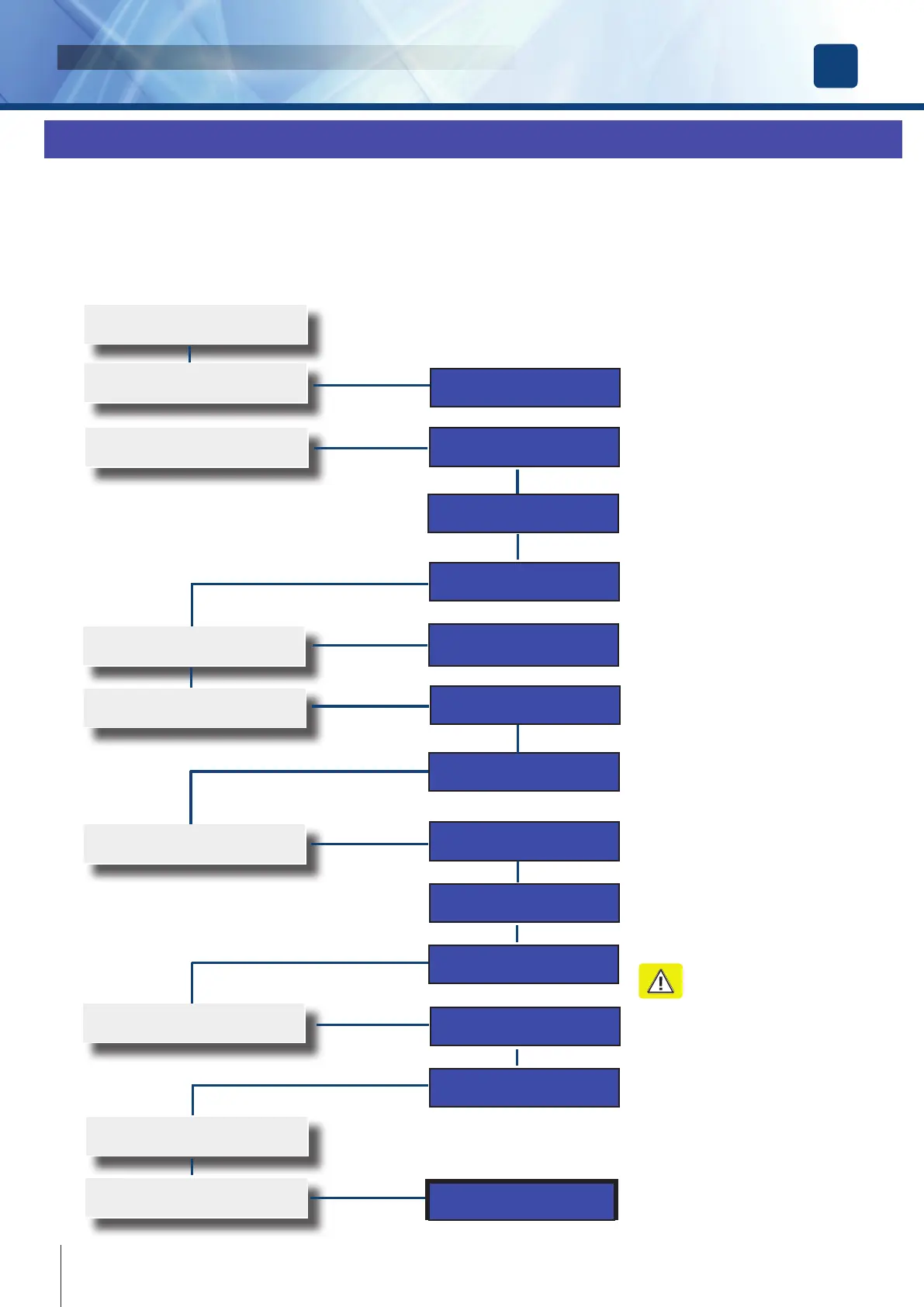
DIGIWAY PLUS is equipped with an innovative software which ts the internal parameters to the door characteristics. The calibration sets
the door travel limits and launches a special 5 cycles routine for the automatic detection of the door characteristics.
For the calibration follow the next steps:
Set the EXTERNAL SWITCH in position ‘0’
‘0’ = DOOR FREE (*)
1
Action
Display
Select Door Calibration from the Main
Manu and press OK
2
CLOSE THE DOOR COMPLETELY and
press OK
OPEN THE DOOR COMPLETELY and
press OK (*)
4
Select Autocalibration from the Door Cali-
bration Menu and press OK
5
6
Press OK: the door begins 5 cycles of
opening and closing until asking for
SAVE
7
Press OK. The calibration cycle is over.
The door remains open
Set the EXTERNAL SWITCH in position ‘I’
= AUTOMATIC. The door closes and the
calibration is completed.
8
Door Calibration
Door Limits
Close Door
Then Press OK
Open Door
Then Press OK
Thank You
Door Calibration
Autocalibration
Autocalibration
Wizard
Proceed with
Autocalibration?
Closing ...
Measure 1/5...
Tm= XX,X V= XX
Save ?
....C...........................
P=000,0 V=00,0
Door Calibration
Select Door Limits from the submenu of
Door Calibration and press OK
3
9
Door Calibration
Door Limits
Set Door Limits
Wizard
STEP III: DOOR CALIBRATION [ SINGLE LEAF ]
(*) If this set is not followed, the software will give a warning.
NOTE : Before proceeding with the calibration check the connection of the battery red/black cable to the main board and disconnect tem-
porarily the magnetic lock ( when used ).
Warning : whilst the Digiway is
going trough its 5 learning cycles,
as it opens very quickly, it is
dangerous the passage across the
door.



 To Next Page