20
cdvi.com
cdvigroup.com
DIGIWAY PLUS
INSTALLATION MANUAL
EN
DIGIWAY PLUS is equipped with many further parameters (all adjustable) to t better to any type of installation. From the main menu select
ADVANCED SET to enter this submenu, which allows more adjustments.
Advanced Setting
Electrolock Time
Electrolock Time
|||||||||||||||||......0,5 SEC.
It is possible to pause the electrolock release time from 0,1 to 40 sec. depending on the
lock/door type . Press the UP or DOWN buttons to increase or decrease the pause time
and conrm with OK.
Default value = 0,5 Sec
Advanced Setting
Opening Jolt Time
Opening Jolt Time
|||||||||||||..........0,5 SEC.
The opening jolt, when enabled, is a short closing motion before the operator begins
opening - this relieves pressure of “side-load” for some locking devices. It’s possible to
adjust this time from 0,1 to 40 sec. depending on the type of electrolock and door. Press
the UP or DOWN buttons to increase or decrease the time and conrm with OK.
Default value = 0,5 Sec
1)
2)
Advanced Setting
Open Delay
Open Delay Time
|||||||||||||||||............0,5 SEC.
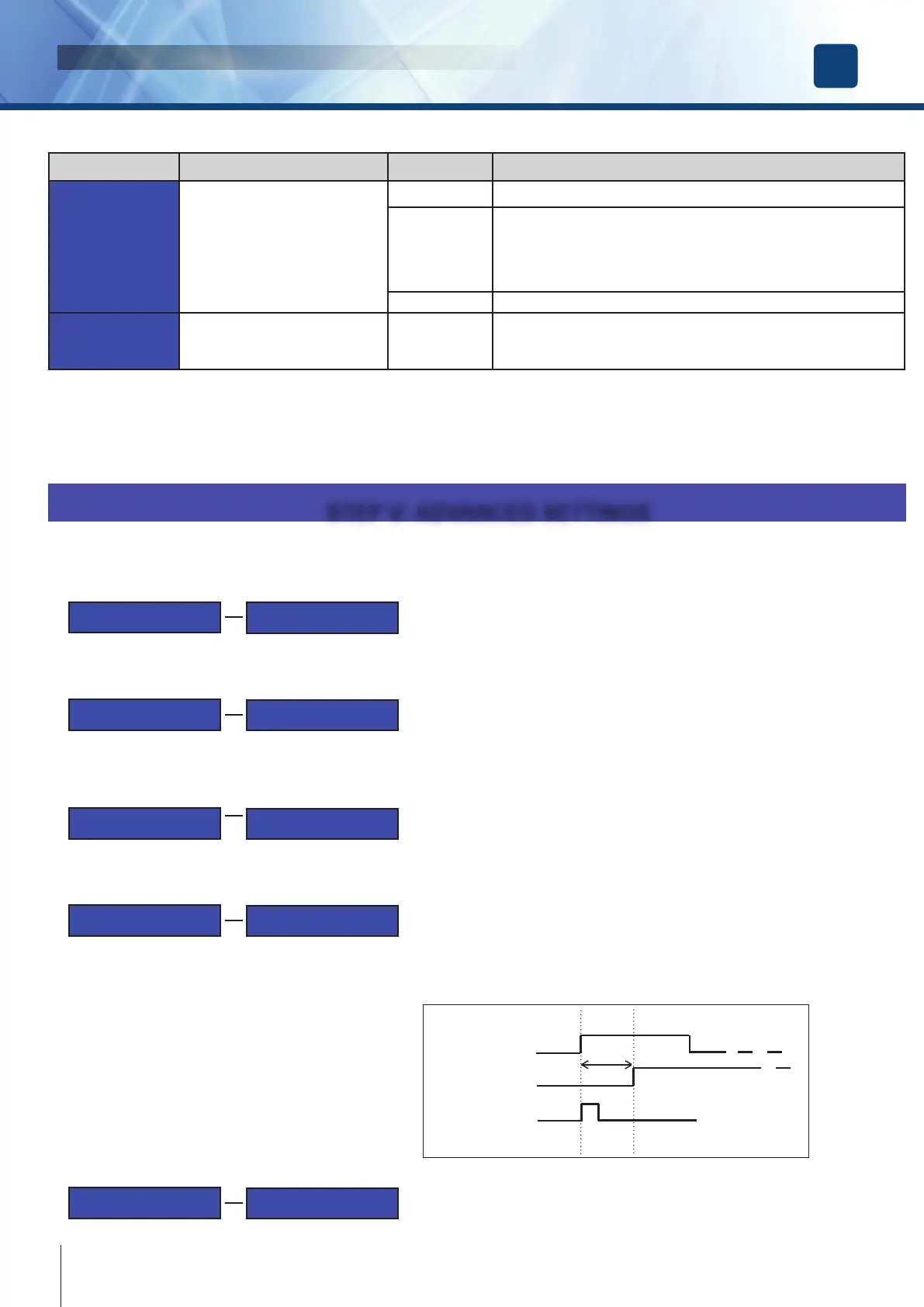
It is possible to add a short delay to the door motion to allow the electrolock bolt to
exit completely from its keeper, ensuring the door is fully unlocked. This can be useful
when using motorised locks. The open delay is set by pressing UP or DOWN buttons to
increase or decrease from 0,1 to 40 sec and conrm with OK.
Default value = 0,5 Sec
4)
LOCK
MOTOR
START
Delay
Advanced Setting
Open Jolt Torque
Open Jolt Torque
|||||||||||||||||............20%
It is possible to adjust the torque of the motor during the opening jolt pulse.
This is adjusted depending on the mechanical resistance of the door. Press the UP or
DOWN buttons to increase or decrease the value and conrm with OK.
Default value = 20%.
3)
Advanced Setting
Wind Stop Torque
Wind Stop Torque
|||||||||||||||||............10%
It is possible to adjust the torque of the motor when the wind stop utility is enabled. This
allows changing the value of the force applied by the door related to the wind pressure.
Press the UP or DOWN buttons to increase or decrease the torque and conrm with
OK.
Default value = 50%.
5)
Main Functions Description Value NOTES
O.D. Type
Sets the obstacles detection criteria
B1 & B2 B1 and B2 sono are basic criteria always active
B3
B4
B5
B3+B4
B3+B4+B5
B3 = intervenes after the speed decreases under 2/3 of the max speed,
calculated during the calibration.
B4 = intervenes if the current consumed exceeds 175% of the current
consumed during the preset.
B5 = intervenes if the door is manually pushed during the closing
Bf Bf = obstacle detected by the slave leaf in double door conguration
O.D. Reactivity
Sets the reaction time against an
obstacle
0,1 - 5 sec.
Use the UP or DOWN keys to adjust this time : the higher the value,
the longer will be the contact of the door against the obstacle (less sen-
sitive). Default value = 0,1 Sec.
STEP IV: ADJUSTMENTS (continued...)
STEP V: ADVANCED SETTINGS
Once installed the operator, check that frictions or unbalancing don’t cause the systematic obstacle detection. Select the obstacle detection
criteria which best ts to the type of installation.
The closing cycle next to an obstacle detection is executed at low speed.
ATTENTION: Reactivity values higher than 0,1 Sec, allow to overcome to possible frictions but extend the reaction time and so can
generate higher impact of the door on the obstacle.



 To Next Page