23
cdvi.com
cdvigroup.com
Remote controls management
The unit is equipped with a superhetherodyne AM receiver with Keeloq® Hopping code security protocol.
Through the menu TX Management it is possible to manage the memory of the receiver which can store up to 50 transmitters.
MENU MAIN
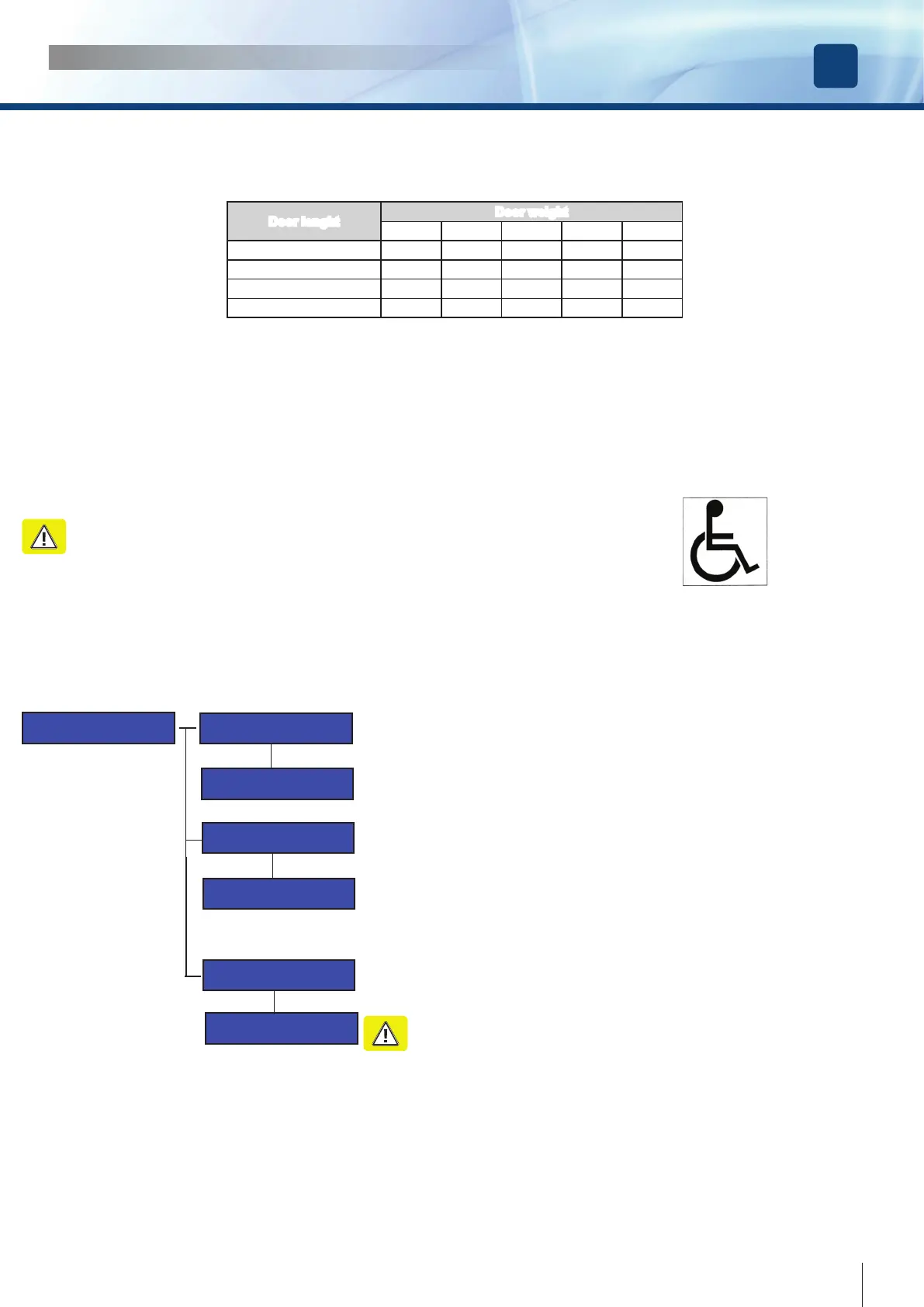
Tx Management
Tx Management
ADD
Press TX Button
to ADD
Press TX Button
to REMOVE
Tx Management
REMOVE
Tx Management
REMOVE ALL
REMOVE ALL TX
from DATABASE?
To memorize a transmitter, select ADD from the menu TX MANAGEMENT and
press OK. At the message “PRESS TX BUTTON to ADD”, press the button of
the transmitter to memorize it . If everything is correct the Serial Number of the
transmitter will appear on the LCD display. If the transmitter is already present in the
memory, the following message will appear: TX ALREADY PRESENT.
To delete a transmitter select the option REMOVE from the menu TX MANAGEMENT
and press OK. At the message “PRESS TX BUTTON to REMOVE, press the button
of the transmitter to cancel. If everything is correct, the message: TX REMOVED will
appear on the LCD display.
To delete the rst transmitter it’s enough to press one button.
To delete any other transmitter you need to delete each button individually.
To erase completely the data base select the option REMOVE ALL from the menu TX
MANAGEMENT and conrm. At the message “REMOVE ALL TX from DATABASE,
press OK and the memory will be completely erased.
ATTENTION : This action also removes even the 4-ch transmitter, used to
navigate through the menu. The navigation will be possible only with the
buttons of the keyboard or after the memorization of a new 4-ch transmitter,
in the rst memory location.
NOTE1 : According to the Regulation, when activated the DISABLED PERSONS ACCESS [See conguration Menu]:
• The min. Pause Time must be set at 5 Sec.
• The motor torque measured at the main closing edge must be lower then 67 N.
• The min slow time time in closing must be 1,5 sec.
Manage to set these values acting on the menu Main Functions.
NOTE2 : When the Disabled Persons Mode is enabled, if the door is open throught a C-NO command on inputs 15-16, it will reclose
after the Pause Time Extended. If the command comes from inputs ( radar, push&go, remote control ), the Pause time remains the
regular one. The Pause Time extended is executed always if the open command comes from the button D of a remote control
Warning : Disabled person access doors must be identied with proper indications.
INSTALLATION MANUAL
EN
DIGIWAY PLUS
Disabled persons access settings
Door lenght
Door weight
50 Kg 60 Kg 70 Kg 80 Kg 90 Kg
750 mm 3,0 s 3,1 s 3,2 s 3,3 s 3,5 s
850 mm 3,1 s 3,1 s 3,2 s 3,4 s 3,6 s
1000 mm 3,2 s 3,4 s 3,7 s 4,0 s 4,2 s
1200 mm 3,8 s 4,2 s 4,5 s 4,8 s 5,1 s
If the operator is used for disabled persons access, adjust the opening and closing speed of the leaf for Low Energy setting



 To Next Page