26
cdvi.com
cdvigroup.com
DIGIWAY PLUS
INSTALLATION MANUAL
EN
Double door conguration
Part I : Mechanical xing
The double door conguration applies to both the types DWPD102X and DWPS102X.
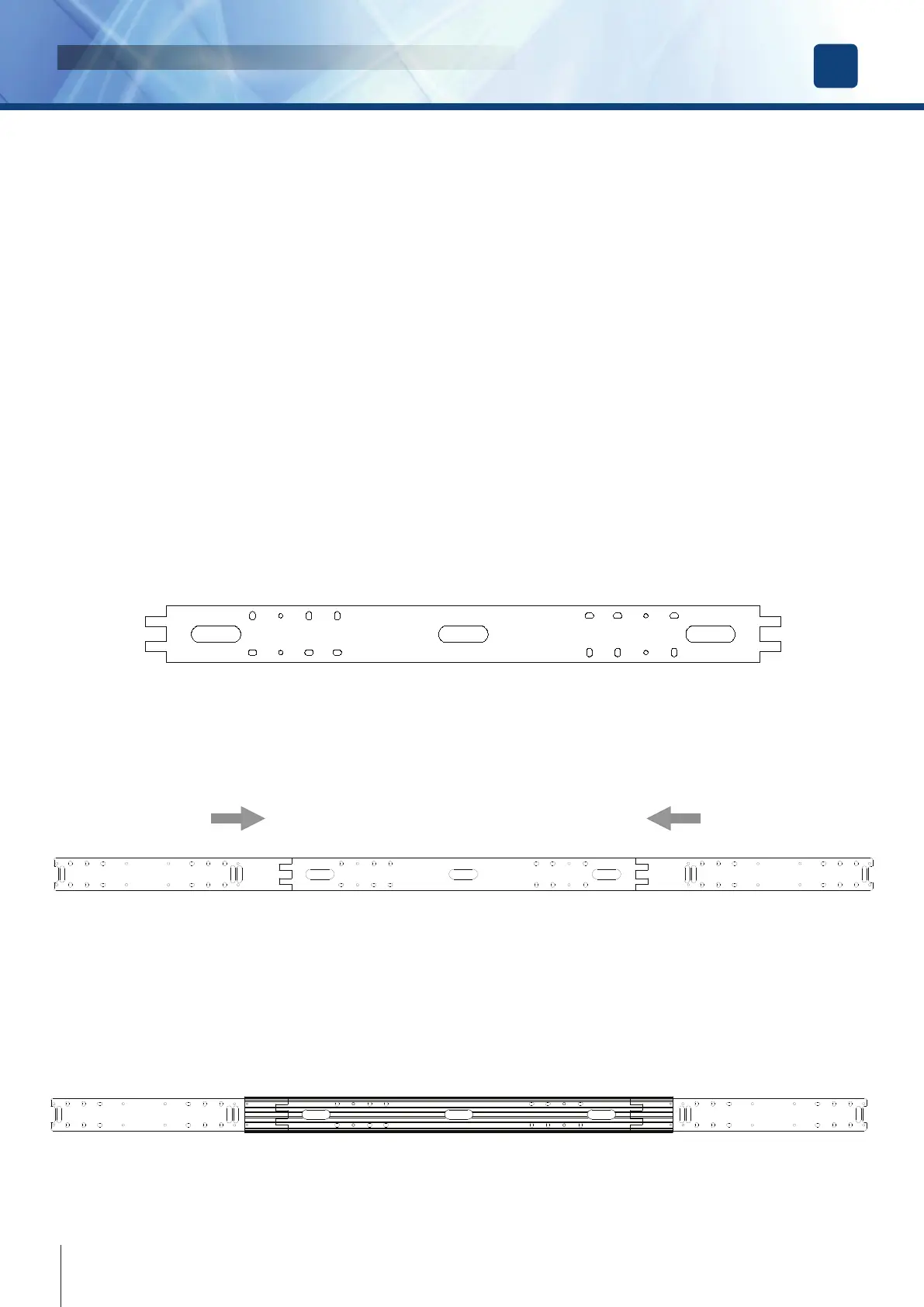
For the types DWPD, for which a central prole is provided, it is necessary to install a back plate which ensures perfect alignment between
the proles and 2 lateral back plates in place of the regular single door back plate. Follow the instructions below for the mechanical xing of
the structure ( Part I : mechanical xing).
In case of usage of 2 single standard operators type DWPS102X to drive a double door, make the mechanical xing by following the
regular procedure for each single door.
• PART I : Mechanical xing
• PART II : Electrical connections
• PART III : Final Set-up
Part I : Mechanical xing
1. Backplate xing
• Locate the best position for the central back-plate, locating the centre of the plate with the centre of the double door;
• Mark the position of the holes for the plugs provided;
• Make the holes and insert the plugs provided;
• Pass the power supply cable through the central hole of the back-plate;
• Fix the central back-plate by using the screws and the plugs provided ensuring it is perfectly level.
• Couple the side back-plates byeach side and locate the position of the oval holes.
• Make the holes and insert the plugs
• Fix the side back-plates with the screws provided.
2. Central prole xing
Fix the back central prole with the side caps with the 4 screws M6x14 provided on the central back-plate;



 To Next Page