INSTALLATION MANUAL
EN
DIGIWAY PLUS
Part III : Final set-up
Follow the set-up procedure hereunder both 2 x single motors ( DWPSxx ) and for a double door unit ( DWPDxx).
This can be completed only if the mechanical and electrical installations have been executed.
Move to pos. “0” the external switches of both units.
1
Open completely the MASTER leaf and leave it open.
Close the SLAVE leaf.
Verify that the safety inputs ( terminals 5-6-7 ) of the SLAVE unit are shorted or connected to the corresponding safety
photocells ( FTC and FTC-S) and that the LED’s L3 and L4 are stable on.
2
Using the keyboard or using the 4ch transmitter memorized on the unit SLAVE, set temporarily the unit of the door SLAVE in
ONE DOOR conguration [ default value ].
3
Follow the Door CALIBRATION procedure, corresponding to the STEP III, described at pag. 37 of this manual, up to the end,
and leave the door CLOSED.
4
Close the MASTER leaf.
Verify that the safety inputs ( terminals 5-6-7 ) of the MASTER unit are shorted or connected to the corresponding safety
photocells ( FTC and FTC-S) and that the leds L3 and L4 are stable on.
5
Using the keyboard or using the 4ch transmitter memorized on the unit MASTER, set temporarily the unit of the door MASTER
in ONE DOOR conguration [ default value ]. NOTE: The MASTER makes the reference for the double door : the radars and
the other devices must be connected only to this unit.
6
Follow the Door CALIBRATION procedure, corresponding to the STEP III, described at pag. 37 of this manual, up to the end,
The door remains OPEN.
7
Set the ENGAGE POSITION: it is the point ( in case of overlapping doors ) where the 2 leaves are free to open and close
without any interference .
8
Set the value at 25 ( factory setting ) for both the leaves. In case of need increase the value: greater values delay the closing of
the Master leaf which starts and stops waiting for the Slave.
Door Calibration
Door Engage Pos.
Door Engage Pos.
|||||||||||||||||...................025
9
10
Enter in the CONFIGURATION menu of the SLAVE unit and set the following parameters:
NUM. DOORS = TWO DOORS
2 DOORS OVERLAP = ENABLE ( only if there is door leaf overlap )
DOOR TYPE = SLAVE
11
Enter in the CONFIGURATION menu of the MASTER unit and set the following parameters:
NUM. DOORS = TWO DOORS
2 DOORS OVERLAP = ENABLE ( only if there is door leaf overlap )
DOOR TYPE = MASTER
12
Move both the external switches to position “I” : the 2 doors close very slowly.
The procedure is over.
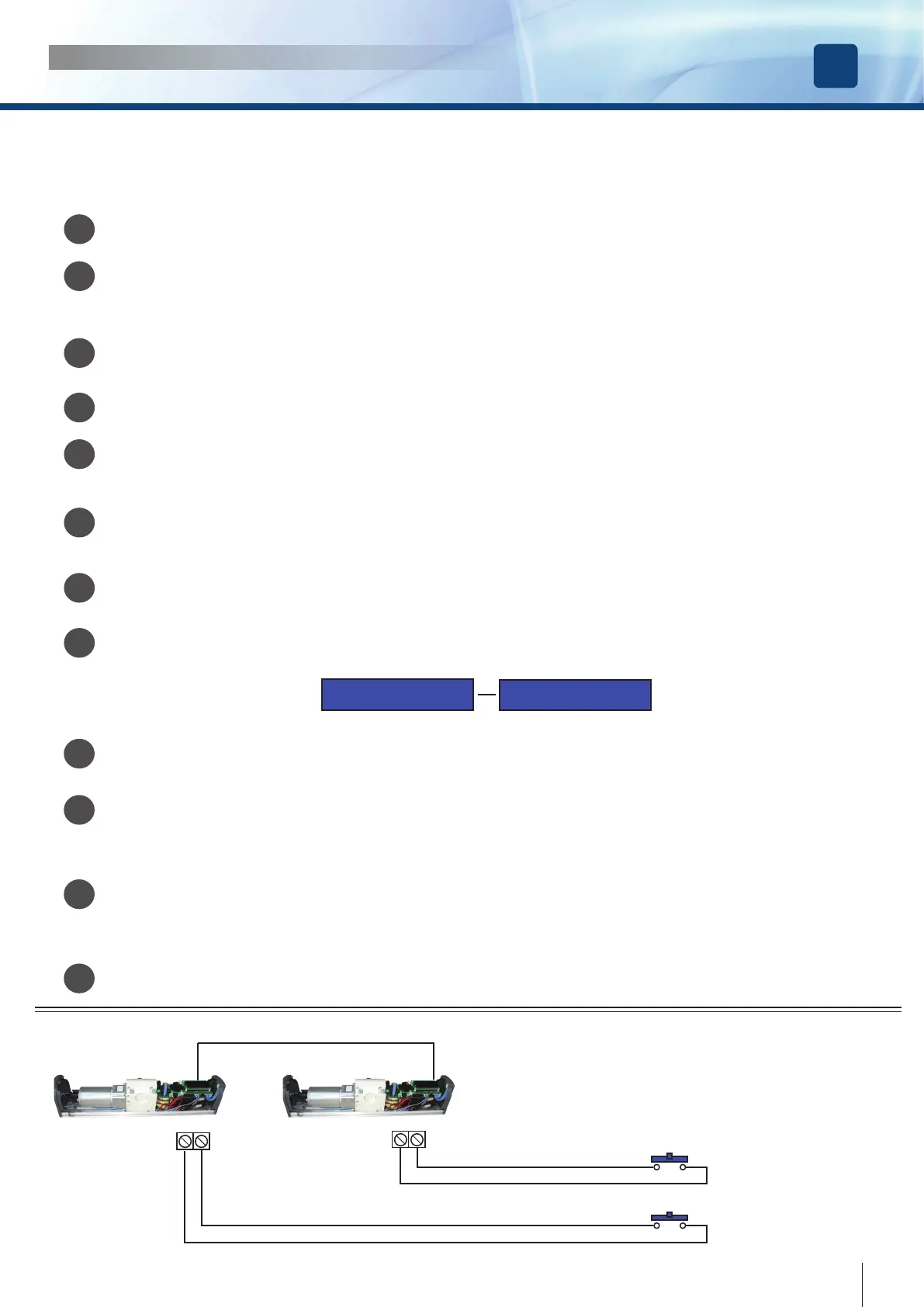
HOW TO OPEN ONE OR BOTH THE DOORS
MASTER
SLAVE
15 16
15 16
OPEN BOTH THE DOORS
OPEN ONLY THE MASTER
29
cdvi.com
cdvigroup.com



 To Next Page