4
FI002K0018v1100UK – THS/21 Instruction manual for installation, use and maintenance
USE OF THE DEVICE
126 ORIGINAL INSTRUCTIONS
4.4.1.1 Checking emergency buttons
Perform the following steps for each of the emergency buttons on the system.
- Start the conveyor belt
- Press an emergency button
- Check that the motor stops and that the red light comes on and flashes
- Check that the power supply is removed from the ejection system.
- Check that the EMERGENCY message appears on the display
- Release the emergency button and press the R button
4.4.2 Switching on
Do not start a system whose safety systems are not fully efficient.
Do not tamper with safety devices. The manufacturer declines all
liability for damage resulting from tampering with safety features.
Conveyor Control System
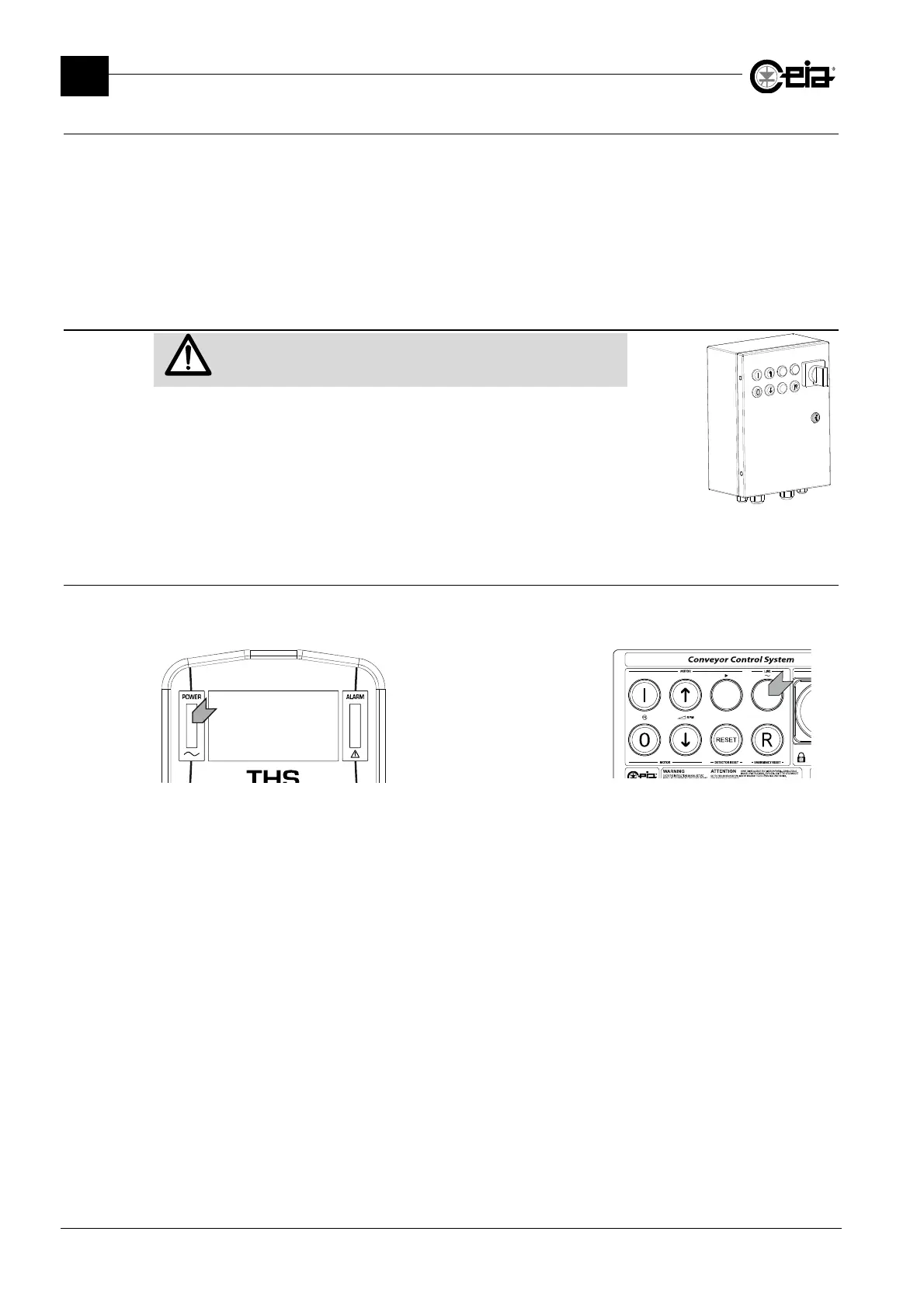
On the Conveyor Control System model, the
ON/OFF switch is
located on the power supply unit cover. On the Control Power
Box, the external switch must be operated.
4.4.3 Signals at power-up
The detector is designed to be switched on directly from the electrical panel that controls the
production line.
Control Panel
The presence of mains
power supply is signalled by
the lighting up of the
indicator located on the
control panel. On the
Conveyor Control System
this is also indicated by a
warning light on the door of
the box.
Conveyor Control System
When the device is turned on, the display lights up, as do the indicators located on
the front of the electronics unit.
The display shows, in sequence, the serial number and the version of the software program that
drives the power supply unit.
On integrated systems, the display shows the message EMERGENCY RESET and waits for you to
press the Emergency Reset key.
After this the following display appears:



 To Next Page