20
Operating Instruction for Thermal Imager
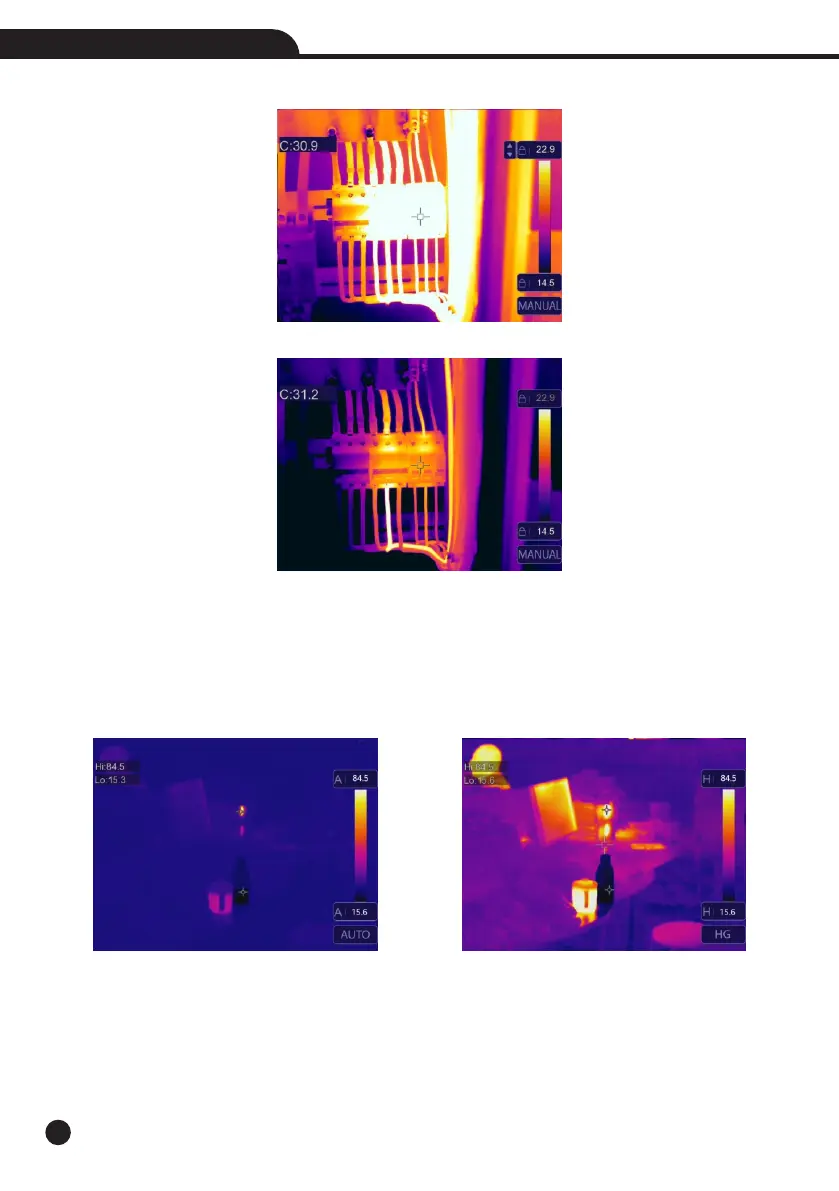
• Lock the low level and adjust the high level of the temperature range:
• Lock the high level and adjust the low level of the temperature range:
6-4-2.Histgram Mode and Auto Mode
• Auto Mode: level and span are decided by the thermal image of minimum temperature and maximum temperature,
The relationship between temperature and color is linear.
• Histgram Mode: the thermal image is enhanced by histogram algorithm, The relationship between temperature
and color is not linear, Some part of the image is enhanced.
• Touch the icon “HG” or “AUTO” below the colorbar to change the mode.



 To Next Page
 Loading...










