21
Operating Instruction for Thermal Imager
6-5.Measurement Menu
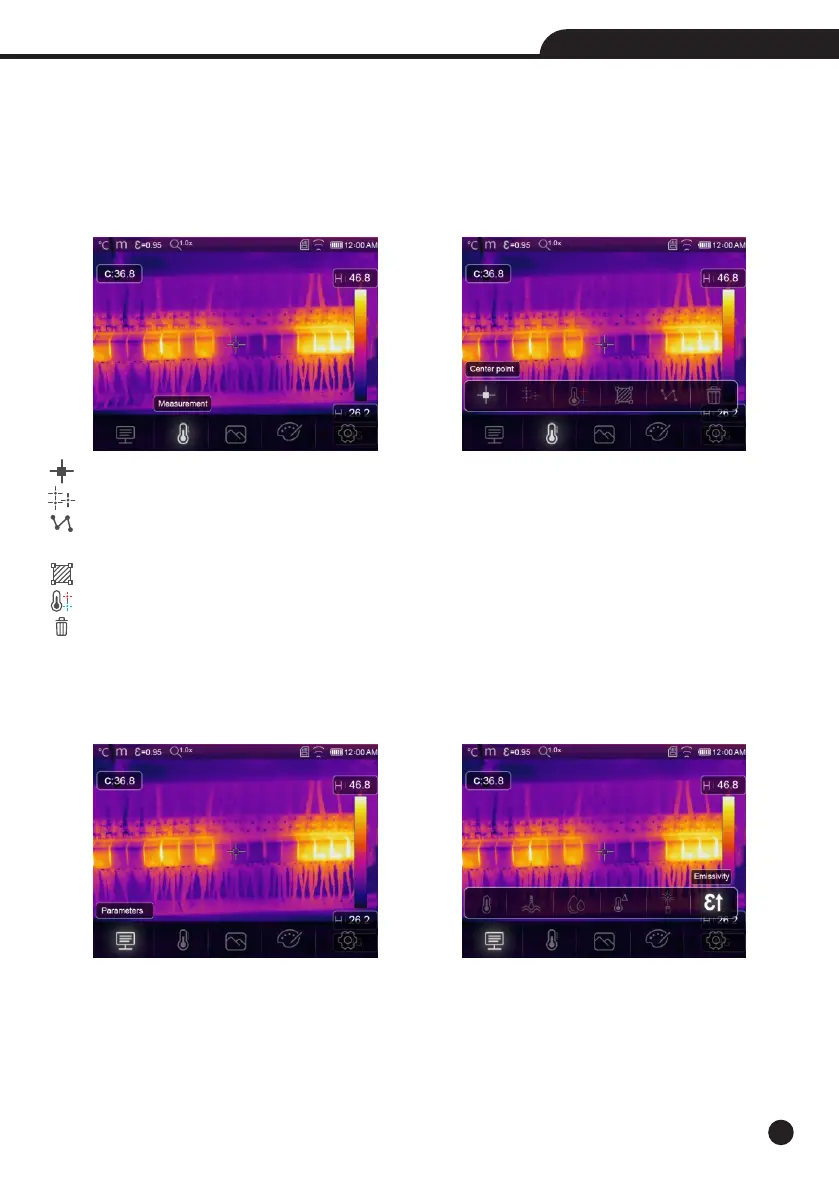
1.In main menu, press “Measurement” icon button, highlight “Measurement”.
2.Press “Up” button, popup Image submenu which contains 5 kinds of Measurement tools.
3.Press “Left” or “Right” button, or touch the Measurement tools icons, highlight the Measurement tool which
you want to choose.
4.The Measurement tool will be enabled after you choose it.
Center Spot: Measure the center point temperature.
Manual Spot: Measure the manual point temperature, There are three manual analyse points.
Line Analsye: Measure the line temperature, There are two analyse lines, One for horizontal, the other is
vertical line.
Area Analsye: Measure the area temperature, There are three analyse areas.
Hi/Lo Spot Analsye: Capture max/minimum temperature.
Delete all Analsye: Delete all analyse tools.
6-6.Parameter Menu
In main menu, press “Up” and “Down” button, highlight “Emiss”, press “Select” button, popup object parameter
submenu.



 To Next Page
 Loading...










