25
Operating Instruction for Thermal Imager
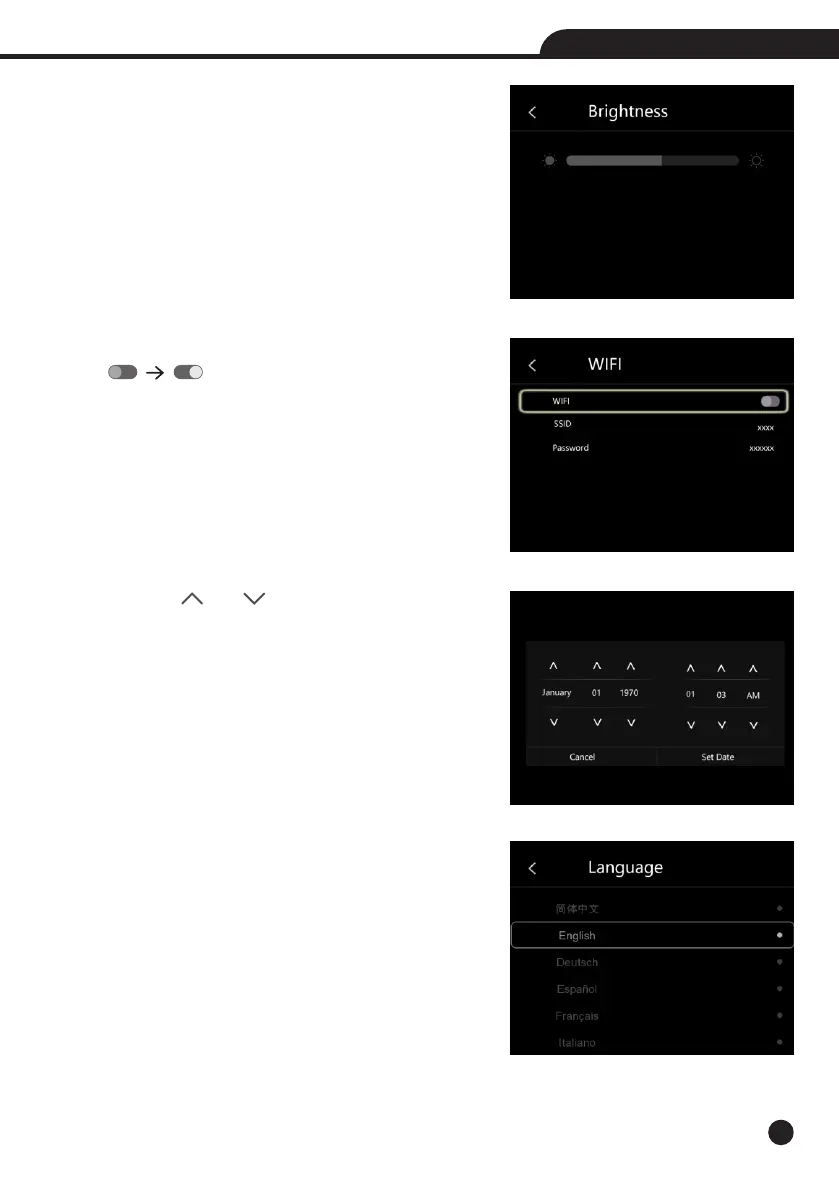
Brightness: Drag the slider bar to adjust the LCD brightness.
WIFI:
• Press “ ” “ ” to turn on the wifi, the wifi model worked
on access mode, so it is need to set the SSID and Password to
allow other device connect to it.
• The default SSID is “xxxxx”, the default password is “12345678”.
Time Date : Press “ ” or “ ” to change time/date, then press
“Set Date” to save the change, or press “Cancel” to quit.
Language: Press “Up/Down” Button to to select language and use
“MENU/OK” Button to set selected language to be valid.



 To Next Page
 Loading...










