5
Instrument Overview
Instrument Overview
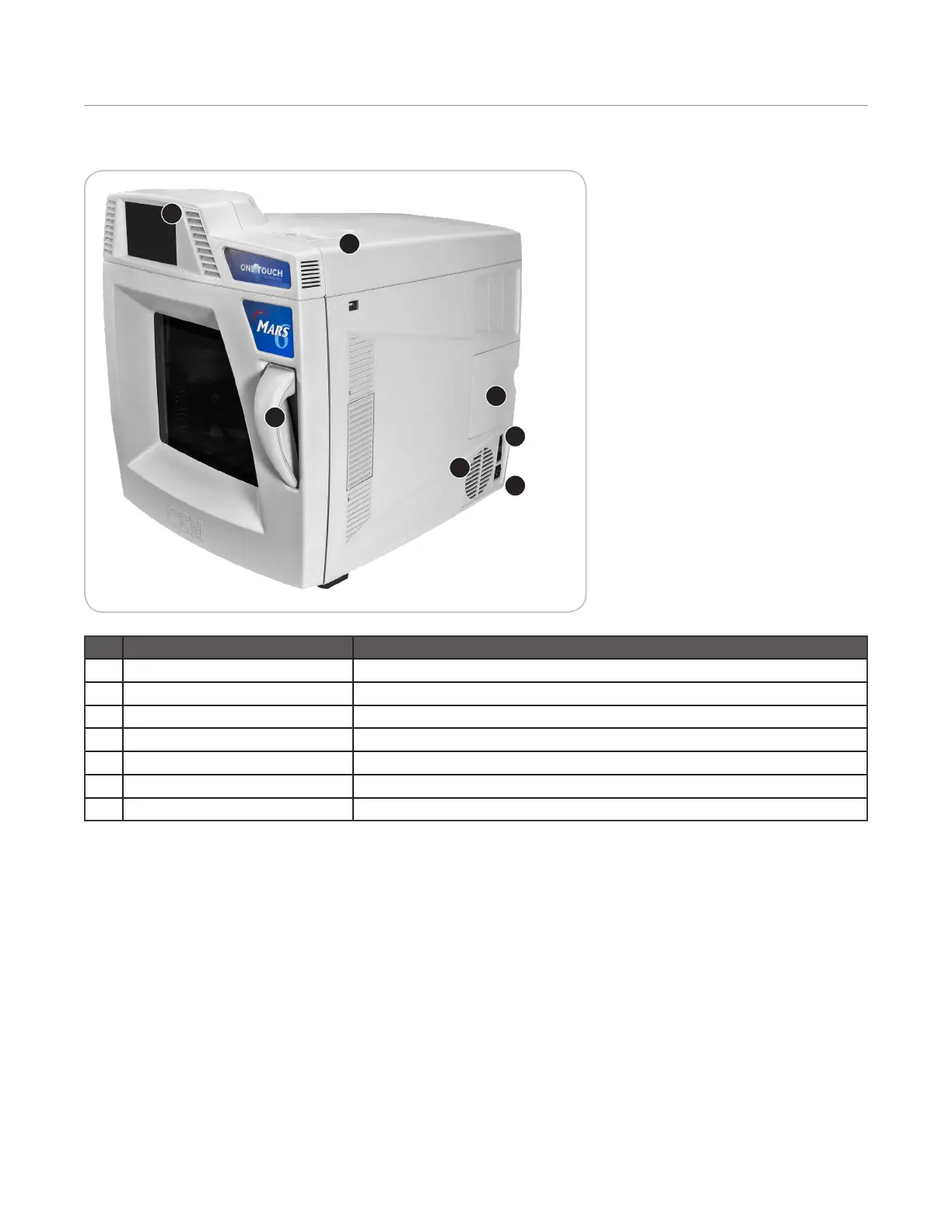
Front and Side View
1
2
3
4
5
6
7
Item Description
1 Touch Screen Display Shows menus, method parameters, etc. Includes 86 dB speakers
2 Door Handle Permits ease of opening instrument door
3 Internal Printer (optional) Permits printing of method parameters, graphs and/or method data
4 Cooling Fan Draws room air past the electronics
5 Communication Access Permits access to USB, Ethernet, and RS232 ports
6 Fuses Prevent electrical power overload
7 Power Switch Turns AC power on and off to the instrument



 To Next Page