10
Software Overview
System Settings
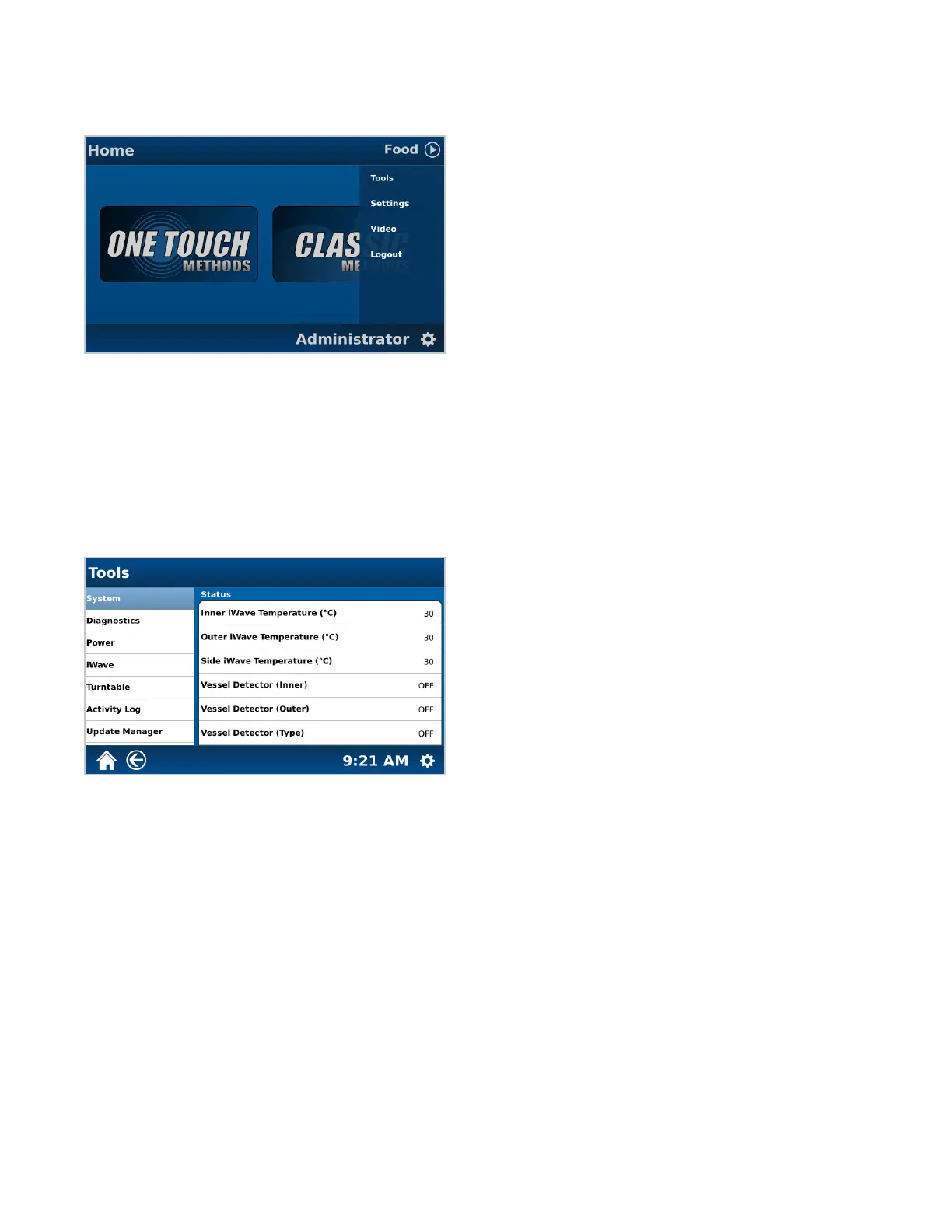
The following is a basic review of each section of the System Settings to be used as a quick guide for locating
software items and instrument functions.
• Tools: Calibration and Diagnostic tools to ensure proper system functionality and software update when a new
version is released
• Settings: Adjustable system settings necessary prior to running samples, system information including serial
number, software version, contact information, etc., and users
• Video: Visual display to ensure proper system handling and usage
• Logout: Protects the current user’s access or prevent unauthorized actions on the current login session
Tools
• System: Views hardware stats
• Diagnostics: A listing of real-time readings directly related to unit functionality and the option to manually
maneuver commonly used hardware
• Power: Allows user to verify power output
• iWave: Temperature sensor calibration
• Turntable: Allows user to determine alignment
• Activity Log: Audit trail for tracking user movement within software, including system and method editing
• Update Manager: Used for updating software when a new version is released



 To Next Page