Doors
From Outside
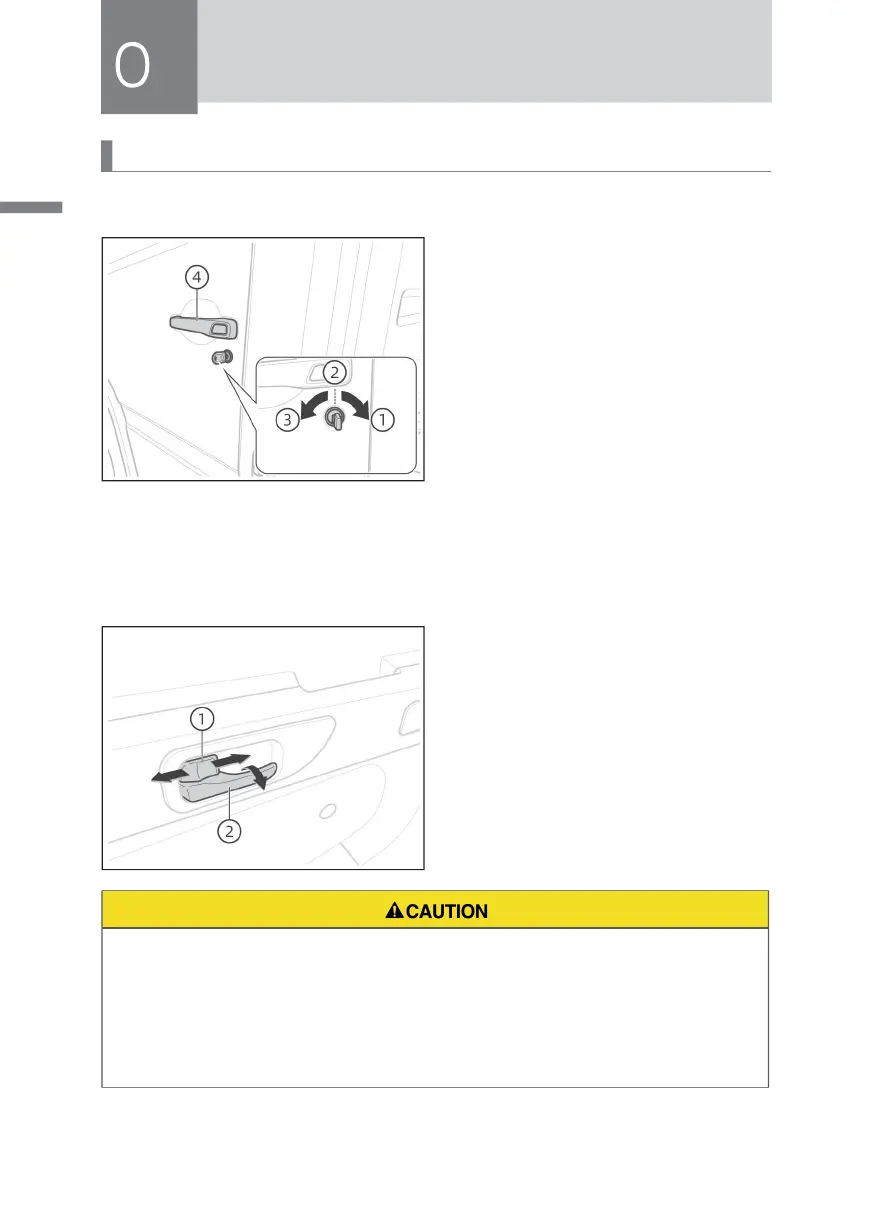
① Door opening position
② Key insertion position
③ Door locking position
④ Door outer handle
Insert the key into the lock hole and
rotate it to ③ position (front) to lock the
door lock, otherwise the door lock
will be unlocked; after the door lock
is released, pull the outside handle
outward to open the door.
From Inside
Turn the lock knob ① forward to the
door lock position and lock the door;
otherwise, it will be released. Then pull
the interior door handle ② to open the
door.
• It is very dangerous to drive with the door half closed. Please check whether
the door is fully closed again.
• Do not open the door when the vehicle is running.
• The door must be locked with a key outside the vehicle. It is forbidden to use
the locking method of placing the lock inside the door in the locked position.



 To Next Page