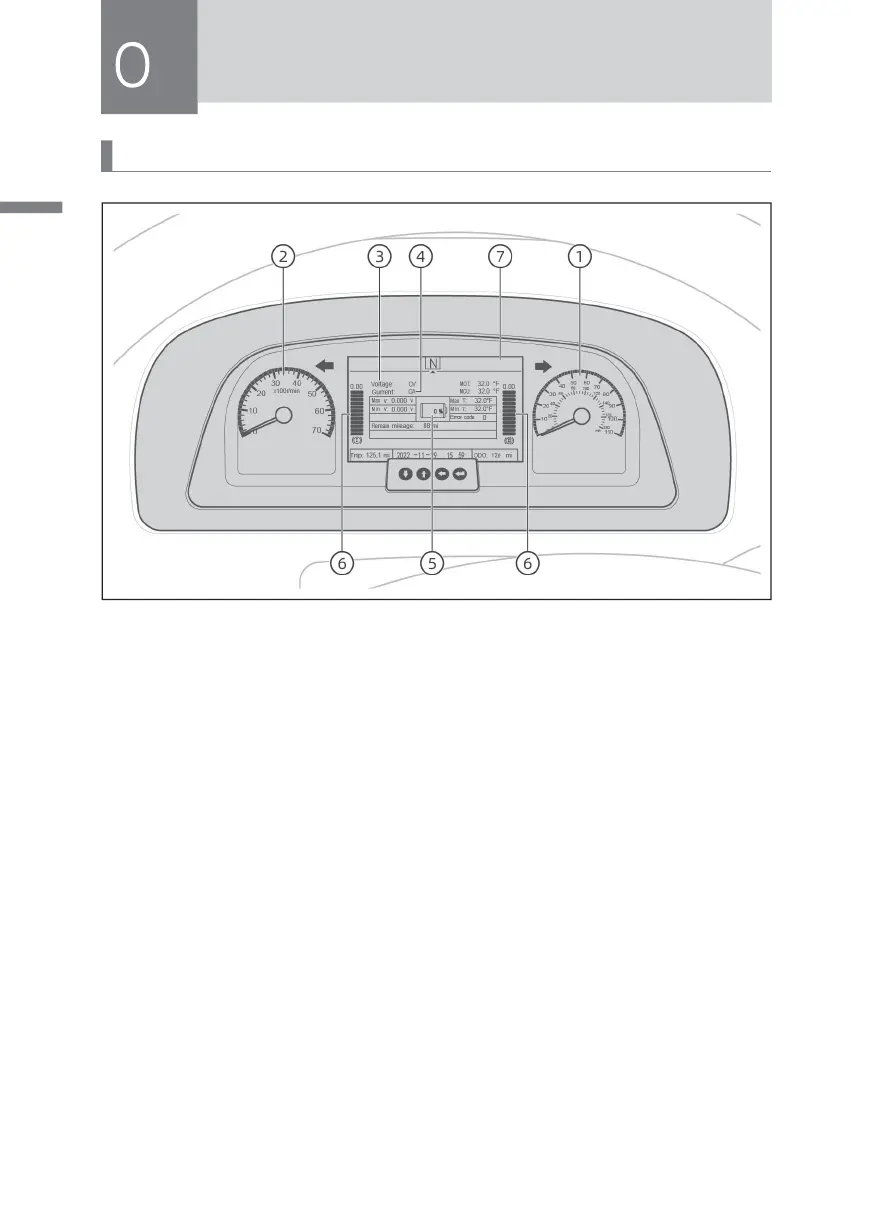
Dashboard
① Speedometer
» The speedometer indicates the vehicle speed in mph.
② Motor tachometer
» The tachometer indicates the revolutions per minute of the motor.
③ Voltmeter
» The voltmeter indicates the total voltage of the power battery pack.
④ Ammeter
» The ammeter shows the real-time working current of the power battery pack.
The charging current is negative and the discharging current is positive.
⑤ Power meter
» The power meter indicates the amount of power stored in the power battery
pack. When the key switch is in the ON position, the meter will work. The mark
on the dial is 100%, indicating that the battery is fully charged, and the SOC
should not be lower than 20%.



 To Next Page