• It is forbidden to run the motor when the pointer points to the red area of the
dial.
⑥ Air pressure gauge
» This gauge is used to indicate the brake air pressure of the front and rear axles
of the whole vehicle.
» When the key switch is in the ON position, the meter will work. The green on
the dial indicates that the vehicle can be driven, and the red indicates that the
brake air pressure is insufficient and it cannot be driven.
• When the air pressure is too low, the low air pressure indicator will light up
and the buzzer will sound an alarm.
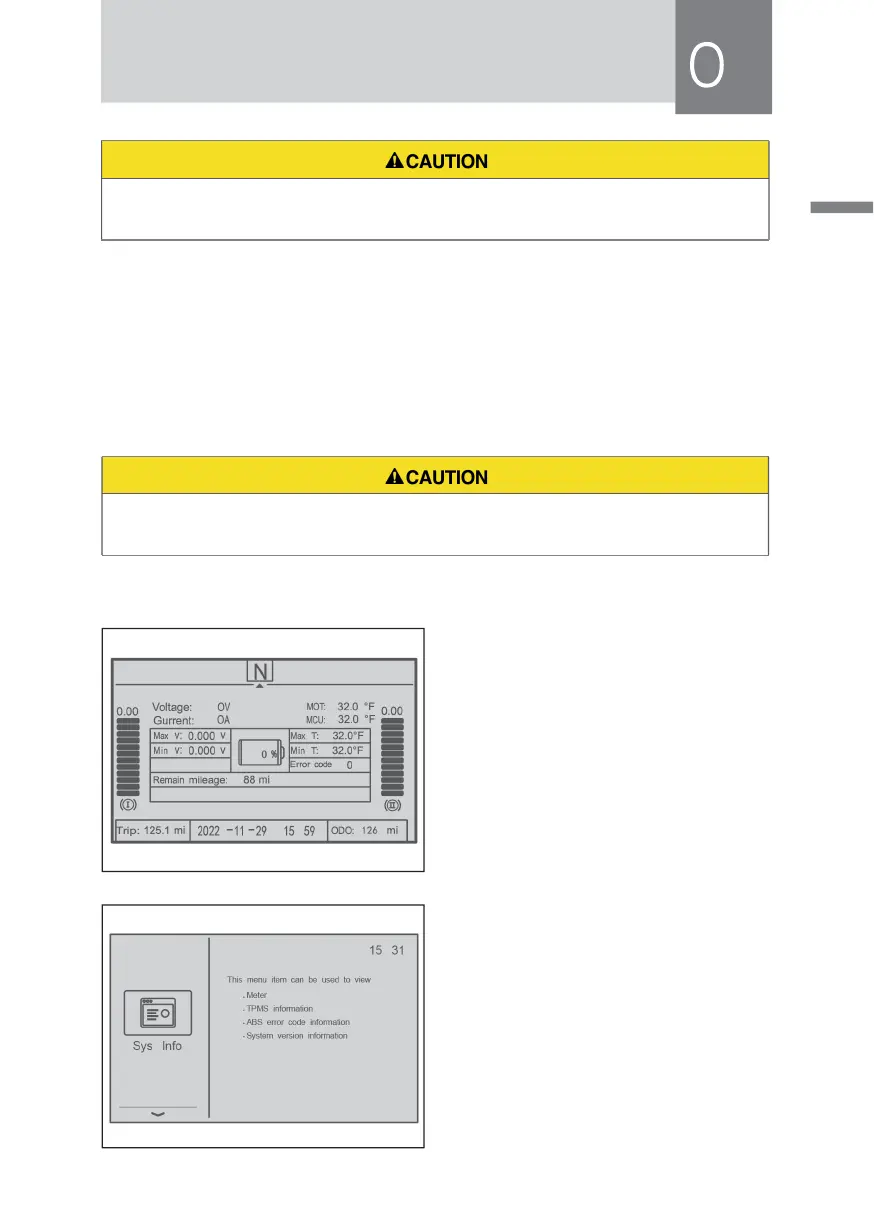
⑦ LCD display screen of combination instrument
1)Turn on the key power, and the
instrument will display the main
interface first.
The main interface displays the basic
information of driving, including:
total voltage, total current, battery
information, motor and controller
temperature, system status, fault
code, etc.
2) System information
Press the right confirmation key to
display the system information. It
can query instrument information,
tire pressure information, fault query,
instrument version information, etc.



 To Next Page