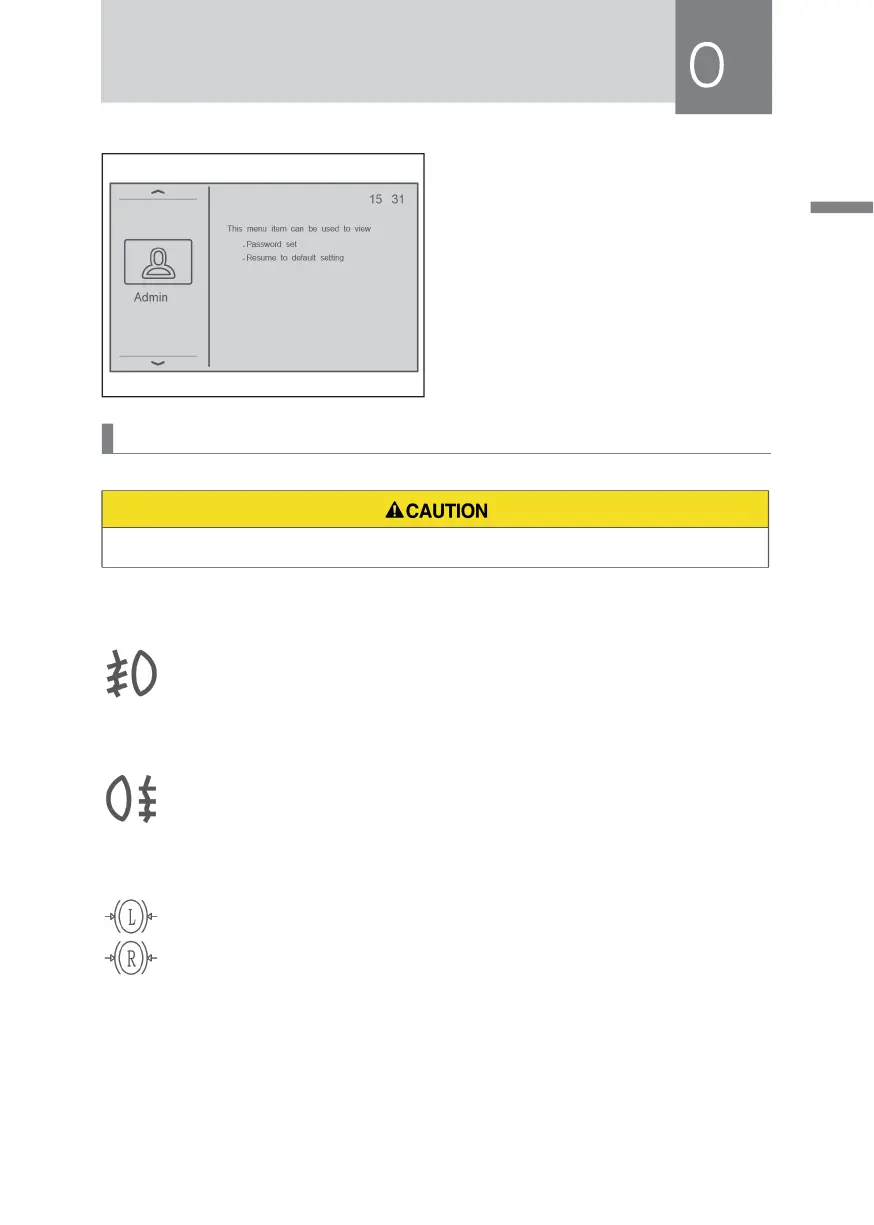
6) Administrator information
Press the scroll down key to display
the administrator information,
modify the password and restore
the factory settings, and enter the
administrator password to restore
the factory user password.
Instrument Indicator/Warning Lamps
• The indicator/warning lamps will vary according to the vehicle configuration.
Front Fog Lamp Indicator Lamp
When the small lamp is turned on, turn on the front fog lamp switch again,
and the indicator lamp will be on.
Rear Fog Lamp Indicator Lamp
When the front fog lamp, high beam lamp or low beam lamp is turned on,
turn on the rear fog lamp switch again, and the indicator lamp will be on.
Brake Pad Wear Indicator
Left brake pad (L), right brake pad (R).
When the brake pads are worn and need to be replaced, the indicator
lamp will turn on.
When this indicator lamp is on, please replace the damaged brake pads in time to
avoid affecting driving safety.



 To Next Page