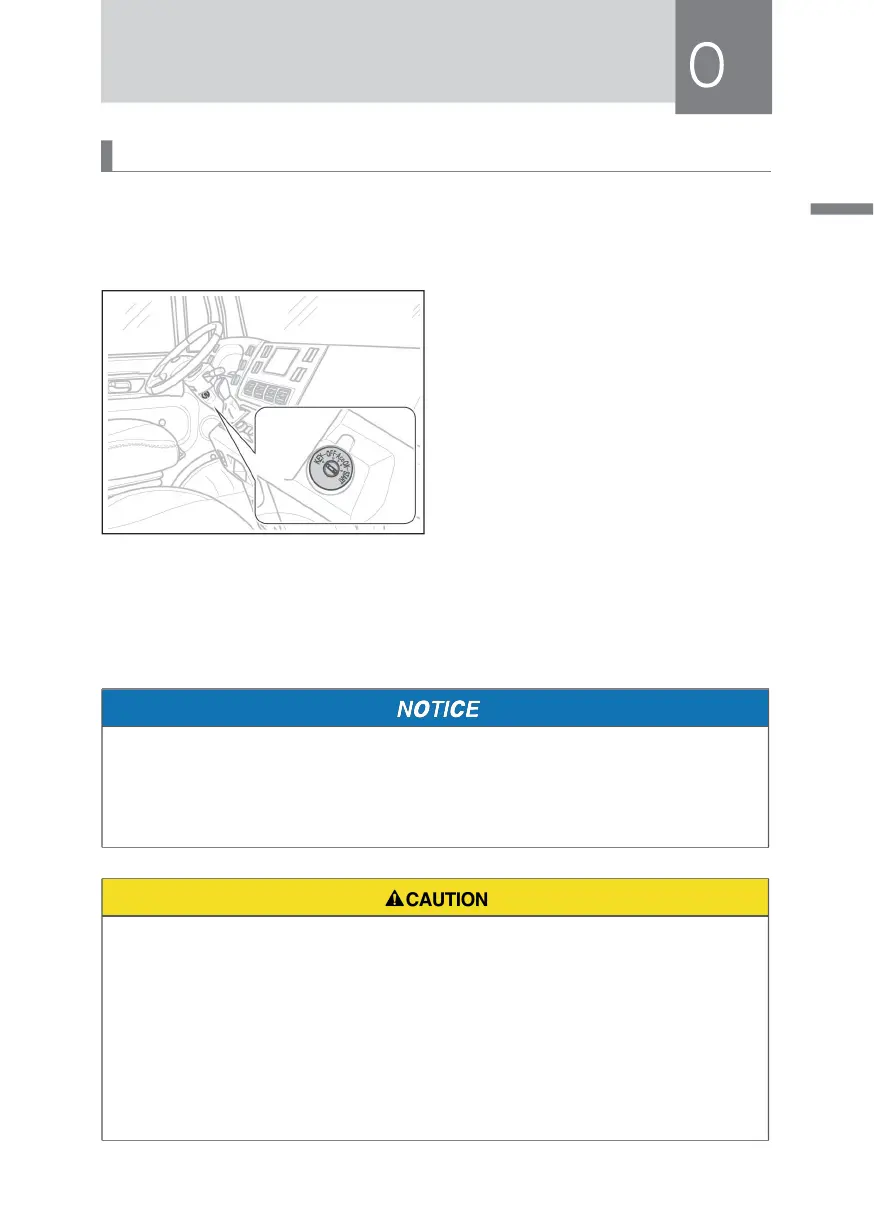
Ignition Switch
The ignition switch, also known as the ignition key and key switch, is the power
supply to control the vehicle starting, ignition, charging, instrument and other
systems.
KEY (locking gear): The key can only
be inserted and pulled out in the KEY
position.
OFF: Turn the key to OFF, and the power
is off.
ACC (accessory gear): Turn the key
clockwise to ACC gear to turn on the
relevant accessories.
ON (ignition gear): Turn the key clockwise to ON gear, which is the normal driving
position, and the instrument starts to work.
START (start gear): Turn the key clockwise to the START position to start the vehicle.
When the hand is released, the key will automatically turn back to the ON position.
• The ignition switch may also have no ignition position identification, but its
ignition position sequence is the same as that shown in this figure.
• It must be delayed at the start position for 1~3 seconds, and the motor can
enter the enabled state before driving.
• Do not leave the key in the "ACC" position for a long time after the vehicle is
stopped, otherwise it will consume the power of the power battery.
• When the high and low voltage power-on switch is turned to the "ACC", "ON"
and "START" positions, even if the pointer on all instruments and measuring
instruments moves slowly, it does not mean that a fault has occurred.
• Do not remove the key from the ignition switch while the vehicle is running.
Otherwise, the steering wheel is locked, causing the driver to lose control of
the vehicle.



 To Next Page