Charging
Conventional Charging Method
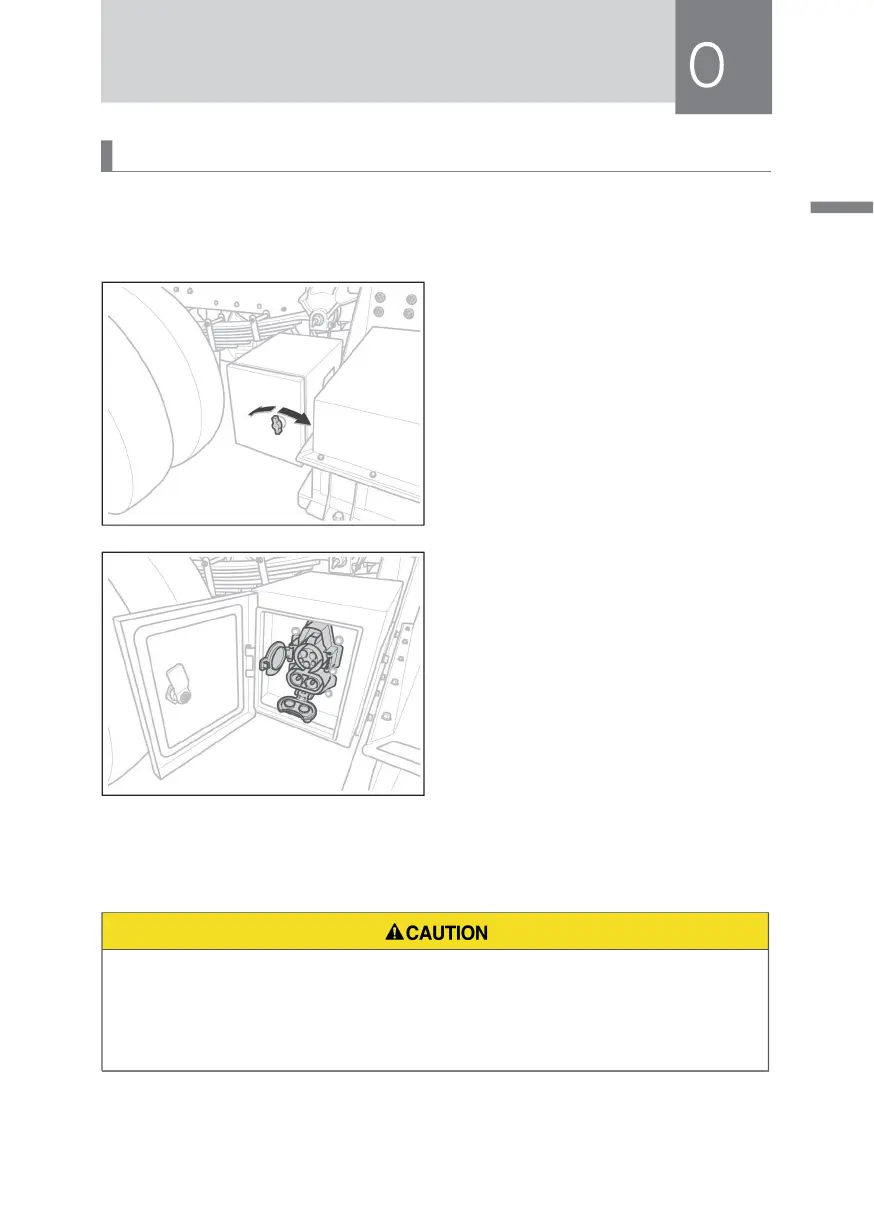
1.Remove the key and turn off the low-voltage main switch.
2. Turn the charging door knob to open
the charging door.
3. Open the charging port cover, insert
the charging gun, and charge.
4. After charging, pull out the charging gun and close the charging port cover.
5. Close the charging compartment door.
• In rainy days, outdoor charging is prohibited to prevent water from entering
the charging port.
• The low-voltage auxiliary power supply of this vehicle is 24 V. Pay attention to
the matching of low-voltage auxiliary power supply when charging.



 To Next Page