Operation Instructions for Charging Cabinet
Charging preparation
1. Check the charger status
• The charger power indicator can be normally lit without fault;
b.The touch screen of the charger is normal and operable;
c.The charging cable is not damaged, and the charging gun is firm and
reliable.
2. Check vehicle status
• If the vehicle is powered off when it stops stably, the low-voltage main switch
shall be disconnected;
• The manual quick disconnector of the vehicle high-pressure compartment is
connected normally.
Charging operation
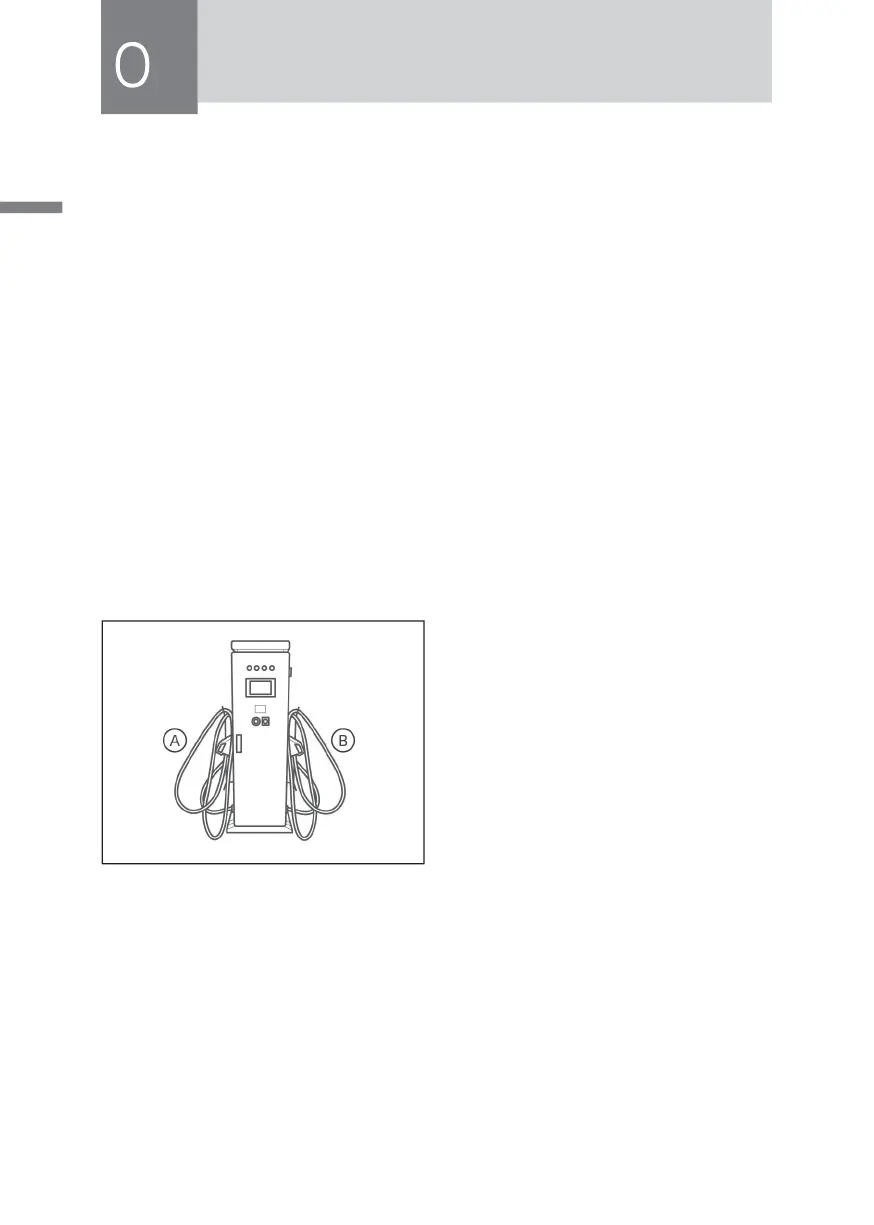
1. Take out gun A or gun B from the
charging cabinet gun line holder.
2. Insert the selected gun line into the
electric vehicle to be charged, and
click the start button on the operation
panel.
3. After the electric vehicle charging cabinet is powered on and the self-inspection
is completed, the system enters the main interface. The automatic charging
mode means that the system charges according to the instructions sent by the
BMS management system, without the need for the operator to set the charging
parameters; manual charging mode means that the system can charge by
setting the charging voltage and current in the function table according to the
needs of the operator.
4. After selecting "automatic charging", the system enters the charging status
monitoring interface.
5. When the electric vehicle is fully charged or needs to stop charging manually,



 To Next Page