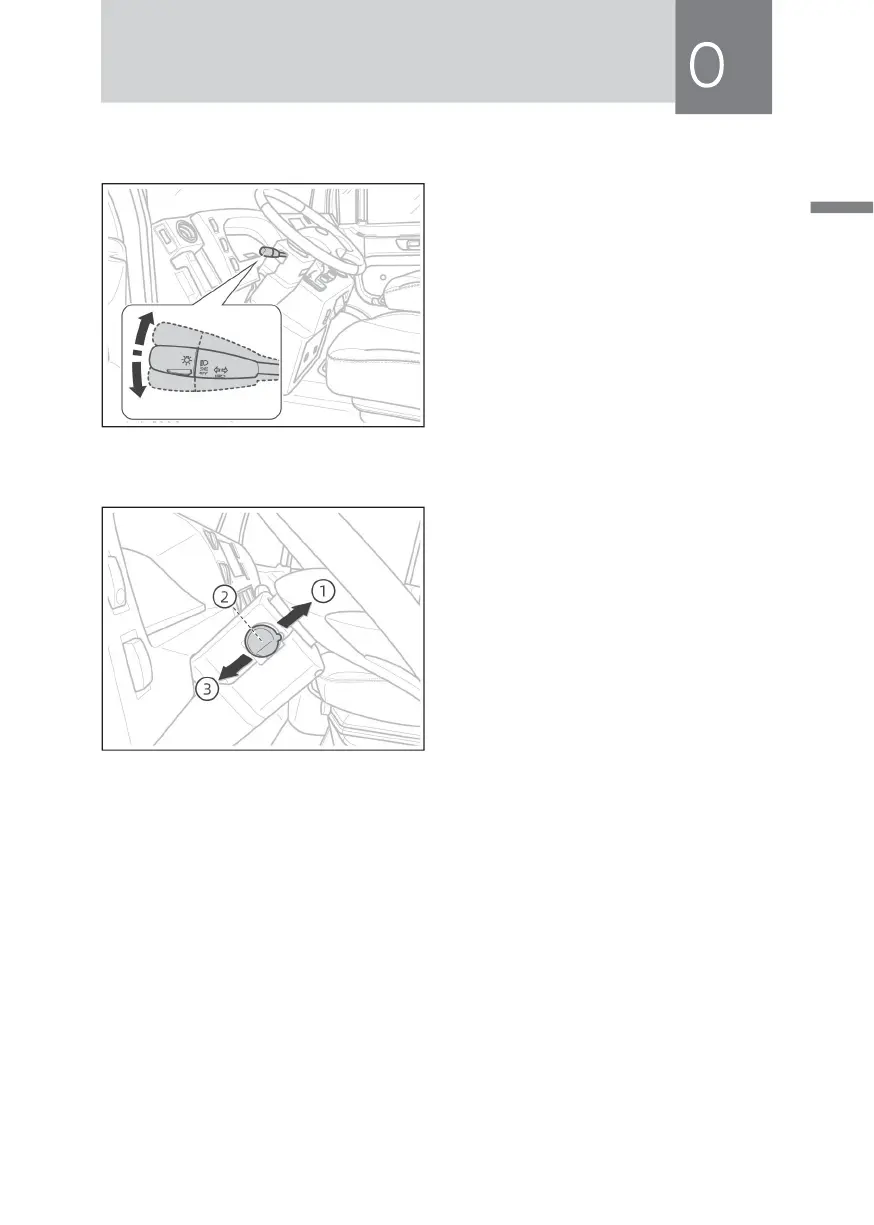
Turn Signal Lamp
When the control lever is moved
forward, the right front turn signal
lamp, the right rear turn signal lamp
and the right turn signal lamp will light
up; when the control lever is moved
backward, the left front turn signal
lamp, the left rear turn signal lamp and
the left turn signal lamp will light up.
Dimming Switch and Overtaking Lamp Switch
① Overtaking lamp dimming position
② Low beam position
③ High beam position
When meeting other vehicles at night, be sure to use the dimmer switch. After
turning on the headlamps, pull the left handle of the combination switch up and
down to realize the transformation of low beam and high beam. Turn the left
handle of the combination switch downward from the low beam position, and
the high beam of the headlamp will always be on; when the vehicle is running
normally, regardless of the use of any other lights, lift the left handle of the
combination switch to the highest position, and the overtaking lamp (high beam
lamp) will be on. When the hand is released, the handle will automatically return to
its position, and the high beam lamp will be off.



 To Next Page