Digital Power Meter 66203/66204 User’s Manual
4-8
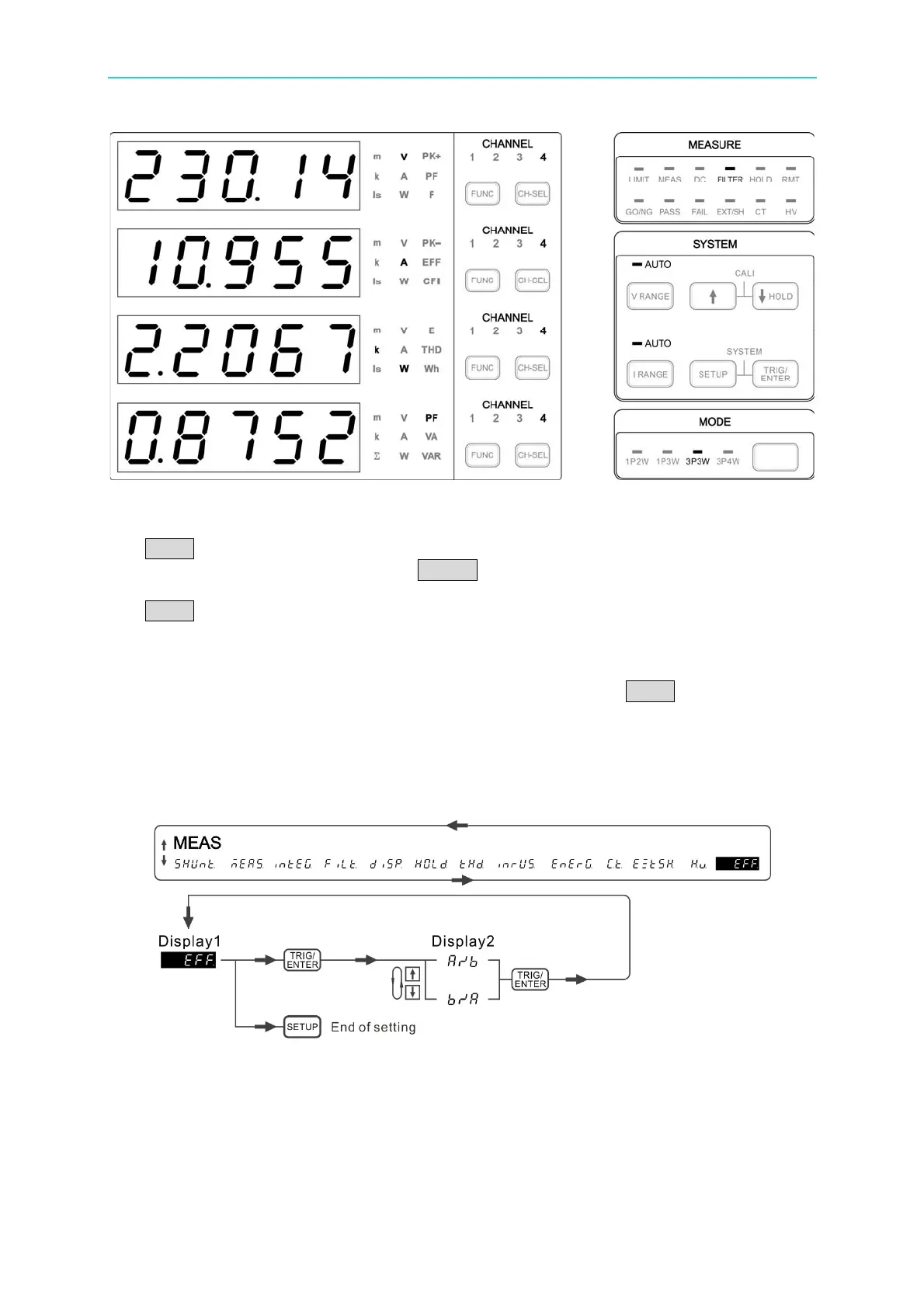
Figure 4-15 Test Value of Motor Driver Input Side
2. To display the measurement of motor driver secondary side (output side): Press the
FUNC key of display 1~display 4 to set the indicator measurement parameter to V, A, W,
PF respectively, and then press the CHSEL of display 1~display 4 to set the channel to
1 or 2 for respective check. To check the total output power of secondary side, press the
FUNC key of display 4 to set indicator of measurement parameter to ΣW, ΣVA, ΣVAR
and ΣPF.
3. To display the efficiency of motor driver: Go to the Meas menu, select EFF function, and
set the a/b calculation efficiency. Exit the menu and press the FUNC key of display 2
to select the indicator of measurement parameter to EFF.
To check the input power, output power and efficiency simultaneously, it can select the
indicator of measurement parameter to W, ΣW, EFF for Display 1, Display 4, Display 2
respectively and set the display 1 channel to 4.
Figure 4-16 Process for Efficiency Calculation



 To Next Page