CLIMATE CONTROLLER
Driver Climate Controller
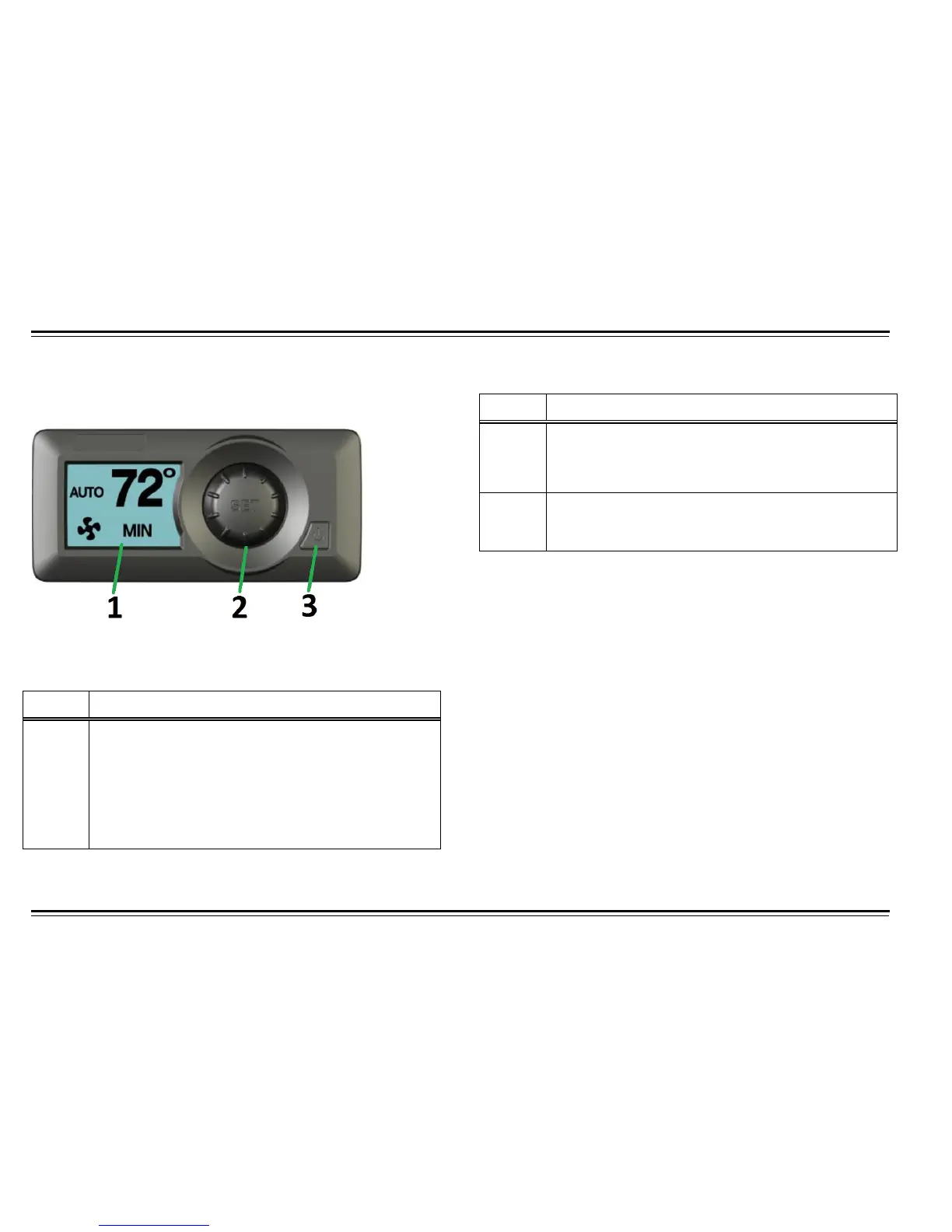
Table 6: Driver Climate Controller
Table 6: Driver Climate Controller
Main Screen: When the MVC is powered on, it displays mode, set-
point and fan speed. Temperature set-point can be changed in this
menu.
Fan Speed Screen: To change fan speed, enter the fan speed menu
by press the SET knob once then turn knob to decrease or increase
fan speed
Number Item
2
Set/Select Button
It is used for selecting between menus. In
Test/Diagnostic mode, it is used to test and diagnose
different components with in the HVAC system.
3
Power Button
Turn unit ON or OFF
Number Item
1
During normal operation, the set-point temperature,
blower speed, operation mode and fresh/recirc air
selection are displayed. In Test/Diagnostic menu,
error messages will be displayed on screen for
troubleshooting



 To Next Page