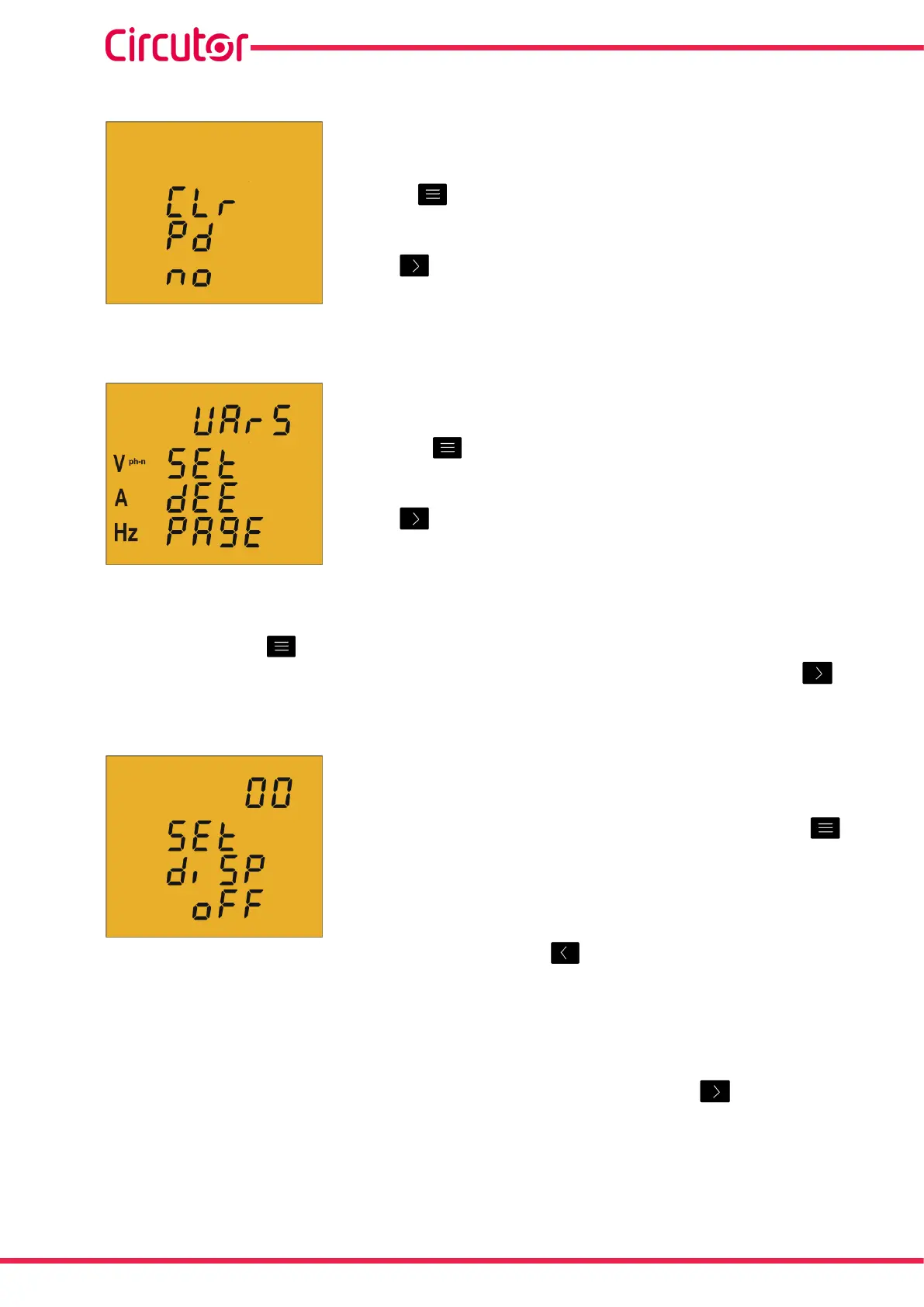
4�6�12� DELETING MAXIMUM DEMAND
Onthisscreenyouselectwhetherornottodeletethemaximum
demand�
Usethe keytojumpbetweenthetwooptions(YesandNo)�
Tovalidatetheinformationandgotothenextprogrammingstep,
press �
4�6�13� DEFAULT SCREEN
Onthisscreenthedefaultorstart-upinstantaneousdatascreen
(Table 8)fortheCVM-C5isselected�
Pressthe keyrepeatedlyuntilyouseethedefaultscreenof
yourchoice�
Tovalidatethescreenandgotothenextprogrammingstep,
press �
Theelectricalparametersmayalsobedisplayedbyautomaticallyrotatingthroughthe7
instantaneousdatascreensin5-secondintervals�
Todosopressthe keyrepeatedlyuntiltheparametersash;
Tovalidatetherotatingscreenfunctionandgotothenextprogrammingstep,press �
4�6�14� DISPLAY BACKLIGHT
OnthisscreenthetimethattheBacklightwillstaylit(inseconds)
afterthelastkeystrokeontheunitisprogrammed�
Toenterormodifythebacklightvalue,pressthe key
repeatedly,increasingthevalueoftheashingdigit�
Whentheon-screenvalueisthatdesired,pressthe keytogotothenextdigittomodify
theothervalues�
Thevalue00indicatesthatthebacklightwillstaypermanentlylit�
Thebacklighttimemayrangefrom5to99seconds�
Tovalidatetheinformationandgotothenextprogrammingstep,press �
34
CVM-C5-xxx-485
Instruction Manual













 To Next Page