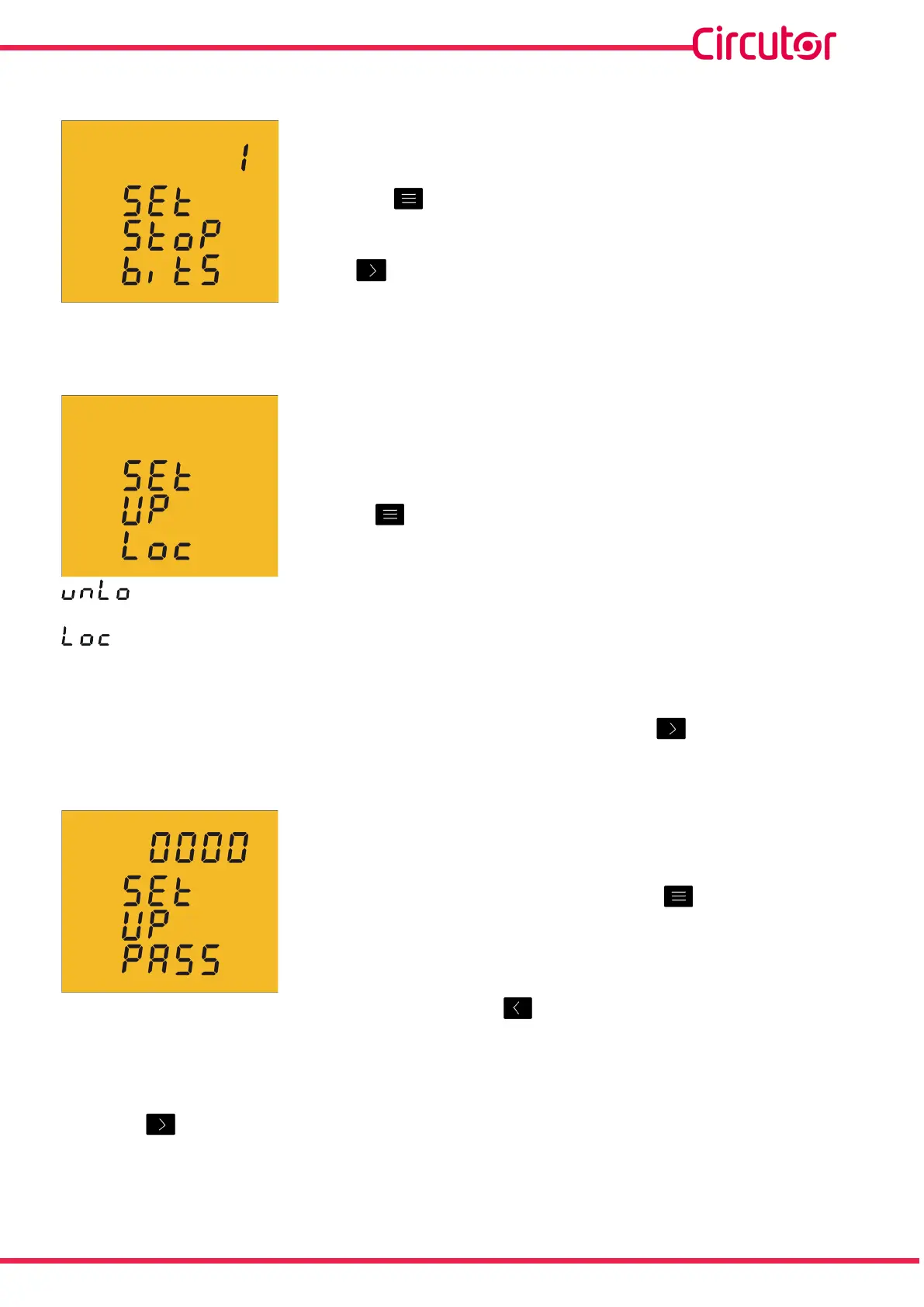
4�6�23� MODBUS COMMUNICATIONS : NUMBER OF STOP BITS
ThenumberofStopbitsofModbuscommunicationsare
programmedonthisscreen�
Presskey tobrowsetheoptions:1or2bits�
Tovalidatetheinformationandgotothenextprogrammingstep,
press �
4�6�24� LOCKING THE PROGRAMMING
Thisscreenisforprotectingthedataconfiguredinthe
programmingmenu�
Usethe keytojumpbetweenthetwooptions:
Whenyouentertheprogrammingmenuyoucanviewandmodifytheprogramming�
Whenyouentertheprogrammingyoucanviewtheprogrammingbutnotmodifyit��Inorder
tomodifytheprogrammingyouneedtoenterapassword�
Tovalidatetheinformationandgotothenextprogrammingstep,press �
4�6�25� PASSWORD
Onthisscreenthepasswordtomodifytheprogramming
parametersisprogrammed�
Toenterormodifythevalue,pressthe keyrepeatedly,
increasingthevalueoftheashingdigit�
Whentheon-screenvalueisthatdesired,pressthe keytogotothenextdigittomodify
theothervalues�
Default value: 1234.
Pressthe keytonishprogrammingthedevice�
41
Instruction Manual
CVM-C5-xxx-485













 To Next Page