13-2
Catalyst 2950 Desktop Switch Software Configuration Guide
78-14982-01
Chapter 13 Configuring Optional Spanning-Tree Features
Understanding Optional Spanning-Tree Features
Understanding Port Fast
Port Fast immediately brings an interface configured as an access or trunk port to the forwarding state
from a blocking state, bypassing the listening and learning states. You can use Port Fast on ports
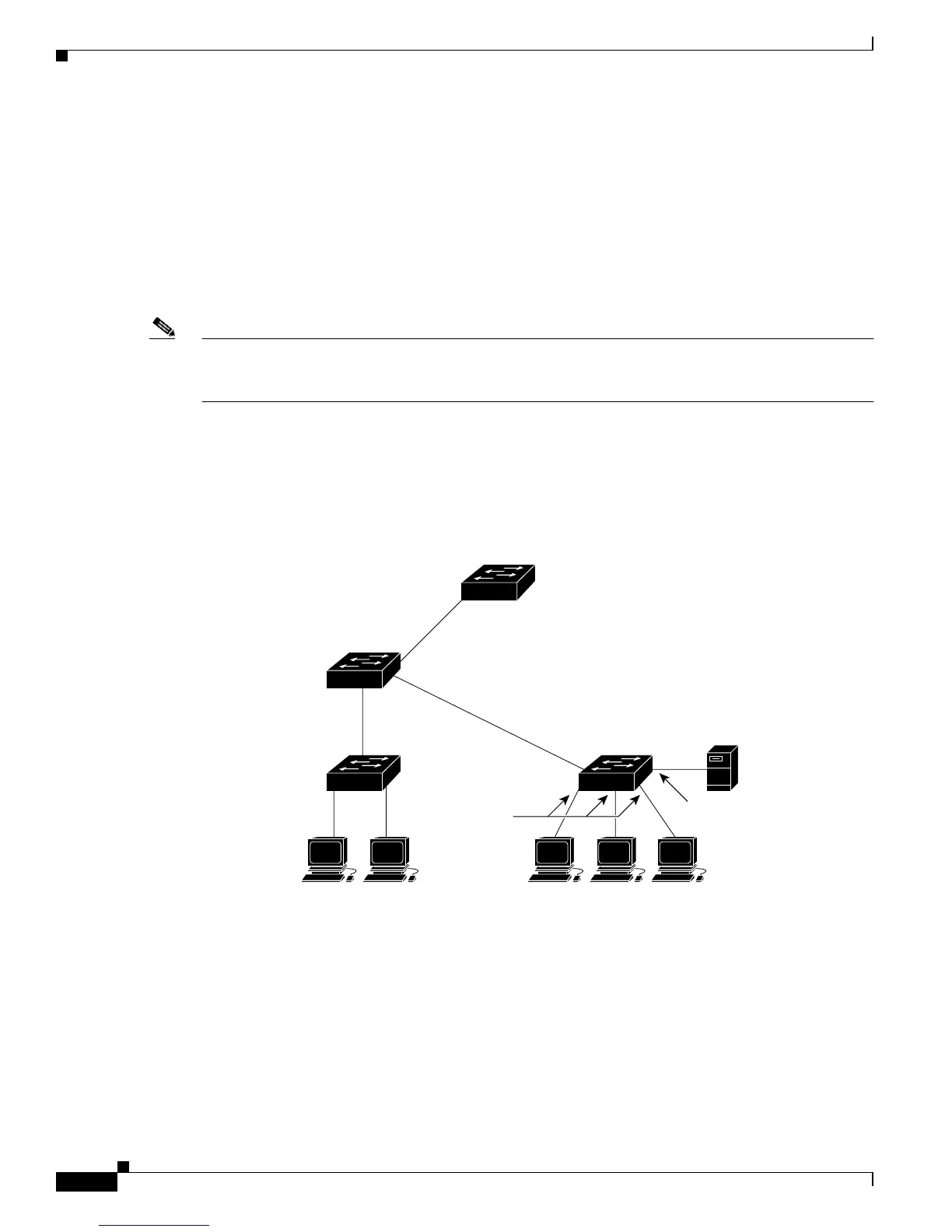
connected to a single workstation or server, as shown in Figure 13-1, to allow those devices to
immediately connect to the network, rather than waiting for the spanning tree to converge.
Ports connected to a single workstation or server should not receive bridge protocol data units (BPDUs).
A port with Port Fast enabled goes through the normal cycle of spanning-tree status changes when the
switch is restarted.
Note Because the purpose of Port Fast is to minimize the time ports must wait for spanning-tree to converge,
it is effective only when used on ports connected to end stations. If you enable Port Fast on a port
connecting to another switch, you risk creating a spanning-tree loop.
If your switch is running PVST or MSTP, you can enable this feature by using the spanning-tree
portfast interface configuration or the spanning-tree portfast default global configuration command.
The MSTP is available only if you have the EI installed on your switch.
Figure 13-1 Port Fast-Enabled Ports
Catalyst 6000
series switch
Catalyst 3550
switch
Catalyst 2950 or 3550
switch
WorkstationsWorkstations
Server
Port
Fast-enabled port
Port
Fast-enabled
ports
Catalyst 2950 or 3550
switch
74622



 To Next Page