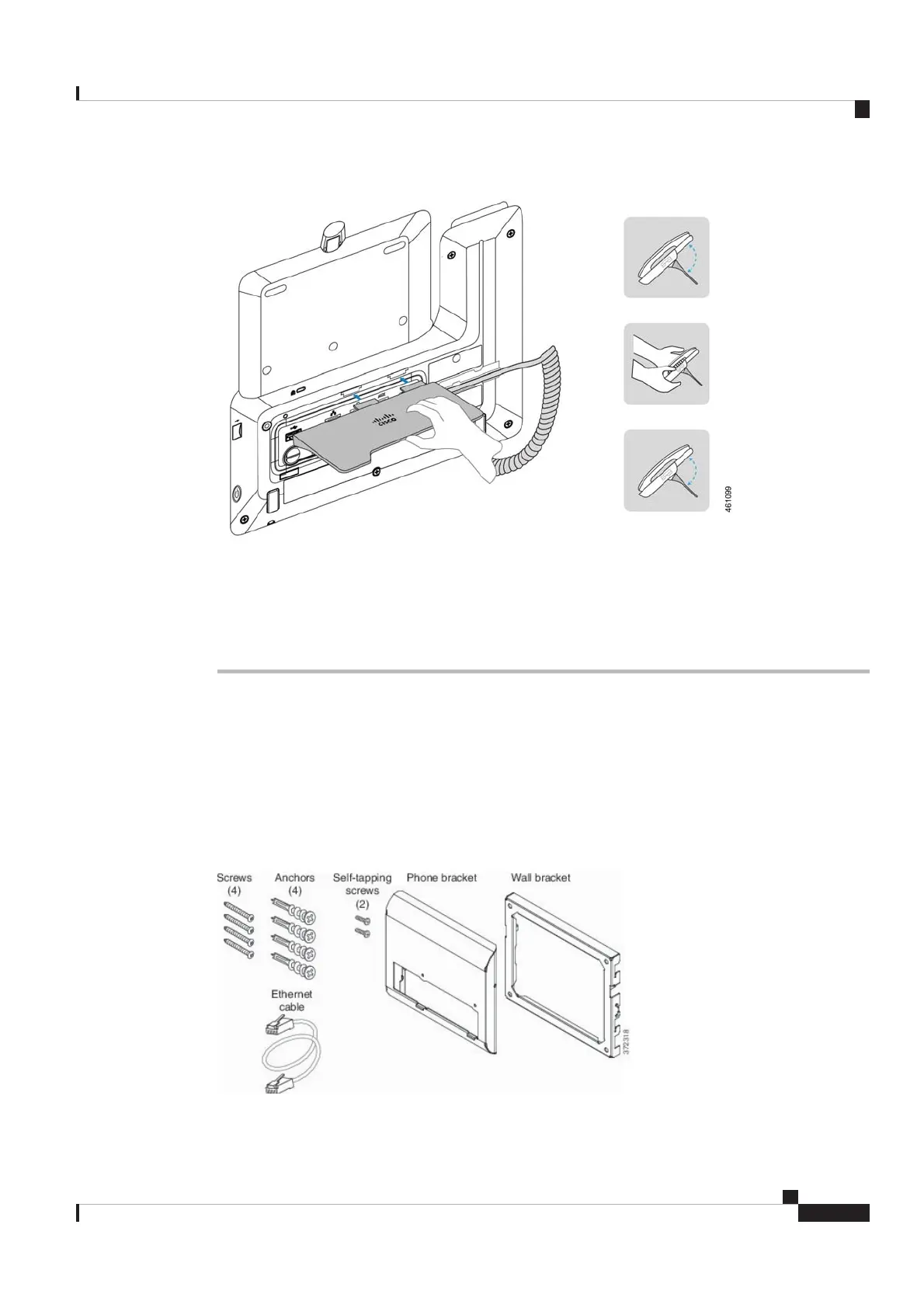
If needed, rotate the footstand to adjust the phone to a proper angle.
Step 4 Connect your phone to a wireless network.
For information about how to connect to a wireless network, see Connect to a Wi-Fi network, on page 35.
Wall Mount
Non-Lockable Wall Mount Components
This section describes how to install the Cisco IP Phone 8800 Series Wall Mount Kit.
The following figure shows the components of the Cisco IP Phone 8800 Series Wall Mount Kit.
Figure 4: Components
Cisco Video Phone 8875 Documentation
9
Get Started
Wall Mount
REVIEW DRAFT - CISCO CONFIDENTIAL



 To Next Page