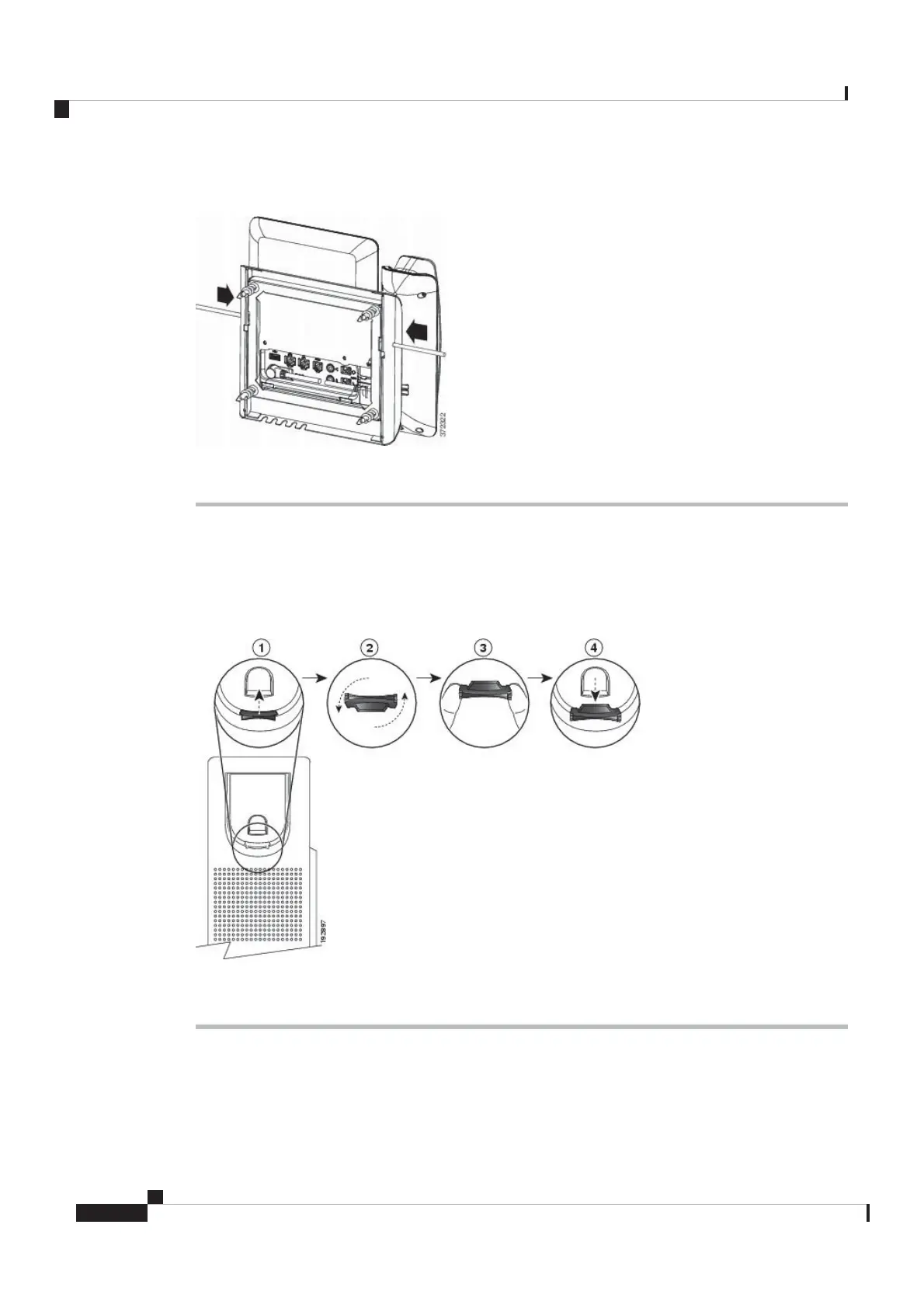
Figure 12: Disengage Tabs
Step 3 Lift the phone to release it from the wall bracket. Pull the phone toward you.
Adjust the Handset Rest
If your phone is wall-mounted or if the handset slips out of the cradle too easily, you may need to adjust the
handset rest to ensure that the receiver does not slip out of the cradle.
Figure 13: Adjust the Handset Rest
Procedure
Step 1 Remove the handset from the cradle and pull the plastic tab from the handset rest.
Step 2 Rotate the tab 180 degrees.
Step 3 Hold the tab between two fingers, with the corner notches facing you.
Cisco Video Phone 8875 Documentation
16
Get Started
Adjust the Handset Rest
REVIEW DRAFT - CISCO CONFIDENTIAL



 To Next Page