Step 2 Press again to unmute yourself when you're ready to speak.
Adjust audio volume
If the sound on your phone is too loud or too soft, you can change the volume when you’re on a call or on a
meeting.
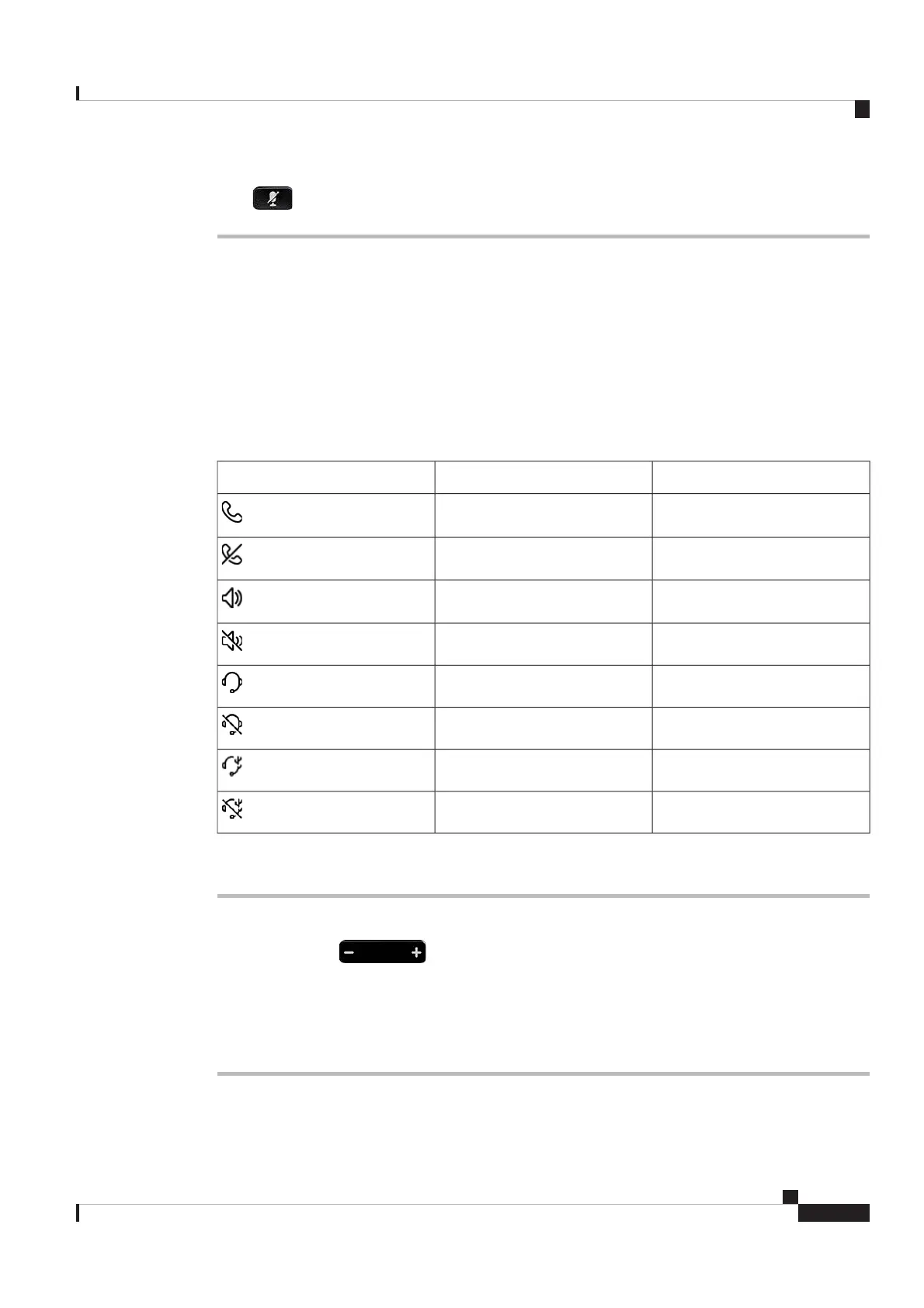
The volume change applies to the currently active audio path, which can be the phone handset, the phone
speaker, or your headset. You can check the Home screen header to know the active audio path.
See the following table for the audio path status.
Table 4: Audio path status displayed on the Home screen header
StatusActive audio pathIcon
ActivePhone handset
SilencedPhone handset
ActivePhone speaker
SilencedPhone speaker
ActiveBluetooth headset
SilencedBluetooth headset
ActiveWired headset
SilencedWired headset
Procedure
Do one of the following actions:
•Press-or+on
.
• Use the volume buttons on your Cisco Headset.
Only Cisco Headsets are supported to control the phone audio volume.
Note
Cisco Video Phone 8875 Documentation
23
Calls
Adjust audio volume
REVIEW DRAFT - CISCO CONFIDENTIAL



 To Next Page