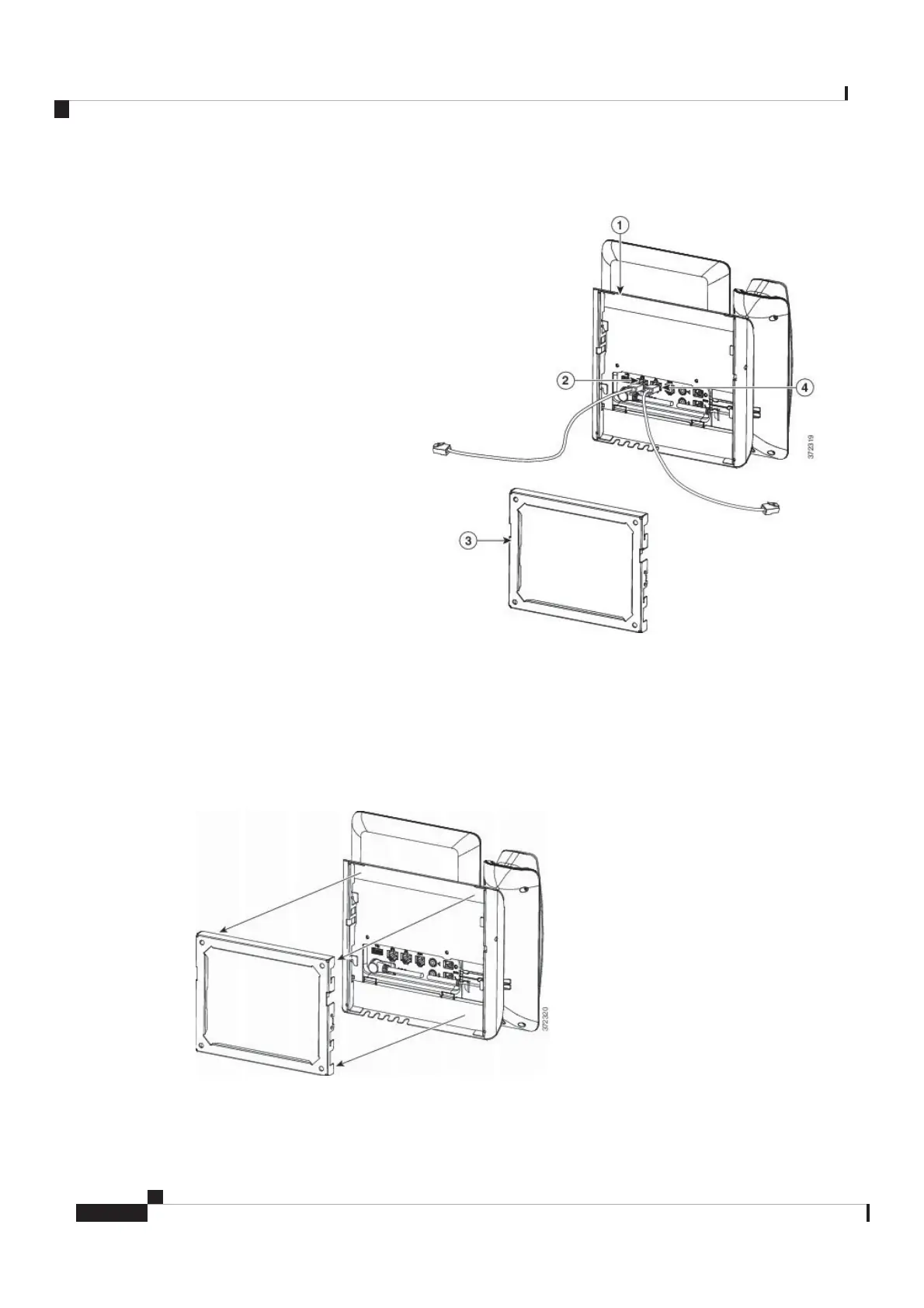
Figure 9: Attach Cables
The following figure shows the cables.
Step 4 Attach the phone to the wall bracket by inserting the tabs on the top of the wall bracket into the slots on the
phone bracket.
For cables that terminate outside of the brackets, use the cable-access openings in the bottom of the bracket
to position the power cord and any other cable that does not terminate in the wall behind the bracket. The
phone and wall bracket openings together form circular openings with room for one cable per opening.
Figure 10: Attach Phone to Wall Bracket
The following figure shows how you attach the phone to the wall bracket.
Cisco Video Phone 8875 Documentation
14
Get Started
Install the Non-Lockable Wall Mount Kit for Phone
REVIEW DRAFT - CISCO CONFIDENTIAL



 To Next Page