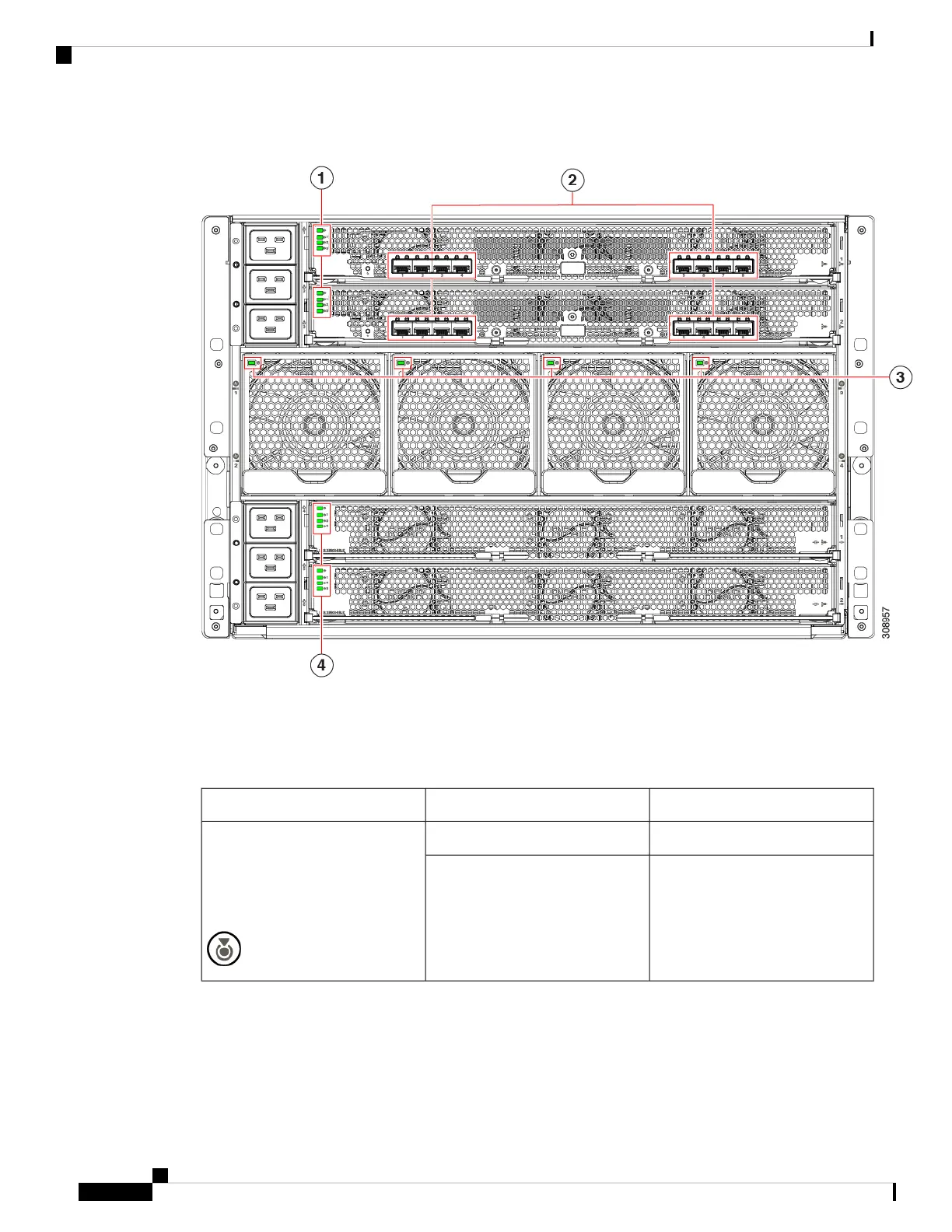
Figure 9: LEDs on the Cisco UCS X9508 Server Chassis—Rear View
Interpreting LEDs
Table 2: Chassis, System Fans, and Power Supply LEDs
DescriptionColorLED
Locator not enabled.OffLocator
LED and button
(callout 1 on the chassis front
panel)
Locates a selected chassis
You can initiate beaconing in UCS
Intersight or with the button, which
toggles the LED on and off.
Blue
Cisco UCS X9508 Server Chassis Installation Guide
14
Overview
Interpreting LEDs



 To Next Page