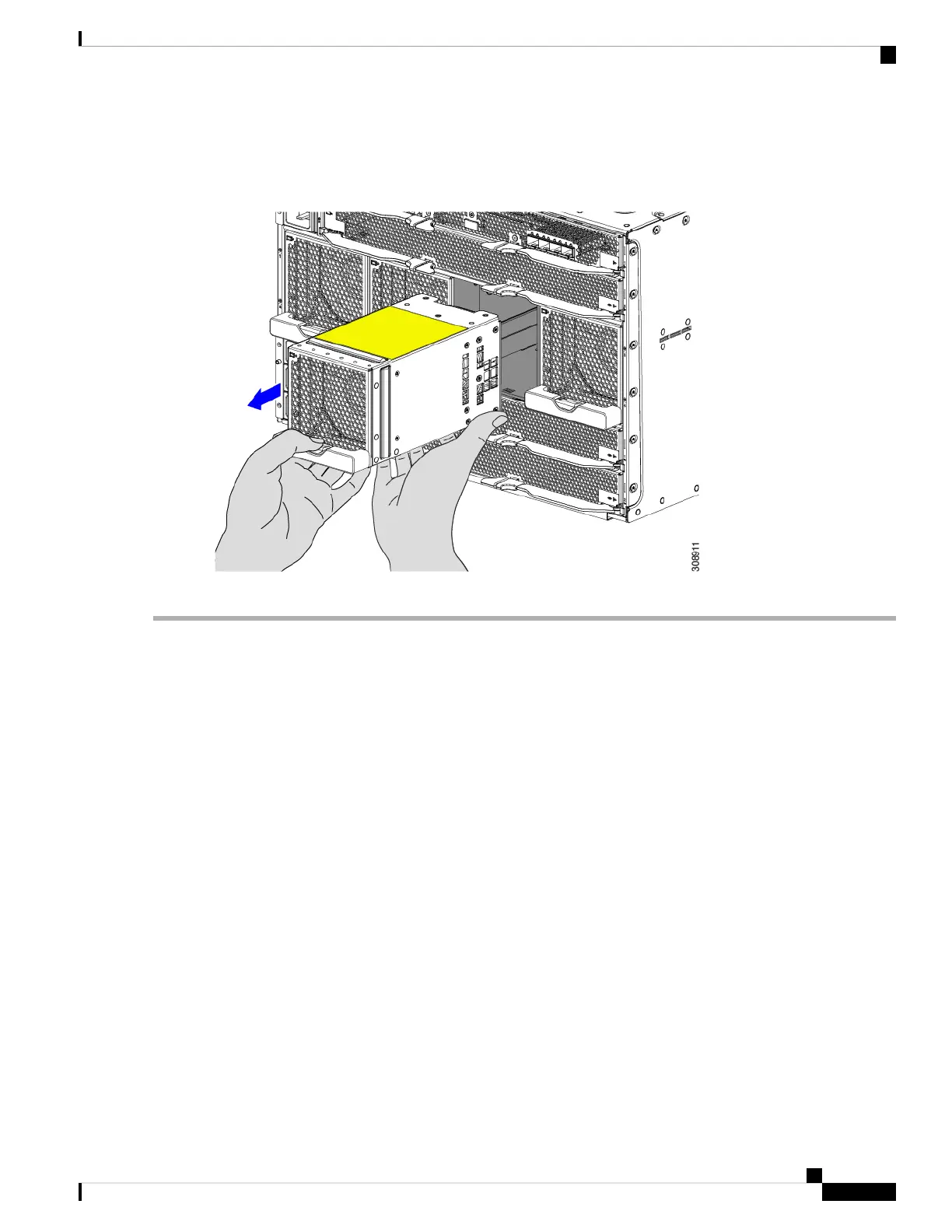
The fan module is relatively heavy! Do not attempt to handle or carry it by only its handle. Instead, make sure
support the fan's weight with your other hand.
Figure 43: Removing the Fan Module
Caution
What to do next
Insert a fan module. Go to Installing a Fan Module, on page 84.
Installing and Removing a Rear Module's Fan
The Cisco UCS X9508 Intelligent Fabric Module (IFM) and X-Fabric Module (XFM) blanks use the same
fan, which make the fans interchangeable between these modules and module blanks. In a typical configuration,
there are three fans numbered from one to three.
Use the following procedures to replace a fan on a Cisco UCS X9508 module or module blank.
• Installing a Fan for a UCS Intelligent Fabric Module (IFM) or X-Fabric Module (XFM) Blank, on page
88
• Removing a Fan for a UCS Intelligent Fabric Module (IFM) or X-Fabric Module (XFM) Blank, on page
89
Cisco UCS X9508 Server Chassis Installation Guide
87
Installing and Removing Components
Installing and Removing a Rear Module's Fan



 To Next Page