Step 1 Power down all compute nodes.
Step 2 Remove any power cables that are attached to the PEM.
Step 3 Remove the IFMs and expansion modules.
a) Go to Removing an Intelligent Fabric Module, on page 91.
b) Go to Removing an UCS X-Fabric Module Blank, on page 93.
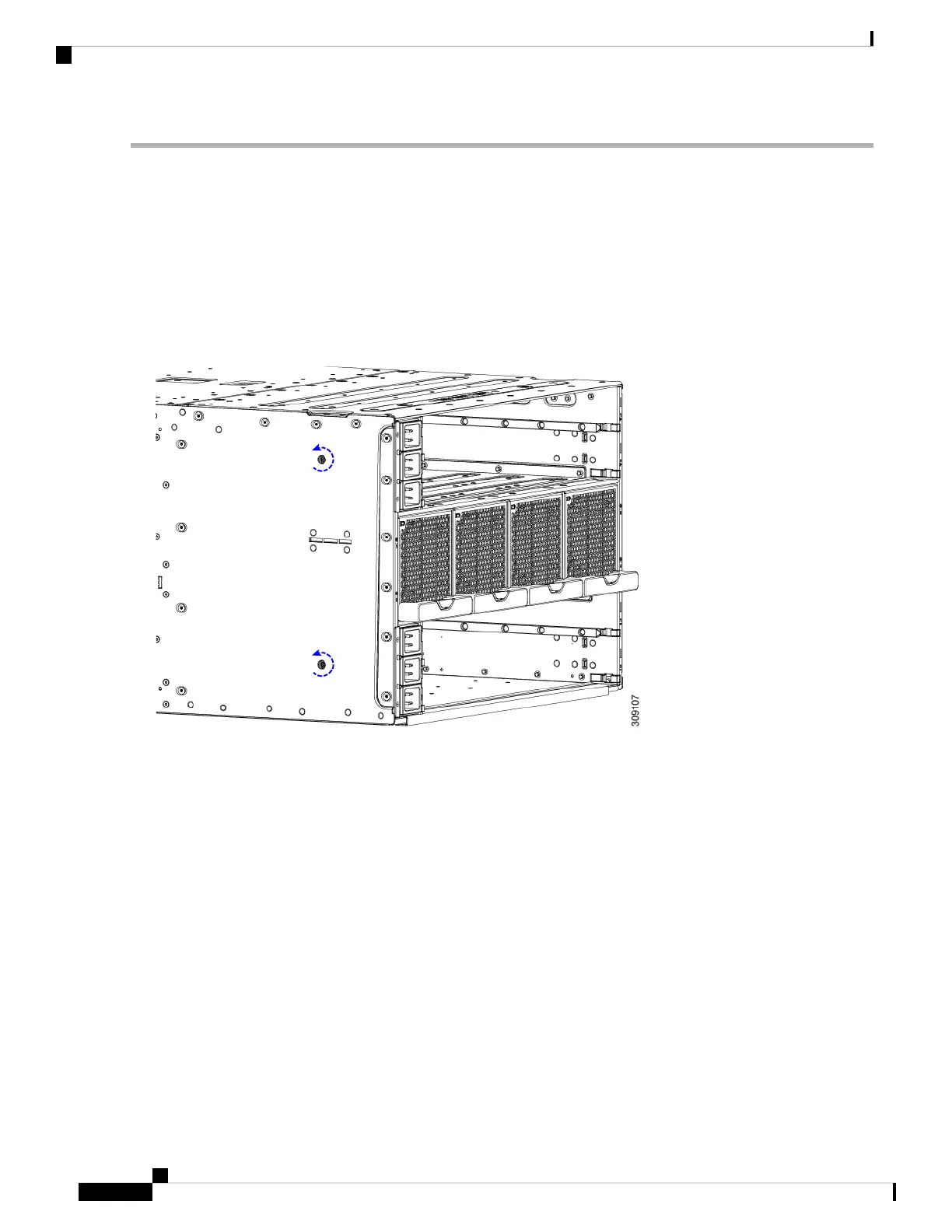
Step 4 Using a T10 screwdriver, loosen the captive screws that attach the PEM to the chassis.
The captive screws are easily identifiable because they are next to the electrical ground icons on the chassis walls.
a) Loosen the exterior captive screws.
b) Loosen the interior captive screws.
Cisco UCS X9508 Server Chassis Installation Guide
82
Installing and Removing Components
Removing the Power Entry Modules



 To Next Page