36
Learn Routine will be exited if:
● Door is closed.
● Ignition is turned off.
● Program switch is pressed too many times.
● More than 15 seconds between steps.
remote configurations
The remotes can be programmed with the standard or single button arm/disarm configurations by
using the auto learn functions in the Remote learn routine.
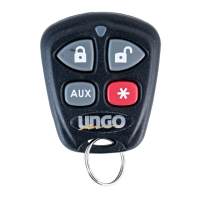
standard configuration
A remote that uses the standard configuration operates similarly to many factory keyless entry
remotes. A standard configuration remote allows arming, disarming, and panic mode activation
with separate buttons. When programmed for standard configuration, the remote buttons are
assigned to the following functions:
operates Arm/Lock, Panic ON/Panic OFF
operates Disarm/Unlock/Panic OFF
operates Remote start
operates Channel 2—trunk release
and operates Timer Mode
and operates Short Run/Turbo timer
and operates Channel 4
and operates Channel 5



 To Next Page