65
Please highlight icon
to select the corresponding alarm output.
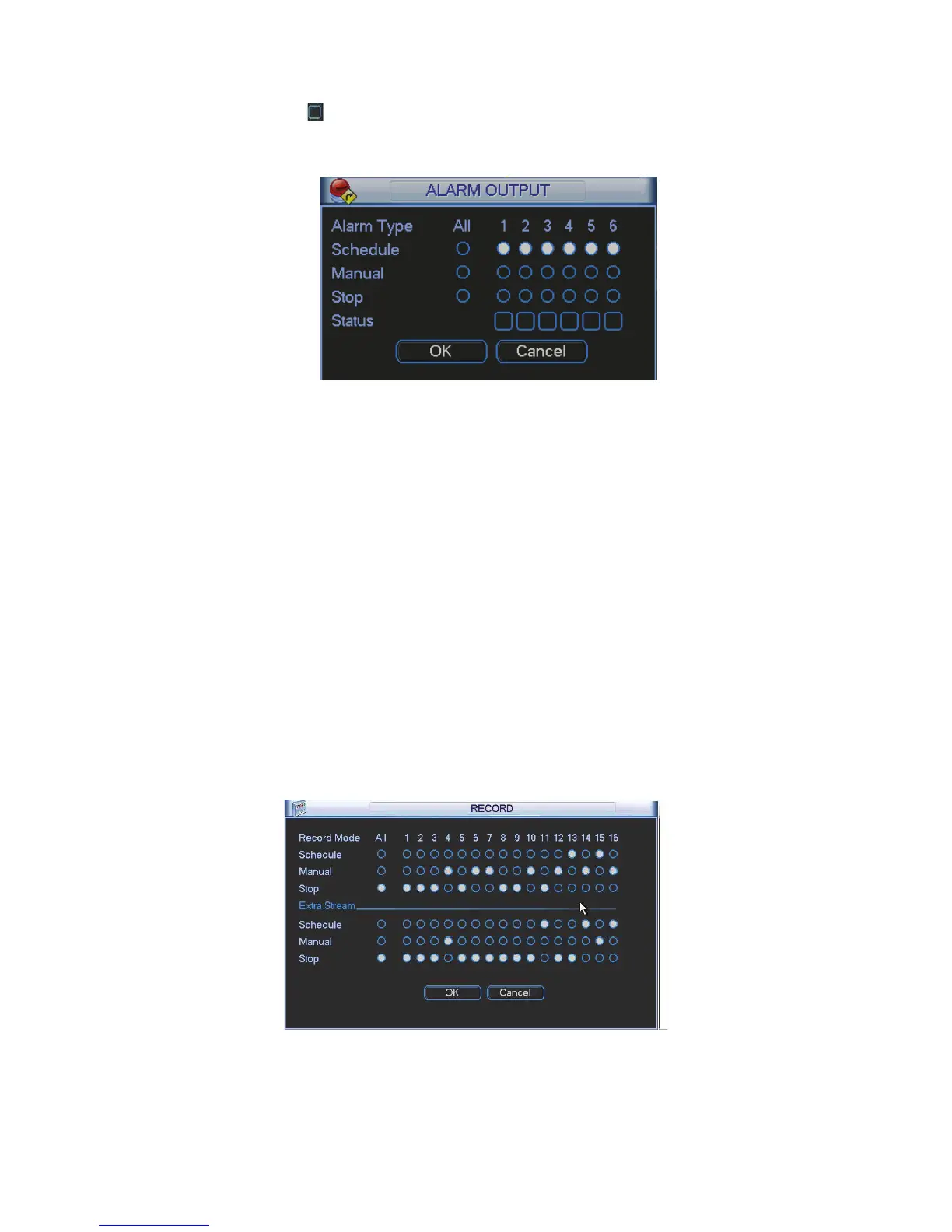
After all the setups please click OK button, system goes back to the previous menu. See Figure
4-85.
Figure 4-85
4.7.4 Manual Record
Note:
You need to have proper rights to implement the following operations. Please make sure the
HDD has been properly installed.
4.7.4.1 Manual record menu
Right click mouse or in the main menu, Advanced->Manual Record.
Manual record menu is shown as in Figure 4-86.
4.7.4.2 Basic operation
There are three statuses: schedule/manual/stop. Please highlight icon Āƻā to select
corresponding channel.
z Manual: The highest priority. After manual setup, all selected channels will begin ordinary
recording.
z Schedule: Channel records as you have set in recording setup (Main
Menu->Setting->Schedule)
z Stop: All channels stop recording.
Figure 4-86
4.7.4.3 Enable/disable record
Please check current channel status: “ż” means it is not in recording status, “Ɣ” means it is in



 To Next Page