88
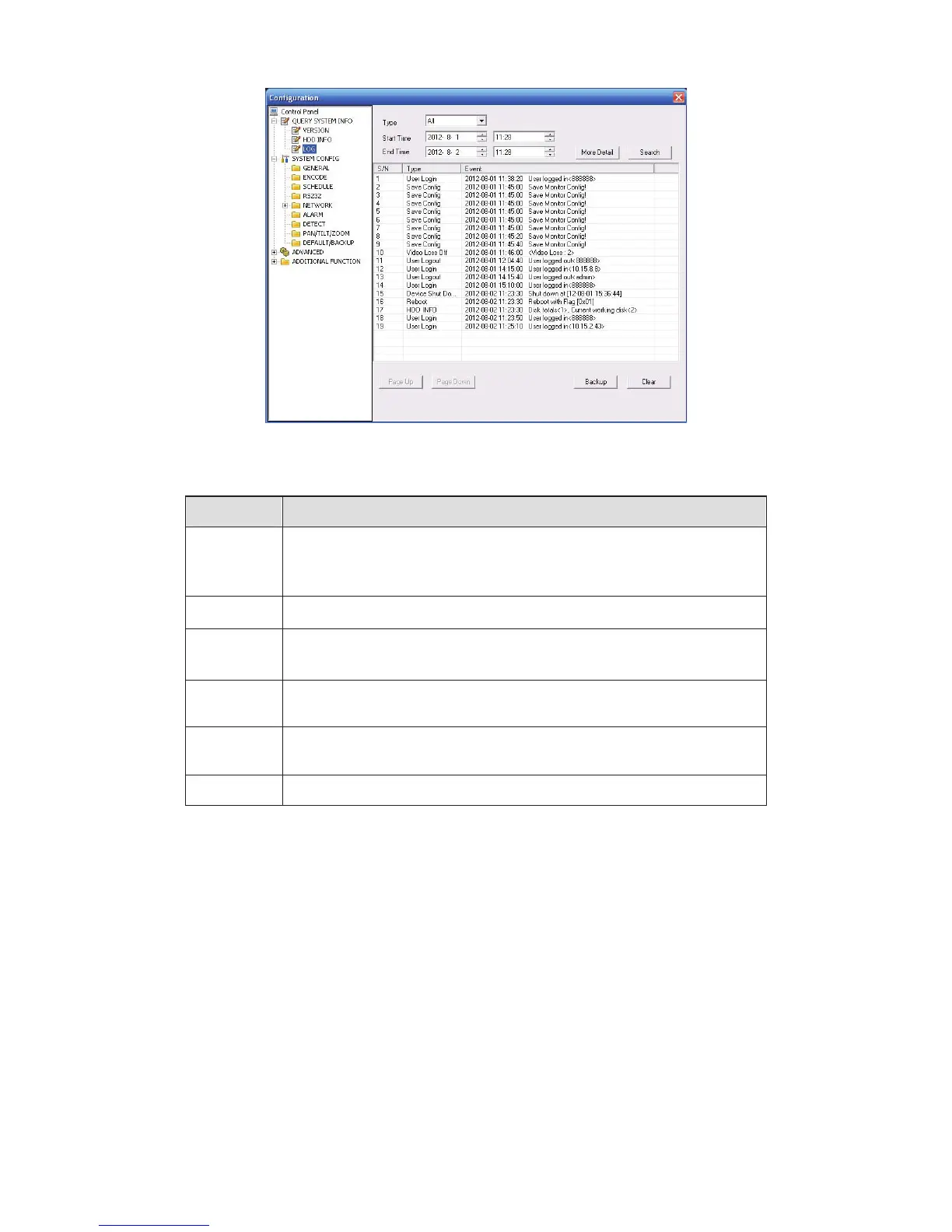
Figure 6-19 Log
Please refer to the following sheet for log parameter information.
Parameter Function
Type
Log types include: system operation, configuration operation, data
management, alarm event, record operation, user management, log
clear and file operation.
Start time
Set time to start search.
Finish time
Set time to finish search
Search
You can select log type from the drop down list and then click search
button to view the list.
Clear You can click this button to delete all displayed log files. Please
note system does not support clear by type.
Backup
You can click this button to backup log files to current PC.
6.4.2 System Configuration
Please click save button to save your current setup. Please click refresh button to view the
latest setup.
6.4.2.1 General Setup
Here you can set system time, record length, video format and etc. See Figure 6-20.


 To Next Page