10
Important
Please turn off the power before you replace the HDD.
The pictures listed below for reference only.
For the first time install, please be aware that whether the HDDs have been installed.
You can refer to the Appendix for recommended HDD brand. Please use HDD of 7200rpm or
higher. Usually we do not recommend the PC HDD.
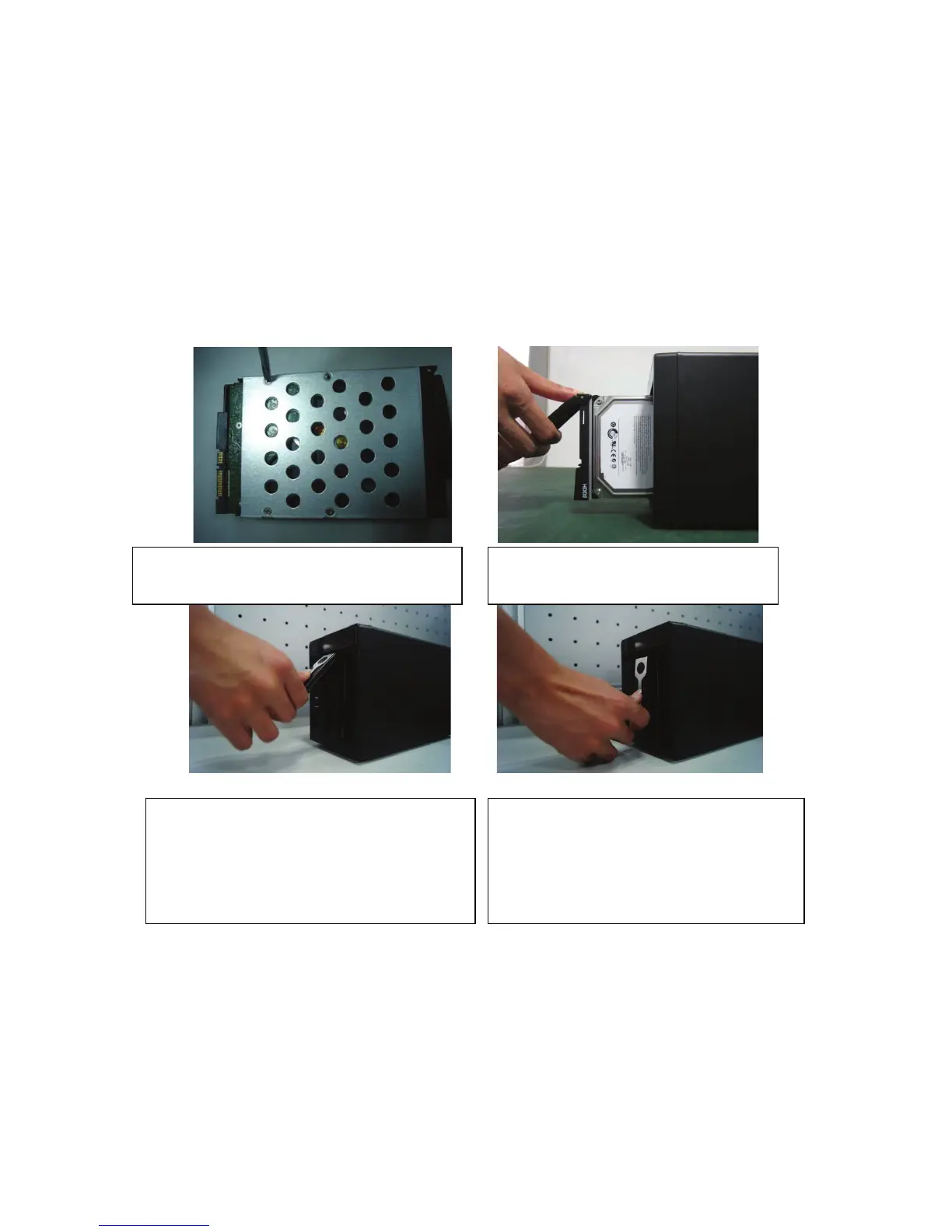
Please follow the instructions below to install hard disk.
ķUse 4 screws to secure the HDD
ĸPut the HDD to the HDD box at the front.
ĹPull the HDD knob up when you put the HDD
into the box in case the knob buckle may strike
the front panel.
ĺPut the knob back after you insert the HDD
to the SATA board.



 To Next Page